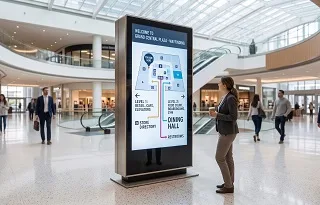
What buyers call LCD screen burn-in is usually image persistence or image sticking: a faint remnant of static content that remains after the picture changes and may fade with varied content or a period of complete power-off. It is not the same mechanism as permanent OLED burn-in. Yet an LCD is not immune to visible long-term deterioration, especially when high-contrast graphics stay fixed, heat builds up, or the display is operated outside its instructions. A 24/7 rating means the display can run continuously under stated conditions; it does not promise unlimited display of one static layout.

LCD image persistence and OLED burn-in can look similar, but their mechanisms and likely recovery paths differ.
LCD Burn-In at a Glance
The first buying decision is not whether a brochure says “24/7”; it is whether the panel, enclosure, content schedule and warranty fit the actual duty cycle.
| Question | Practical answer |
| Can an LCD retain a static image? | Yes. LCDs can show image persistence or image sticking after prolonged static content. |
| Is LCD image retention permanent? | It is often temporary, but recovery is not guaranteed in every case. Persistent deterioration needs service assessment. |
| Does a 24/7 rating eliminate the risk? | No. The rating applies only within the model’s operating instructions and environmental limits. |
| What raises the risk? | Long static dwell time, high-contrast fixed elements, excess heat, unsuitable orientation or enclosure, and missing power/content management. |
| What should buyers verify? | Duty-cycle rating, static-image warnings, anti-retention controls, thermal limits, installation conditions and warranty exclusions. |
“Burn-in” is useful search language, but it is imprecise for an LCD. An LCD does not create light at each pixel in the way an OLED does. Its liquid-crystal cells modulate light from a separate backlight. After the same pattern has been held for a long time, a residual version of that pattern can remain visible when the content changes. Display manufacturers commonly call this image persistence, image retention, afterimage or image sticking.
Research links LCD image sticking to residual direct-current voltage and charge or ion behavior at liquid-crystal interfaces. A Journal of Applied Physics study modeled how that residual voltage forms and relaxes. This differs from uneven aging of self-emissive OLED pixels.
The symptom alone does not show whether a panel will recover. EIZO’s support guidance describes LCD afterimages as reversible in many cases and recommends a gray pattern or complete power-off, while noting that recovery depends on severity. Treat “usually reversible” as an expectation, not a warranty.
LCD image persistence is generally a charge/alignment effect; OLED burn-in is associated with uneven wear of self-emissive pixels.
| Decision point | LCD | OLED | What it means for a 24/7 signage project |
| How the image is lit | Liquid crystals control a separate backlight. | Each pixel produces its own light. | Ask for the actual panel technology, not only a marketing family name. |
| Common static-image concern | Image persistence or image sticking. | Temporary retention and, in more extreme use, permanent burn-in. | Use the manufacturer’s prevention features for the selected technology. |
| Underlying concern | Residual electrical effects and liquid-crystal response, plus broader panel aging under severe use. | Uneven pixel and subpixel aging. | A recovery routine that helps an LCD is not proof that an OLED has recovered. |
| Likely response to a faint afterimage | Varied content, a supported screen-care function or power-off may reduce it. | Use built-in panel-care tools; permanent wear cannot be “washed away.” | Do not promise a universal software fix. |
Apple’s OLED guidance distinguishes temporary persistence from burn-in under more extreme prolonged use. Samsung provides pixel-shift and panel-care guidance for OLED monitors. These precautions should not be copied blindly into an LCD specification, but they show why buyers must separate the technologies.
Many products labeled “QLED” or “Mini-LED” are still LCDs; a QD-OLED is different. Confirm panel architecture in the datasheet rather than relying on a marketing family name.
Commercial signage is a system, not just a panel. A menu board may keep its logo and price columns fixed while a video window changes. A wayfinding screen may update data but leave its frame and controls untouched. Those high-contrast regions create a different exposure pattern from the rest of the panel.
Sharp NEC’s operational guidance warns about extended static content and recommends periodic movement, avoiding sharp high-contrast borders, using screen-saver controls and powering down when possible. It also warns that elevated enclosure temperature and 24/7 operation can accelerate visible aging effects.
An LG signage manual recommends changing images at least every 12 hours. That interval belongs to the cited manual; it is not a universal threshold. Panasonic instructions recommend model-specific screensaver and “Wobbling” functions for extended still images. Follow the selected model’s manual, not a generic interval.
Brightness deserves the same nuance. Backlight brightness is not identical to the residual-charge mechanism inside an LCD cell. However, excessive brightness can increase power and thermal load, and high internal temperature can accelerate several forms of display aging. Set brightness for the ambient-light requirement, provide the ventilation required by the display maker and avoid using maximum output as a substitute for selecting a suitable high-brightness model.
A ghost that appears in a screenshot or follows the media player is not panel retention; isolate the source before replacing hardware.
Document the symptom. Photograph the screen with the time, input source, brightness setting, ambient conditions and last content loop recorded. Use a camera rather than a screenshot for the panel symptom.
Change both content and input. Show a neutral gray field, then a different source or the display’s own on-screen menu. If the artifact exists only in one feed, inspect the player, cable, decoder, scaling or content file.
Separate retention from motion artifacts. A trail visible only behind moving objects can indicate response-time blur. A fixed faint logo that remains over unrelated content is more consistent with image persistence.
Check heat and installation. Verify that vents are clear, filters are maintained, fans operate where fitted, sunlight and nearby heat sources match the installation design, and the measured environment remains inside the model’s specification.
Use only supported recovery controls. Run the display’s image-sticking minimization, pixel-shift, wobbling, screensaver or uniform-pattern routine if the manual provides one. Do not assume a random online “burn-in fixer” is approved for unattended commercial use.
Allow a complete power-off period. Several manufacturers recommend full power-off as a recovery measure. “Black content” is not always equivalent to removing power because the panel and backlight may still be operating.
Escalate if the mark remains. If the artifact persists across sources after the manufacturer’s recommended recovery and cooldown, send the evidence pack to the supplier or authorized service provider. Ask whether the symptom is covered by warranty before approving replacement.
Do not run a prolonged high-intensity flashing pattern on a public screen without checking operational safety, viewer comfort and the display manual. Recovery may take time, and severe or long-standing deterioration may not recover fully.
1. Specify the duty cycle before choosing a screen
Write the real schedule into the request for quotation: hours per day, days per week, expected static-content dwell, orientation, ambient-light target, enclosure type and temperature range. Select from LCD digital signage product categories only after those inputs are known. If the application must remain visible around the clock, confirm the exact model’s 24/7 rating, thermal design and portrait/landscape restrictions in writing.
2. Design the content loop around static regions
Rotating a video window does little for a logo that never moves. Audit the whole canvas: logos, ticker frames, price columns, clocks, navigation, emergency labels and black bars. Move or restyle persistent elements, change background and character colors where permitted, and schedule full-screen content that changes the pixels occupied by the static layout. A few seconds of different content may not offset hours of the same pattern; Sharp NEC recommends giving different content meaningful display time.
3. Use built-in prevention features
Enable the manufacturer’s supported pixel-shift, motion, wobbling, screensaver or image-sticking-minimization controls. Test whether movement remains compatible with fine text, touch targets, video-wall alignment and regulated information. Record the settings in the commissioning document so a software update or factory reset does not silently disable them.
4. Schedule real idle time
When the venue is closed or the screen is not serving an operational purpose, use the display scheduler, energy-management interface or content-management system to enter standby or switch off. Confirm whether standby removes panel drive and backlight power for the chosen model. If a screen truly cannot go dark, alternate layouts and keep critical fixed elements from occupying the same pixels continuously.
5. Control the thermal environment
An enclosure changes the operating environment. Include solar load, filter condition, fan airflow, heater operation and waste heat from the media player. Outdoor LCD signage and semi-outdoor window displays need different brightness and temperature-control strategies from indoor units. Check each configuration rather than transferring an indoor content schedule to a sun-facing enclosure.
6. Monitor before the ghost becomes a fleet problem
Add a uniform gray-screen inspection to commissioning and maintenance. Save baseline photos from consistent camera settings, then repeat the inspection after major content or brightness changes. Remote monitoring should capture temperature alerts, fan faults, playback failures and screens that remain on the same frame. A content-player freeze can turn a dynamic campaign into a static exposure without anyone noticing.
A useful quotation answers how the display will be operated, not merely which diagonal size is available.
| Ask the supplier | Red flag | What the check does not guarantee |
| Is this exact model rated for the planned daily schedule and orientation? | A family-level “commercial” claim with no model datasheet. | A 24/7 rating does not guarantee immunity to static-image retention. |
| What does the manual say about fixed images? | No manual, or a claim that LCDs can never retain an image. | Following the manual reduces risk; it does not stop all aging. |
| Which anti-retention functions are available and enabled by default? | “Pixel shift” is promised but absent from the model menu or control protocol. | A feature cannot compensate for every static content design. |
| What ambient and internal temperatures apply to the installed enclosure? | Only panel temperature is discussed; solar and player heat are ignored. | A temperature rating does not validate an untested enclosure. |
| How does the warranty treat image retention and 24/7 aging? | Sales language conflicts with written warranty exclusions. | A long warranty does not necessarily cover retention. |
| Can the CMS enforce content changes and power schedules? | The display is suitable, but the player can freeze indefinitely without alerting. | Automation still requires testing and monitoring. |
An LCD may be a poor fit if the required content contains permanent, high-contrast graphics that cannot move; the enclosure cannot keep the display within its rated temperature; or the project cannot provide maintenance, monitoring and controlled shutdowns. The correct alternative depends on viewing distance, brightness, resolution, content and installation-not on burn-in risk alone. Direct-view LED, e-paper or another display architecture may fit some static or high-brightness applications better, but each brings different constraints in pixel pitch, color, power, refresh behavior and cost.
The honest procurement decision may also be a different LCD configuration: a purpose-built commercial model, a better-ventilated enclosure, automatic brightness control, or a revised content template. The lowest panel price is not the lowest lifecycle risk if the design forces early replacement or repeated site visits.
Key Takeaways
Terminology: LCD “burn-in” is usually image persistence or image sticking, not OLED-style uneven emissive-pixel wear.
Diagnosis: Test multiple sources and uniform fields before blaming the panel; motion blur and player artifacts require different fixes.
Specification: A 24/7 rating is conditional and does not grant permission to display one fixed pattern indefinitely.
Prevention: Content variation, supported anti-retention controls, real idle time, appropriate brightness and thermal management work together.
Procurement: Match the exact model, manual, enclosure and warranty to the real operating schedule.
LCD image persistence is often temporary, but no universal recovery guarantee applies. Change the source, show a neutral pattern, check temperature and use the recovery or power-off procedure in the exact model’s manual. If the remnant stays visible across inputs after the recommended recovery period, contact the supplier for a panel assessment.
Temporary image retention may fade with varied content, a manufacturer-supported uniform pattern or complete power-off. The correct method and duration vary by display. Avoid promising that a downloadable video will repair every screen. A mark that remains after approved recovery may reflect persistent panel deterioration and require service or replacement.
There is no safe universal number. The result depends on the panel, pattern contrast, temperature, drive conditions, age and installation. Some manuals provide model-specific change intervals, but those figures should not be transferred to another display. Use the chosen model’s manual and test the intended content loop before deployment.
It can reduce risk if it changes the pixels occupied by static content. A screen saver with its own fixed logo or a tiny moving object may leave much of the panel unchanged. Power-off during genuine idle periods is stronger than replacing one static pattern with another, provided operational requirements allow it.
LCD generally avoids OLED-style burn-in from uneven emissive-pixel aging, but it can still show image persistence and other 24/7 aging effects. The decision should also include brightness, contrast, viewing angle, thermal conditions, content, duty cycle, maintenance and warranty. Choose by the installation profile, not one technology label.
Lower brightness is not a universal cure for residual charge inside an LCD cell. It can reduce backlight load and may help control heat when the display does not need maximum output. Set brightness for the ambient environment and follow the manufacturer’s thermal and image-retention guidance rather than relying on brightness alone.
Send Uniview your installation location, daily operating schedule, ambient-light conditions and a sample content loop. The team can use those inputs to discuss an appropriate indoor, semi-outdoor or outdoor display category, required brightness and enclosure options, and the anti-retention controls to verify for your application.
 English
 Chinese (Simplified)
 Japanese
 Spanish