English
 Chinese (Simplified)
 Japanese
 Spanish
Why Connected Displays Should Be Treated as IoT Endpoints
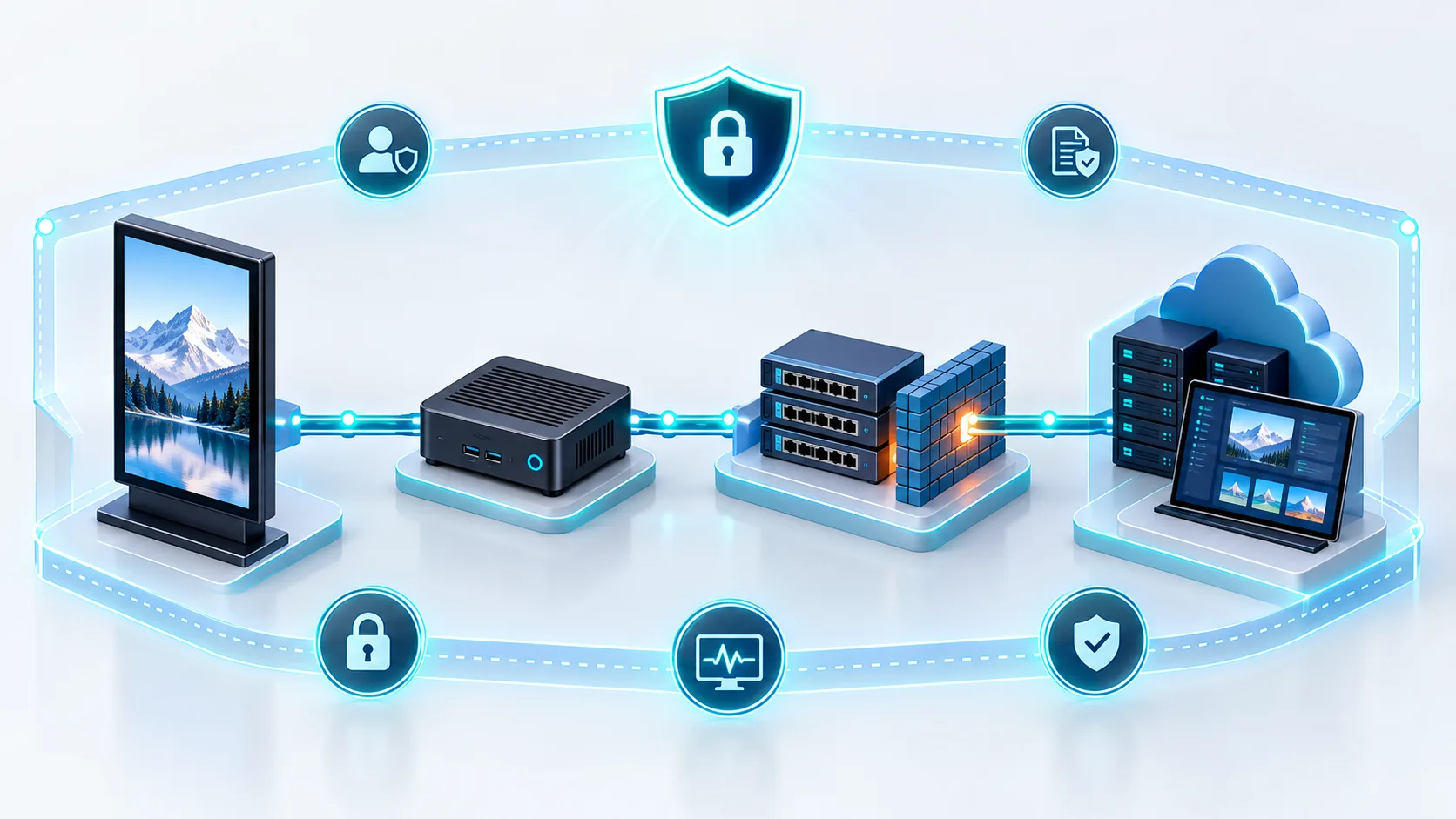
Treating commercial screens as simple output monitors is one of the most critical oversights an enterprise can make. A smart commercial display or an external media player is a fully functional computer running an operating system such as Android, Windows, or Linux.
Because these displays interface directly with the internet or internal intranets, they represent authentic IoT endpoints that expand an organization’s attack surface:
- Active Network Presence: Each screen holds an IP address, runs background network services, and frequently communicates with remote servers.
- Compute Capabilities: Compromised displays provide adversaries with local compute resources that can be weaponized for cryptomining, botnet recruitment, or distributed denial-of-service (DDoS) campaigns.
- Network Pivot Points: An unsecured media player provides an intruder with an immediate foothold inside the local network, bypassing traditional boundary defenses to target corporate servers, point-of-sale (POS) terminals, and sensitive databases.
What Needs Protection: Displays, Players, Networks, CMS Accounts, and Content
Securing a commercial display deployment requires an end-to-end defense strategy covering five interdependent vectors:
| Component | Target Threat | Protection Priorities |
|---|---|---|
| Physical Displays | Direct tampering, vandalism, port abuse | Tamper-resistant enclosures, impact-rated glass, concealed wiring, locked controls |
| Media Players | OS vulnerabilities, unauthorized execution, malware | Media player hardening, secure boot, kiosk mode lockdown, timely patching |
| Networks | Man-in-the-middle (MitM) attacks, packet sniffing, pivoting | Dedicated VLANs, strict firewall rules, zero-trust routing, TLS encryption |
| CMS Accounts | Credential theft, unauthorized distribution | Multi-factor authentication (MFA), role-based access control (RBAC), audit logging |
| Published Content | Defacement, offensive takeovers, fake alerts | Cryptographic hash validation, approved workflow pipelines, real-time playback verification |
Securing the system demands equal vigilance across every layer. A vulnerability introduced at any stage—from a neglected physical USB port to a weak CMS password—exposes the entire visual network to severe operational and reputational fallout.
Why Digital Signage Systems Are Vulnerable
Many teams treat commercial screens as simple output monitors rather than fully functional networked computers. In reality, the digital signage attack surface is expansive. Because these systems bridge physical public spaces and corporate network infrastructure, a single weak link turns an unattended screen into an open gateway for attackers.
Internet-Connected Players and Outdated Software
Digital signage players run standard operating systems—primarily Android, Windows, or Linux—that require regular software maintenance. When teams treat these media players as “set-and-forget” appliances, they bypass vital patch management schedules.
- Unpatched Operating Systems: Legacy vulnerabilities allow attackers to execute remote code on unmonitored devices.
- Obsolete Media Apps: Outdated playback software can harbor known flaws that bypass native sandbox environments.
- Always-On Connections: Constant 24/7 internet connectivity gives automated botnets continuous opportunities to scan, probe, and exploit unpatched endpoints.
Without structured media player hardening and prompt firmware updates, internet-facing players become easy targets for automated exploit kits.
Default Passwords and Excessive Administrator Permissions
Weak credential management remains one of the most widespread digital signage security risks. Manufacturers often ship hardware and content management software with well-documented factory credentials. Leaving these unchanged allows anyone with web access or a nearby keypad to compromise the device.
Compounding this issue is poor access governance. When organizations grant every content creator full administrative rights instead of enforcing least privilege access, an account breach compromises the entire network. Without granular role-based access control, an attacker who compromises a single marketing account gains full control over device settings, network parameters, and system-level configurations.
Exposed USB, HDMI, and Network Interfaces
Physical accessibility sets digital signage apart from standard enterprise IT hardware. Commercial screens often hang in high-traffic corridors, transit terminals, or retail floors without adequate physical tamper protection.
- Open USB Ports: Unlocked ports invite physical attacks via malicious hardware, such as keystroke injection tools (Rubber Ducky) or USB-delivered malware.
- Accessible HDMI Inputs: Anyone with physical access can disconnect the authorized player and plug in an external laptop or media stick to override the screen.
- Unsecured Ethernet Drops: Exposed RJ45 cables allow bad actors to unplug the display and connect unauthorized hardware directly to your local subnet.
When deploying screens in high-footfall venues—such as using indoor free-standing digital signage for events—leaving physical interfaces unguarded bypasses every digital firewall you have in place. A rigorous USB port lockdown and secure cabling are mandatory.
Third-Party Integrations and Supply-Chain Risks
Modern digital signage displays rely heavily on third-party data to keep viewers engaged. Real-time weather feeds, social media streams, transit schedules, and emergency alerting widgets constantly feed dynamic data into the player.
Each integration adds another external dependency to your digital signage system security:
- Compromised Web Widgets: If a third-party web service gets hijacked, malicious code or unauthorized content renders directly on your screens.
- Vulnerable APIs: Poorly secured API integrations can expose backend credentials or leak sensitive tenant data.
- Unvetted Third-Party Apps: Installing unofficial playback apps, codecs, or plugins introduces untracked vulnerabilities into the player’s core environment.
Securing the display environment requires complete visibility into every data source and software vendor that touches the content delivery pipeline.
Common Digital Signage Security Threats
Commercial displays are public-facing communication tools, making them prime targets for malicious actors. When digital signage security falls short, vulnerabilities across hardware, software, and connectivity expose organizations to severe digital signage security risks. Here is an unvarnished look at the most frequent threats we see in the field today.
Content Hijacking and Unauthorized Publishing
Content defacement is the most visible threat to any signage network. An attacker who gains control of the content management system (CMS) or overrides an active playlist can broadcast offensive imagery, political messages, extortion demands, or competitor ads directly to the public. Beyond public embarrassment, a hijacked screen damages brand credibility and can lead to regulatory fines. Even when operating reliable wall-mounted digital displays for seamless content updates, failing to enforce secure publish approvals leaves the entire playback loop open to rogue overrides.
Malware and Compromised Media Players
Media players are essentially compact computers running operating systems like Android, Windows, or Linux. If left unpatched or running without media player hardening, these devices easily fall victim to:
- Ransomware: Attackers lock the display interface and demand payment to restore operational control.
- Cryptojacking: Background processes silently mine cryptocurrency, causing hardware overheating, performance stutter, and premature component failure.
- Botnet Recruitment: Compromised players join distributed denial-of-service (DDoS) networks, weaponizing commercial screens to flood external targets with malicious traffic.
Network Pivoting and Data Leakage
Digital signage cyber security is about more than protecting what appears on the screen; it is about defending the wider network. Attackers rarely stop at the media player itself. Instead, they treat the connected display as an entry point to bridge across subnets. If an organization connects its signage hardware to the primary corporate network without proper segmentation, an intruder can pivot from a public screen straight into point-of-sale (POS) systems, internal databases, and private employee workstations.
Device Theft, Vandalism, and Physical Tampering
Hardware deployed in high-traffic retail stores, airports, and street corners faces direct physical danger. Physical tamper protection must address several real-world vectors:
- Direct Port Access: An attacker connects a bootable USB drive or rogue keyboard to an exposed I/O port to inject keyloggers or bypass the kiosk shell.
- Cable Unplugging: Disconnecting network or power runs takes public displays offline or forces them into unconfigured recovery modes.
- Component Theft and Damage: Public-space installations—from wall mounts to ultra-thin free-standing digital signage—risk physical smash-and-grab theft of internal compute boards or storage drives if enclosures lack mechanical locks.
Privacy Risks from Cameras, Sensors, and Interactive Displays
Modern smart signage integrates audience measurement sensors, interactive touchscreens, and computer vision cameras to optimize marketing campaigns. These tools present serious data privacy liabilities:
- Unencrypted Sensor Feeds: Intercepted video streams from audience analytics cameras violate privacy laws like GDPR and CCPA.
- Touchscreen Keystroke Logging: On interactive wayfinding or self-service kiosks, unmanaged input fields can expose user search queries, email submissions, or personal identifiers to background sniffers.
- Unauthorized Firmware Hooks: Compromised peripheral drivers can activate ambient microphones and proximity sensors without operational logs or admin consent.
How to Secure Digital Signage with Layered Protection
Securing public-facing displays requires a defense-in-depth model. Because a single point of failure can lead to brand embarrassment, service outages, or data leaks, true digital signage security relies on stacking defensive layers across the hardware, network, and cloud software.
Understanding the four types of digital signage running across different physical environments helps us customize these defenses without interrupting playback performance.
| Protection Layer | Primary Security Mechanism | Threat Addressed |
|---|---|---|
| Endpoint / Player | OS stripping, kiosk mode, secure boot | OS takeovers, local exploits |
| Network | Dedicated VLANs, firewall rules, outbound-only traffic | Network sniffing, lateral traversal |
| Application / CMS | RBAC, MFA, SSO integration | Credential theft, unauthorized content |
| Data Transmission | TLS 1.3 encryption, cryptographic checksums | Man-in-the-middle attacks, content tampering |
| Physical Hardware | Port lockouts, tamper-resistant enclosures | Direct cable splicing, unauthorized USB mounts |
Harden the Display and Media Player
Locking down the operating system on the media player shrinks your digital signage attack surface right at the edge. Default operating systems ship with dozens of background services and open ports that displays simply do not need.
- Turn on Secure Boot: Verify cryptographic signatures on every bootloader and system file before initialization to stop rootkits from running.
- Enforce strict kiosk mode: Strip away access to the desktop environment, notification panels, and keyboard shortcuts, preventing users from breaking out to a terminal.
- Strip out unnecessary software: Remove unused utilities, web browsers, and media tools. Keep only the media player agent and essential runtime dependencies.
- Automate patch management: Set up automated schedules for media player hardening that push tested security updates without breaking core playback features.
Segment the Signage Network with VLANs and Firewall Rules
Never let commercial displays share an open network with corporate workstations, payment infrastructure, or sensitive databases. If an attacker breaches a screen, proper network isolation prevents them from moving sideways into operational networks.
- Deploy dedicated VLANs: Isolate digital signage player traffic inside a segmented virtual local area network that cannot communicate with internal operational assets.
- Enforce outbound-only firewall rules: Block all unsolicited inbound connections. Media players only need to establish outbound sessions over secure ports (such as HTTPS 443) to check in with the server.
- Block device-to-device traffic: Apply client isolation within the signage subnet so an infected player cannot spread malware to adjacent displays.
- Disable unneeded communication protocols: Turn off legacy broadcast and discovery services like UPnP, mDNS, and Telnet on the signage network switch.
Protect CMS Accounts with MFA, RBAC, and SSO
The central content management system controls every message on your network. A single compromised administrator credential can alter screens across an entire city in seconds. Tight identity management makes digital signage CMS security significantly more resilient.
- Enforce Multi-Factor Authentication (MFA): Require every CMS user to authenticate with hardware tokens or authenticator apps before publishing assets or modifying network configurations.
- Implement Role-Based Access Control (RBAC): Restrict accounts by specific roles—such as graphic designers who can only stage media and managers who retain final publishing authority.
- Integrate Single Sign-On (SSO): Connect the CMS to corporate identity providers using SAML 2.0 or OpenID Connect to ensure immediate access revocation whenever staff members leave the company.
- Limit administrative privileges: Follow the principle of least-privilege access, ensuring only senior engineering teams retain full administrative permissions over screen groups.
Encrypt Communications and Protect Content Integrity
Media files, control commands, and telemetry traveling between your CMS and endpoints must be shielded against interception and unauthorized changes.
- Mandate TLS 1.3 encryption: Encrypt all API queries, asset downloads, and remote commands in transit to eliminate man-in-the-middle (MitM) snooping.
- Verify cryptographic checksums: Require media players to calculate SHA-256 hashes on media assets before caching or rendering to confirm files were not modified during transmission.
- Employ mutual authentication (mTLS): Require both the server and the player to authenticate each other using trusted client-side certificates, stopping unauthorized hardware from pulling proprietary media.
- Isolate dynamic content feeds: Sanitize external web widgets, live news tickers, and social media integrations in a sandboxed runtime to protect against injected script attacks.
Control Physical Access and Disable Unused Ports
Physical security forms the first line of defense against on-site attackers trying to bypass network controls. If an external interface is accessible, the operating system can be compromised directly from the floor.
- Lock down external hardware ports: Physically block or disable all unused USB, HDMI, and micro-SD ports within the operating system or player BIOS to stop malicious peripheral mounting.
- Conceal external cabling: Route network lines, power cords, and display feeds through the internal structural chassis or rigid conduit, preventing on-site cable tapping.
- Mount tamper-resistant enclosures: Use commercial-grade housings secured with keyed locks or specialized tamper-proof fasteners to physically protect media engines from physical interference.
- Deploy tamper alert switches: Integrate hardware sensors that alert the centralized operations center the moment a service door opens or an enclosure suffers physical damage.
Digital Signage Security Best Practices
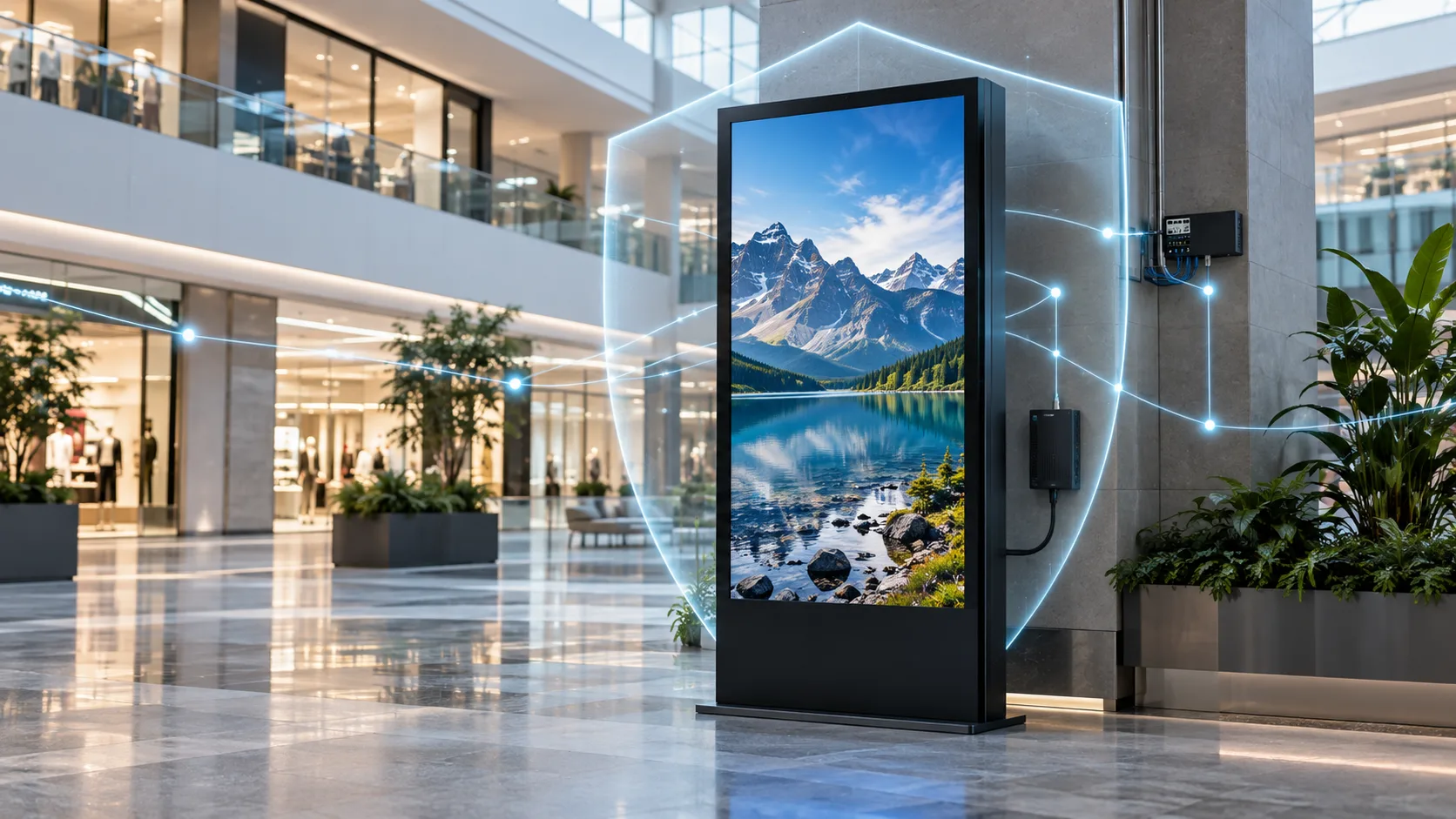
Running an unprotected display network invites serious operational and brand risks. To maintain complete control over screens, media players, and content pipelines, we implement a disciplined set of digital signage security best practices across every deployment.
Replace Default Credentials Before Deployment
Leaving factory credentials active is the quickest way to lose control of your hardware. Before any hardware leaves the staging bench:
- Change factory passwords immediately: Update default logins on displays, media players, local routers, and management interfaces.
- Enforce strong password policies: Use unique, complex passphrases with a minimum of 16 characters mixing letters, numbers, and symbols.
- Centralize credential storage: Store all credentials in an enterprise-grade password manager rather than shared spreadsheets or plaintext notes.
- Disable guest and test accounts: Remove temporary installer accounts before connecting the screen to the primary network.
Keep Firmware, Operating Systems, and Applications Patched
Vulnerabilities in outdated media player software, operating systems, and display firmware are primary vectors for automated attacks.
- Automate OS and app updates: Schedule regular security patch cycles for media playback software, system libraries, and operating systems.
- Test updates in a staging environment: Validate firmware and CMS updates on a test screen before rolling them out to the entire fleet.
- Update off-hours: Schedule reboots and patches during non-operational hours to prevent downtime and failed playback loops during peak traffic.
- Retire end-of-life hardware: Replace legacy media players that no longer receive security patches from the manufacturer.
Apply Least-Privilege Access to Every User
Never hand out full administrative access when standard privileges will do. Restrict user permissions strictly to what each team member needs to accomplish their tasks.
Following our digital signage content management system guide helps configure granular roles: content designers only upload media, store managers schedule local playlists, and technical administrators handle system settings. If an individual account is compromised, the damage remains contained.
Monitor Device Health, Audit Logs, and Suspicious Activity
Real-time visibility lets teams spot and neutralize threats before they result in screen downtime or public defacement.
| Monitoring Focus | What We Track | Action Trigger |
|---|---|---|
| System Resources | Sudden CPU, memory, or bandwidth spikes | Automatic isolation for malware screening |
| Connection Status | Frequent offline drops or unexpected IPs | Network alert and port re-verification |
| Audit Logs | Failed login attempts and permission changes | Temporary account lock and admin notification |
| Playback Integrity | Screen capture verification and hash matches | Instant fallback to default emergency graphic |
Use Content Review and Publishing Approval Workflows
Rogue broadcasts rarely happen through brute force alone; often, compromised marketing accounts or accidental scheduling trigger unauthorized media.
- Implement a two-person rule: Require secondary approval before any new campaign or live URL feed goes live.
- Sanitize external inputs: Scan all uploaded videos, images, fonts, and scripts for embedded malicious payloads before pushing them to player storage.
- Lock live streaming widgets: Avoid unsecured web views or unvetted RSS/social feeds that can display inappropriate third-party posts in public spaces.
Create an Incident Response and Recovery Plan
When an incident occurs, response time determines whether a breach goes unnoticed or becomes a public relations disaster. Incorporating response readiness into the key points to consider before buying and launching digital signage ensures fast recovery under pressure.
- Deploy an instant emergency kill-switch: Provide operators with a one-click override to black out a compromised screen or push a safe, locally cached offline graphic immediately.
- Isolate infected nodes: Script automatic network isolation to disconnect compromised media players from local VLANs while retaining remote console access for triage.
- Maintain golden recovery images: Keep clean, pre-configured system backup images ready to re-flash compromised players rapidly.
- Document post-incident reviews: Log the root cause of every incident, patch the identified vulnerability, and update network access rules across the entire fleet.
Security Considerations for Outdoor and Public-Facing Displays
When displays sit in public transit hubs, sidewalks, or building exteriors, physical security is the first line of defense. If an attacker gains hands-on access to hardware, digital safeguards quickly fall apart. We treat physical tamper protection as an integral part of digital signage security, ensuring that screens deployed out in the open cannot be manipulated, compromised, or shut down.
Use Anti-Tamper Enclosures and Impact-Resistant Glass
Outdoor screens are vulnerable to vandalism, forced entry, and brute-force smash attacks. Deploying robust physical construction prevents intruders from bypassing the perimeter to access hardware components.
- IK10-Rated Impact Resistance: We fit displays with thermally tempered or laminated vandal-resistant glass to withstand blunt impacts, thrown objects, and attempted break-ins without exposing internal electronics.
- Heavy-Duty Lockable Enclosures: Screen housings should feature reinforced steel or heavy-gauge aluminum bodies secured by industrial-grade, multi-point lock systems rather than generic tubular cabinet keys.
- Tamper-Evident Fasteners: We use security screws (such as pin-in-Torx or proprietary head patterns) across all external seams to prevent unauthorized disassembly with standard hand tools.
- Tamper Alarm Sensors: Integrated micro-switches or accelerometers immediately alert security operations centers if a panel is forced open, shaken violently, or removed from its base, which is crucial for digital signage for public transportation hubs and busy streetscapes.
Protect Power, Data Cables, Ports, and Media Players
Unshielded wires and exposed communication ports allow attackers to plug in rogue USB drives, tap raw video feeds, or intercept network traffic via inline hardware taps.
- Internal Cable Routing: All data cables (Cat6, fiber) and high-voltage power lines must run entirely through locked base pedestals, sealed mounting columns, or embedded wall conduits. No cabling should be visible or accessible to passersby.
- Lockable Port Enclosures: External display ports—including HDMI, USB, RJ45, and service serial ports—must be permanently housed behind locked, weather-sealed access plates.
- Integrated or Secured Media Players: Keep the media player inside the primary chassis rather than mounting it as an external box behind the screen. If an external player must be used, secure it within an anti-theft, vented steel vault bolted directly to the display mount.
- Physical Port Blockers: Insert hardware RJ45 and USB port locks into any unused internal interfaces to block unauthorized field maintenance connections.
Plan for Water, Heat, Dust, Corrosion, and Environmental Exposure
Environmental breakdown degrades physical hardware, which creates secondary cybersecurity risks. A warped chassis, a failed cooling fan, or a cracked weather seal can expose interior boards to physical tampering or force unexpected reboots that drop the operating system into vulnerable recovery modes. Selecting the right setup based on how to choose an outdoor LCD display ensures systems stay structurally sound in high-risk locations.
| Environmental Threat | Impact on Signage Security | Mitigation Standard |
|---|---|---|
| Moisture & Driving Rain | Causes short-circuits, seal degradation, and moisture intrusion into secure components. | IP65 or IP66 fully sealed ingress protection with high-grade silicone gaskets. |
| Extreme Heat & Sun Load | Triggers thermal throttling, unexpected crash loops, and system failsafes that expose boot screens. | Dual-loop closed air conditioning or intelligent filtered fans with automated thermostat controls. |
| Dust, Dirt & Particulates | Clogs cooling intakes, shorts out circuit boards, and damages optical sensors. | Filtered air intakes with positive internal pressure designs to repel particulate ingress. |
| Salt Fog & Humidity | Corrodes locking mechanisms, mounting bolts, and access hatches, simplifying physical break-ins. | C5-rated anti-corrosion exterior coatings and conformal-coated internal electronics. |
How to Evaluate a Secure Digital Signage Solution
Evaluating hardware and software platforms requires looking past display brightness and sleek aesthetics. To safeguard your network and brand reputation, you must treat every screen as an interactive, networked computer. When vetting vendors, we use a structured evaluation framework that audits every layer of the system—from physical endpoints to cloud servers.
Display and Media Player Security Questions
Media players and commercial displays sit on the front lines of public spaces. Ask vendors these critical questions before committing to their hardware:
- Operating System Hardening: Does the media player run a stripped-down, dedicated operating system with disabled shells, debugging tools, and unnecessary background daemons?
- Secure Boot Support: Does the firmware verify cryptographic signatures before booting to prevent unauthorized OS tampering?
- Port Lockdown Capabilities: Can USB ports, memory card slots, and local management interfaces (like ADB or recovery menus) be permanently disabled via software or firmware policies?
- Kiosk Mode Enforcement: Does the player feature a watchdog timer that automatically restarts the approved digital signage player application if it crashes or gets terminated?
CMS and User Access-Control Questions
The Content Management System (CMS) controls what appears across your entire network. A compromised CMS account puts every screen at risk. Verify these platform safeguards:
- Authentication Standards: Does the CMS support modern Multi-Factor Authentication (MFA) and native integration with corporate Single Sign-On (SSO) protocols like SAML 2.0 or Okta?
- Role-Based Access Control (RBAC): Can you assign granular permissions so regional operators can only upload content, while designated administrators approve broadcasts?
- Audit Logging: Does the platform record immutable logs detailing user logins, IP addresses, asset uploads, schedule modifications, and publishing actions?
- Multi-Step Approval Workflows: Is there an enforced approval chain requiring a second authorized user to review and sign off on new playlists before they go live?
Cloud Infrastructure and Data-Protection Questions
Whether you deploy proprietary servers or a managed SaaS model, network architecture dictates your exposure to cyber threats. Prioritize these infrastructure benchmarks:
- Traffic Architecture: Do player devices communicate using outbound-only HTTPS/WSS connections over port 443, eliminating the need to open inbound firewall ports?
- Data Encryption: Is all data encrypted in transit using TLS 1.3 and at rest using AES-256 standards?
- Compliance and Certifications: Does the hosting provider hold validated compliance certifications such as SOC 2 Type II or ISO/IEC 27001?
- Data Isolation: For multi-tenant cloud platforms, how does the architecture guarantee that your digital signage content, logs, and device configurations remain strictly isolated from other tenants?
Vendor Update, Support, and Vulnerability-Disclosure Policies
A display network is only as secure as its most recent update. Long-term digital signage security demands predictable maintenance from the manufacturer. When selecting cutting-edge digital signage solutions, confirm the vendor’s long-term commitment:
- Guaranteed Support Lifecycle: How many years of continuous security patches and OS updates are guaranteed for both the display hardware and the player software?
- Over-the-Air (OTA) Delivery: Can firmware and application patches be tested, scheduled, and pushed remotely in batches without manual on-site technician visits?
- Vulnerability Disclosure Process: Does the vendor maintain a documented Common Vulnerabilities and Exposures (CVE) response policy with clear service level agreements (SLAs) for critical zero-day fixes?
Cloud-Based vs. On-Premise Digital Signage Security
Selecting between cloud-hosted and on-premise digital signage depends on your internal IT resources, compliance mandates, and operational needs.
| Security Feature | Cloud-Based (SaaS) | On-Premise Server |
|---|---|---|
| Patch Management | Automated by the provider; zero-day fixes deploy immediately across all servers. | Managed internally; requires dedicated IT staff to test and apply patches. |
| Network Exposure | Players connect outbound to cloud servers; no open inbound firewall ports needed. | Requires internal network routing, VPNs, or reverse proxies for multi-site deployments. |
| Physical Data Control | Data resides in certified third-party data centers (e.g., AWS, Azure). | Complete physical and logical ownership of data storage on local servers. |
| DDoS Resilience | Protected by enterprise cloud infrastructure and global edge filtering. | Dependent entirely on your local network bandwidth and firewall appliances. |
| Access Flexibility | Secure browser-based access from anywhere via enterprise SSO and MFA. | Restricted to local intranet access or protected corporate VPN tunnels. |
Digital Signage Security Checklist
Securing public-facing screens requires a structured approach across every phase of ownership. We rely on an end-to-end digital signage security checklist to eliminate vulnerabilities, protect critical networks, and keep displays running reliably.
Checks to Complete Before Deployment
Before any screen goes live in a public or corporate space, it must pass a rigorous staging protocol. Treating the media player as a hardened network endpoint prevents unauthorized access right from the start.
- Change Factory Credentials: Replace all default administrator usernames and passwords with unique, complex passphrases managed through a secure vault.
- Harden the Operating System: Strip out unneeded software, background services, and default apps. Enable dedicated kiosk mode so users cannot access the underlying desktop environment.
- Enforce Port Security: Physically lock down or disable unused USB, HDMI, and ethernet ports to prevent unauthorized physical connections.
- Isolate on a Dedicated VLAN: Separate signage traffic from core business networks using strict firewall rules that only permit outbound connections to verified CMS endpoints.
- Verify Encryption: Ensure all media delivery, remote management, and command communications use TLS 1.3 encryption.
- Review Procurement Baselines: Align device capabilities with operational needs early by assessing essential things to consider before investing in digital signage, ensuring hardware supports secure boot and remote firmware management.
Controls to Maintain During Daily Operations
Security does not stop after installation. Maintaining continuous digital signage cybersecurity requires routine operational governance and active surveillance.
| Operational Focus | Core Routine | Frequency |
|---|---|---|
| Patch Management | Apply verified OS patches, firmware revisions, and CMS player updates. | Monthly / Critical Ad-hoc |
| Audit Logging | Review CMS access logs, failed login attempts, and unusual upload times. | Weekly |
| Access Governance | Re-evaluate role-based access control (RBAC) and remove former staff accounts. | Monthly |
| Health Monitoring | Monitor screen telemetry, online status, and unexpected traffic spikes. | Real-time |
| Physical Audits | Inspect outdoor and public enclosures for signs of forced entry or tampering. | Quarterly |
Steps for Responding to a Compromised Screen
When a screen displays unauthorized content or shows signs of an intrusion, an immediate incident response plan limits brand damage and stops network lateral movement.
- Sever Network Connectivity: Immediately disconnect the display from Wi-Fi or unplug the ethernet cable. If remote management is intact, drop the port connection via the network switch.
- Black Out the Display: Cut power to the screen or switch the input source to a neutral blank screen to halt inappropriate content exposure immediately.
- Preserve Forensic Artifacts: Capture player logs, system memory dumps, and CMS audit logs before rebooting or clearing cache files.
- Revoke Active Tokens: Invalidate all active CMS sessions, reset user API keys, and cycle credentials for affected display profiles.
- Re-image and Rebuild: Wipe the local storage completely. Re-install the verified secure OS image and patched signage player from a known-clean repository before reconnecting to the network.
How to Securely Retire or Replace a Device
Decommissioning older screens and media players is a critical stage of device lifecycle management. Leaving residual data on discarded units exposes your CMS credentials and network topology.
- Deregister from the CMS: Unpair the media player license from the content management platform to revoke its authorized communication tokens.
- Sanitize Storage Drives: Perform a cryptographic wipe or standard data sanitization following NIST 800-88 guidelines to ensure local video assets, Wi-Fi keys, and cached credentials cannot be recovered.
- Revoke Network Certificates: Remove the device’s MAC address from network access control lists and revoke any installed 802.1X device certificates.
- Physical Destruction for High-Security Deployments: For screens deployed in sensitive corporate, defense, or healthcare spaces, physically shred the embedded flash memory or solid-state drive before scrapping the casing.
Physical Security Considerations for Uniview LCD Displays
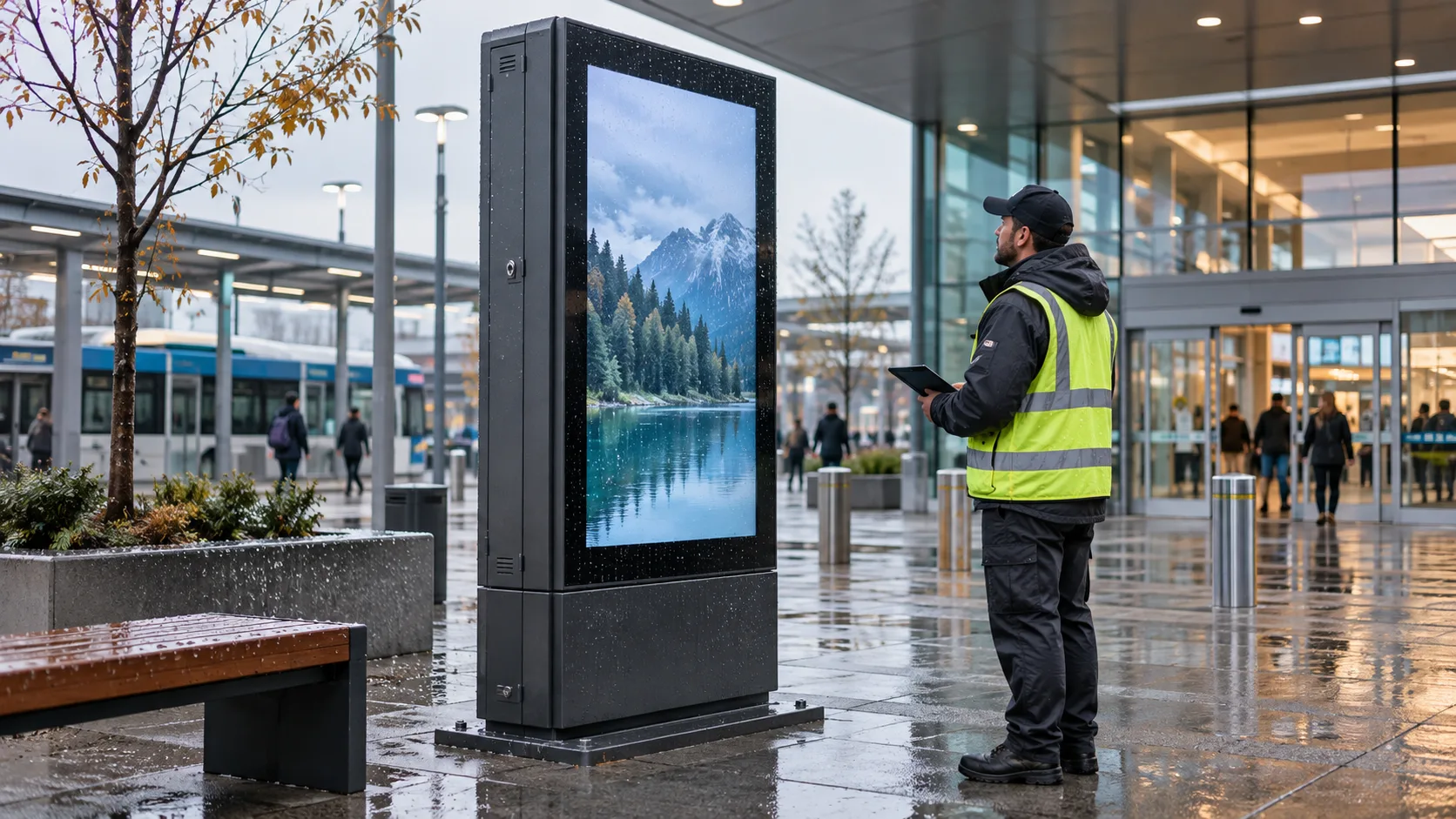
Physical integrity forms the front line of digital signage security. When screens operate in public areas—like train stations, retail corridors, or university campuses—unrestricted physical access invites tampering, vandalism, and unauthorized hardware access. At Uniview LCD, we engineer commercial displays with heavy-duty physical protections that keep hardware safe and digital signage security intact.
Impact Resistance and Protection Against Public-Space Tampering
Deploying screens in high-footfall areas requires durable exterior engineering. A compromised chassis gives attackers physical access to media players, internal storage, and service ports.
Key physical defenses built into our commercial units include:
- IK-Rated Protective Glass: High-grade tempered glass resists blunt impacts, scratches, and vandalism, preserving panel integrity in hostile environments.
- Lockable Chassis and Enclosures: Heavy-gauge cold-rolled steel casings with industrial key locks prevent unauthorized opening of rear maintenance bays.
- Concealed Port Bays: Recessed and covered input/output compartments shield USB ports, HDMI lines, and Ethernet cables from unauthorized extraction or malicious flash drives.
- Tamper-Resistant Fasteners: Specialized anti-theft security screws secure wall brackets and totem bases, deterring device theft.
For public-facing retail, transit, and corporate installations, selecting reliable hardware covered in an ultimate guide on Uniview LCD displays ensures physical durability matches network-level defenses.
Outdoor Testing and Environmental Protection
Outdoor signage faces combined challenges from weather, moisture, and environmental degradation that can create entry points for physical intrusion. Uniview LCD outdoor totems and semi-outdoor window displays undergo rigorous testing to ensure perimeter stability.
- Ingress Protection (IP55/IP65): Sealed enclosures stop water, dust, and airborne contaminants from penetrating the cabinet and damaging sensitive media boards.
- Thermal Management Systems: Closed-loop cooling and smart fans maintain safe operating temperatures without exposing internal electronics to external manipulation.
- Corrosion-Resistant Finishes: Outdoor powder coatings withstand salt spray, UV rays, and moisture, preventing enclosure degradation that could weaken locks or seams.
- Shatter-Proof Lamination: Dual-layer architectural safety glass holds together under extreme impacts, keeping the display functional and preventing intrusion into the enclosure.
Security Features to Confirm in the Player, CMS, and Network Stack
Physical resilience must work in tandem with embedded software security. Hardening the display requires verifying controls across every layer of the deployment stack:
| Stack Layer | Critical Security Feature | Primary Risk Mitigated |
|---|---|---|
| Display Hardware | Covered ports, lockable access panels, IK10 glass | Physical tampering, USB payload injection |
| Media Player | Secure Boot, kiosk lockdown mode, disabled external ports | OS compromise, malicious firmware loading |
| CMS Platform | Role-Based Access Control (RBAC), multi-factor authentication (MFA) | Content hijacking, credential stuffing |
| Network Layer | Dedicated VLANs, TLS 1.3 encryption, outbound-only traffic | Network sniffing, man-in-the-middle (MitM) attacks |
| System Operations | Automated patch delivery, centralized remote audits | Zero-day exploits, unmonitored display failure |
Frequently Asked Questions About Digital Signage Security
Can Digital Signage Be Hacked?
Yes. Any media player or smart screen connected to the internet acts as an IoT endpoint. Attackers actively look for unpatched player software, open ports, and default passwords to display unauthorized media, enlist devices into botnets, or pivot deeper into internal corporate networks. Opting for dedicated commercial digital signage vs consumer TVs provides essential hardware locks, secure boot capabilities, and stripped-down operating systems that drastically lower the attack surface.
Should Digital Signage Use a Separate Network?
Digital signage should always run on an isolated network. Placing public-facing screens on the same subnet as business databases or point-of-sale systems invites unnecessary cyber risk. Dedicated VLAN: Segment media players onto a separate virtual local area network to prevent lateral movement. Strict Firewall Rules: Allow outbound-only HTTPS connections (port 443) directly to your content management platform while denying all unsolicited inbound traffic. Restricted Local Discovery: Disable network broadcast protocols that make media players visible to unauthorized devices on shared local networks.
Is Cloud-Based Digital Signage Secure?
Cloud-based signage systems are secure when built on robust cloud architecture and configured correctly. Enterprise cloud CMS platforms often deliver better uptime and quicker security patching than self-hosted on-premise servers.
Ensure your cloud deployment includes: Modern Encryption: Strict TLS 1.3 protocols protecting media transfers and player-to-cloud communications. Access Control: Multi-factor authentication (MFA), role-based permissions, and single sign-on (SSO) integration. Compliance Standards: Hosting environments backed by SOC 2 or ISO 27001 certifications.
How Often Should Digital Signage Software Be Updated?
Signage media player applications, operating system components, and display firmware should follow a defined monthly patch cycle. For critical zero-day vulnerabilities, updates should deploy within 24 to 48 hours.
To maintain security without interrupting business: Set player software updates to execute automatically during off-hours maintenance windows. Maintain a test screen or staging group to validate major firmware changes before applying them fleet-wide. Periodically retire hardware players that have reached end-of-life and no longer receive vendor security patches.
What Should a Digital Signage Security Audit Include?
A comprehensive digital signage security audit checks every point between the physical screen and the backend server: Physical Hardware Inspections: Verify that lockable enclosures are intact, exposed USB and HDMI ports are blocked or disabled, and power sources are protected. Device Hardening Checks: Confirm player OS root access is disabled, kiosk mode is strictly enforced, and default passwords have been removed. Network Traffic Analysis: Test VLAN isolation to confirm screens cannot communicate with internal servers, and verify that all data in transit is encrypted. Account and Log Auditing: Review active CMS accounts, terminate stale credentials, confirm least-privilege role assignments, and check system logs for anomalous content approval attempts.
Conclusion: Build Security into the Deployment from Day One
Digital signage security cannot be an afterthought bolted on after an incident occurs. Every public-facing screen, media player, and content management platform serves as an active IoT endpoint that directly reflects your brand reputation and connects to your broader network environment. Treating these devices with the same rigor as mission-critical enterprise hardware is essential.
Maintaining secure digital signage requires a disciplined, multi-layered approach centered on three fundamentals:
- Hardened Physical Foundations: Stop unauthorized physical access by choosing enclosures with locked compartments, concealed cabling, and impact-resistant glass.
- Network Isolation: Isolate players inside dedicated VLANs with restrictive firewall rules to prevent compromised screens from exposing core business data.
- Zero-Trust Access Controls: Enforce multi-factor authentication, least-privilege role assignments, and strict patch cycles across all CMS accounts and player operating systems.
Whether you are deploying indoor kiosks, interactive wayfinding, or evaluating the types of digital signage needed for high-traffic public spaces, hardware resilience must always align with software defense. We build our commercial LCD displays with ruggedized enclosures, protected interface access, and stable engineering to give organizations total control over their visual endpoints. Protecting your screens from day one ensures your networks stay secure, your operational integrity remains intact, and your audience sees only authorized, verified content.