Factory Digital Signage Guide for Smarter Operations
10/10/2026
Share:
Still relying on static whiteboards and paper notices to keep your plant floor informed?
In fast-paced manufacturing, a simple communication lag can quickly lead to costly downtime, missed KPIs, and serious safety hazards.
That is why modern facilities are switching to factory digital signage.
Done right, it bridges the gap between your front office, production floor, and warehouse—giving every shift instant, real-time visibility into what matters most.
In this guide, you’ll discover how to choose the right rugged hardware, integrate live production metrics, and build a system that drives measurable operational ROI.
Let’s dive right in.
What Is Factory Digital Signage?
Factory digital signage is a centralized visual communication network of ruggedized commercial displays, digital screens, and interactive monitors deployed throughout an industrial facility. Designed specifically for demanding industrial environments, these systems broadcast real-time production metrics, automated safety alerts, standard operating procedures (SOPs), and company-wide announcements directly to frontline workers.
Unlike standard consumer TVs, industrial digital signage for manufacturing is built to withstand dust, fluctuating temperatures, vibration, and continuous 24/7 operation.
High-Durability Hardware: Commercial-grade LCD panels featuring high brightness, wide viewing angles, and protective enclosures.
Automated Data Feeds: Direct integration with manufacturing execution systems (MES), enterprise resource planning (ERP), and business intelligence tools.
Centralized Content Management: Instant, network-wide content scheduling and emergency broadcast overrides managed from a single dashboard.
How Factory Digital Signage Replaces Static Notices and Manual Updates
Traditional manufacturing facilities rely heavily on whiteboards, printed bulletin boards, and static signage to convey daily targets and safety warnings. These legacy methods introduce communication delays, human error, and operational blind spots.
Eliminates Manual Data Logging: Replaces handwritten shift quotas and manual production logs with live, automated feeds directly from the assembly line.
Guarantees Immediate Updates: Safety protocols, engineering changes, and shift schedules update instantaneously across the entire plant floor without the labor cost of printing and replacing paper.
Captures Operator Attention: Dynamic visuals, color-coded status alerts (Andon indicators), and high-contrast graphics ensure critical messages are seen and understood immediately from a distance.
Reduces Information Clutter: Static boards accumulate outdated sheets over time. Digital screens display only relevant, time-sensitive content programmed to rotate according to shift schedules.
How It Connects the Office, Production Floor, and Warehouse
Siloed communication is one of the primary drivers of factory downtime and logistics bottlenecks. Factory floor digital signage acts as a real-time data bridge connecting executive management, engineering teams, machine operators, and supply chain personnel.
Management to Production Floor: Plant managers and HR can broadcast company updates, policy changes, and shift targets across all active lines simultaneously without pulling workers from their stations.
Production to Logistics and Warehouse: Digital status boards alert forklift operators and material handlers to low-stock raw materials or completed batch staging in real time, preventing line starvation.
Engineering to Assembly Lines: Quality control teams can immediately push revised work instructions and defect warnings directly to individual work cell displays upon detecting anomalies.
Cross-Department Alignment: Displays maintain a single source of truth across all operational zones, ensuring administrative staff, production leads, and warehouse crews work against identical, real-time performance indicators.
Benefits of Factory Digital Signage
Deploying factory digital signage transforms disconnected manufacturing floors into transparent, highly responsive production environments. By replacing paper notices and manual chalkboards with centralized, automated screens, plants streamline operations and keep every worker aligned with operational goals.
Operational AreaTraditional MethodsFactory Digital SignageData VisibilityEnd-of-day printouts, manual whiteboardsLive metrics, instant telemetry, automated KPIsShift TransitionsVerbal notes, lost paper logsSynchronized shift announcements, clear logsSafety AlertsStatic warning posters, sirens onlyVisual alerts, live hazard warnings, instant evacuation pathsWorker EngagementHidden bulletin boards, out-of-date flyersTargeted shift updates, team recognition, live milestone tracking
Faster Communication Across Shifts and Departments
Miscommunication between shift handovers often creates unplanned downtime and missed production targets. Industrial digital signage bridges this gap instantly:
Automated Shift Briefings: Relays incoming priority orders, machine maintenance logs, and staffing changes before the next shift steps onto the floor.
Cross-Department Alignment: Connects warehouse material status with assembly lines, ensuring logistics teams know exactly when a work cell runs low on parts.
Reduced Meeting Overhead: Daily stand-up metrics stay continuously visible, cutting down time spent in administrative shift-change meetings.
Real-Time Visibility Into Production Performance
Production floor digital signage pulls live telemetry directly from PLC networks and MES software, turning raw manufacturing data into actionable visual benchmarks.
Instant Bottleneck Identification: When a line slows down, real-time production dashboards flag the stoppage immediately, allowing maintenance crews to respond within minutes.
Target vs. Actual Tracking: Displays hourly output versus quota, motivating crews and keeping shift leaders focused on target attainment.
Energy-Efficient 24/7 Visuals: Using advanced energy-efficient digital signage displays ensures that production metrics remain clear and readable across brightly lit factory floors without driving up utility overhead.
Stronger Safety and Emergency Communication
Visual safety triggers are far more effective at catching attention in loud, busy plant environments than ambient alarms alone.
Immediate Hazard Overrides: Screen systems can instantly override general dashboards with flashing, high-contrast emergency evacuation routes or chemical spill warnings.
Dynamic Safety Reminders: Rotates PPE reminders, machinery lockout/tagout procedures, and zone-specific safety precautions based on the active job orders.
Near-Miss and Incident Tracking: Keeps safety awareness front and center by displaying consecutive incident-free days and actionable safety tips.
More Consistent Training and Employee Engagement
Retaining skilled labor requires continuous reinforcement and an appreciative work environment. Digital manufacturing communication displays help build both:
Micro-Training at the Workstation: Loops short, clear video clips showing correct standard operating procedures (SOPs), machine changeover methods, and ergonomic tips.
Peer Recognition: Highlights individual and team achievements, perfect attendance records, and production milestones right where the work happens.
Company-Wide Transparency: Shares company performance, plant-wide milestones, and town-hall announcements with deskless operators who lack direct corporate email access.
Common Factory Digital Signage Use Cases
Implementing digital signage for manufacturing transforms static operational data into actionable visual communication across the entire facility. By deploying dedicated displays in critical operational zones, manufacturing teams can streamline workflows, enforce standards, and react instantly to process deviations.
Production KPIs, OEE, Output, and Downtime Dashboards
Modern factory floor digital signage acts as a live heartbeat monitor for assembly and processing lines. By linking directly to MES and SCADA systems, these displays showcase real-time production dashboards, target-versus-actual output, Overall Equipment Effectiveness (OEE) scores, and takt times. When an unexpected line stoppage occurs, automated factory downtime alerts instantly pinpoint the stalled cell, allowing maintenance engineers and team leads to resolve bottlenecks immediately.
Safety Alerts, Incident Updates, and Emergency Instructions
Factory safety signage keeps safety protocols at the forefront of daily operations. Screens can showcase: Real-time counters tracking consecutive days without a recordable incident. Mandatory PPE requirements tailored to specific work zones. Automated emergency notification displays that instantly override standard content with evacuation routes and severe weather protocols.
Shift Schedules, Handover Messages, and Staffing Updates
Smooth transitions between production shifts prevent lost output. Industrial digital signage displays shift rotations, daily station assignments, and critical shift-handover notes directly at line entrances. Managing these updates via an intuitive digital signage content management system ensures team leads can schedule roster adjustments and message updates across multiple shifts in seconds.
SOPs, Work Instructions, and Training Content
Deploying digital SOP displays directly at workstations eliminates cluttered paper binders and outdated revision sheets. Utilizing wall-mounted digital displays for seamless content updates allows engineering teams to push updated CAD schematics, step-by-step assembly instructions, and micro-training videos directly to the operators assembling complex components.
Quality Control, Scrap Rates, and Defect Alerts
Catching quality drifts early prevents massive batch rejections. Quality control dashboards visualize current scrap rates, defect types by line, and first-pass yield percentages. High-visibility color coding alerts operators the moment defect thresholds are approached, enabling immediate root-cause correction before non-conforming parts move downstream.
Inventory, Warehouse, and Logistics Updates
Warehouse digital signage optimizes internal supply chain and material handling workflows. Key logistics applications include: E-Kanban & Replenishment: Visual cues signaling parts shortages to forklift operators. Dock Door Management: Live arrival, loading status, and bay assignments for transport drivers. Fulfillment Targets: Real-time picking rates and inbound put-away progress across distribution zones.
Employee Announcements and Recognition
Connecting workers on the floor with broader company initiatives improves retention and morale. Dedicated employee communication screens in common areas spotlight top-performing teams, celebrate safety champions, share plant performance updates, and deliver company-wide announcements directly to deskless frontline staff.
How to Choose Factory Digital Signage Hardware
Selecting the right hardware for factory digital signage requires matching display capabilities to distinct operational environments. A screen that works well in a corporate lobby will quickly fail in a dusty, high-vibration manufacturing facility. Choosing the proper commercial-grade screens ensures longevity, visibility, and continuous communication.
Office and Break-Room Screens vs. Production-Floor Displays
Factory facilities have vastly different environmental zones. Office spaces, conference rooms, and cafeterias require standard commercial digital signage displays focused on color accuracy, wide viewing angles, and moderate brightness.
In contrast, production floor digital signage demands ruggedized hardware built to withstand physical impacts, airborne contaminants, and wide temperature swings.
Dust, Heat, Humidity, Vibration, and Cleaning Requirements
Manufacturing environments place unique physical stresses on electronics:
Dust and Particulates: Metal shavings, wood dust, and chemical powders clog internal fans. We deploy fanless, sealed enclosures with IP54 or IP65 ratings to protect internal components.
Thermal Management: Factory ceilings and furnace-adjacent zones experience intense heat. Industrial screens utilize advanced thermal dissipation to operate continuously between 0°C and 50°C (32°F to 122°F).
Vibration Resistance: Heavy stamping presses and CNC machinery transmit constant vibrations. Industrial displays use reinforced mounting brackets, locked internal cabling, and solid-state storage.
Washdown and Chemical Cleaning: Food processing and pharmaceutical plants require daily washdowns. Displays must feature corrosion-resistant stainless-steel enclosures and sealed bezels.
Hazardous Areas and Site-Specific Compliance Requirements
Specific production zones require certified safety hardware:
Shatterproof Glass: Food, beverage, and pharmaceutical lines require IK08 to IK10 impact-rated tempered glass with anti-shatter film to prevent foreign contamination.
Explosion-Proof Ratings: Facilities handling combustible dust, paints, or volatile chemicals require ATEX or Class I, Division 2 certified enclosures.
Electromagnetic Compatibility (EMC): Heavy industrial machinery emits electrical noise. Displays must include industrial-grade power supplies to prevent signal flickering and board burnout.
Screen Size, Brightness, Viewing Distance, and Placement
To ensure operators and forklift drivers can read alerts instantly, screen dimensions and lumen outputs must match the viewing environment:
Workstations & Cells (3–10 ft away): 24″ to 32″ screens, 450–500 nits.
Production Line Overhead (15–30 ft away): 43″ to 55″ screens, 700+ nits to cut through overhead high-bay lighting.
Main Gangways & Warehouse Aisles (35–60+ ft away): 65″ to 85″+ displays, 1,000 to 1,500 nits for maximum legibility from moving machinery.
Wall-Mounted, Ceiling-Mounted, and Floor-Standing Options
Placement dictates the physical enclosure format:
Wall-Mounted Displays: Ideal for supervisor stations, quality labs, and common corridors. Using slim-profile indoor high-color-gamut wall-mounted displays ensures crisp readability without protruding into pedestrian walkways.
Ceiling-Mounted Displays: Perfect for overhead production lines, packaging conveyors, and busy logistics lanes where floor and wall space is obstructed.
Floor-Standing Kiosks: Best for shift check-ins, safety training hubs, and main plant entryways. Understanding how to choose the suitable indoor floor-standing kiosk helps you select durable touchscreens, badge-scanner integrations, and sturdy anti-tip bases.
Media Players, Connectivity, and 24/7 Operation
Industrial digital signage hardware requires reliable compute engines and uninterrupted connectivity:
System-on-Chip (SoC) vs. External Players: Integrated SoC reduces failure points and wiring. External industrial mini-PCs (Intel/Android) provide extra computing power for live 3D plant rendering and heavy data streaming.
Hardwired Connectivity: While industrial dual-band Wi-Fi is usable, wired Gigabit Ethernet (or PoE for smaller units) provides maximum uptime and security against factory RF interference.
Fail-Safe Redundancy: Hardware must include auto-recovery watchdogs, internal storage for offline content caching, and remote power-cycling capabilities to ensure 24/7/365 uninterrupted operation.
Factory Digital Signage Software and Integration Requirements
To run an efficient visual communication network on the plant floor, hardware must be paired with robust, industrial-grade software. The right platform bridges the gap between raw data collection and visual execution, turning complex factory metrics into clear, actionable displays for operators, supervisors, and plant managers.
Centralized CMS and Shift-Based Content Scheduling
A centralized Content Management System (CMS) allows administrators to control displays across an entire facility or multiple plant locations from a single dashboard.
Automated Shift Schedules: Pre-program visual layouts based on shift rotations (e.g., morning, afternoon, night shifts), ensuring relevant targets and safety briefings display automatically.
Content Dayparting: Transition screens seamlessly from live production monitoring during active shifts to scheduled maintenance notices and digital SOP displays during changeovers.
Layout Segmentation: Divide screens into multi-zone layouts showing production metrics, safety alerts, weather updates, and corporate announcements simultaneously.
FeatureFunctionOperational BenefitShift-Based TimersAutomates content triggers by shift schedulesEliminates manual updates by shift supervisorsMulti-Zone LayoutsSplits one screen into distinct visual feedsMaximizes display utility without visual clutterRemote Playlist ControlUpdates content across all screens instantlyEnsures organization-wide messaging consistency
Connecting MES, ERP, BI, and Production Data Sources
Effective factory floor digital signage relies on live, automated data feeds rather than static slides. By integrating with core manufacturing applications, screens display real-time production dashboards without requiring manual input.
MES Integration: Pull machine cycle times, part counts, scrap rates, and line stoppages directly to display real-time OEE dashboard displays.
ERP Systems: Connect with platforms like SAP, Oracle, or Microsoft Dynamics to display daily inventory targets, work order statuses, and logistics tracking.
BI and Analytics Tools: Stream live dashboards directly from platforms like Power BI, Tableau, and Grafana using secure web hooks and API integrations.
Priority Alerts and Emergency Message Overrides
Safety requires immediate, high-priority visual intervention. Modern factory signage software includes override triggers that replace standard KPI feeds with visual warnings during operational disruptions or hazards.
E-Stop and Machine Breakdown Overrides: When a line triggers an alarm, adjacent displays immediately switch to factory downtime alerts, highlighting the specific fault code and affected work cell.
Facility Emergency Notifications: Connect software directly to building fire alarms, chemical leak detection systems, or weather alert feeds to display evacuation paths and emergency instructions.
Cap-and-Acknowledge Workflows: Keep critical alerts on screen until a floor manager acknowledges the incident via the central system.
Multi-Site Management and User Permissions
Industrial operations with multiple production cells or regional manufacturing plants need hierarchical access controls to protect operational integrity while allowing local updates.
Role-Based Access Control (RBAC): Restrict editing rights so line leaders can modify local shift notes without altering facility-wide safety templates.
Departmental Tagging: Organize screens by function (e.g., stamping, assembly, warehouse, quality control) and push targeted visual feeds directly to those groups.
Multi-Plant Scalability: Deploy unified content updates from corporate headquarters while giving local plant engineers control over specific production status displays. As a dedicated provider, working with a trusted manufacturer of LCD digital signage ensures your hardware natively supports scalable, multi-site fleet management software.
Network Security and Separation From Production Control Systems
Industrial networks require strict cybersecurity measures to prevent unauthorized access to critical machinery and operational infrastructure.
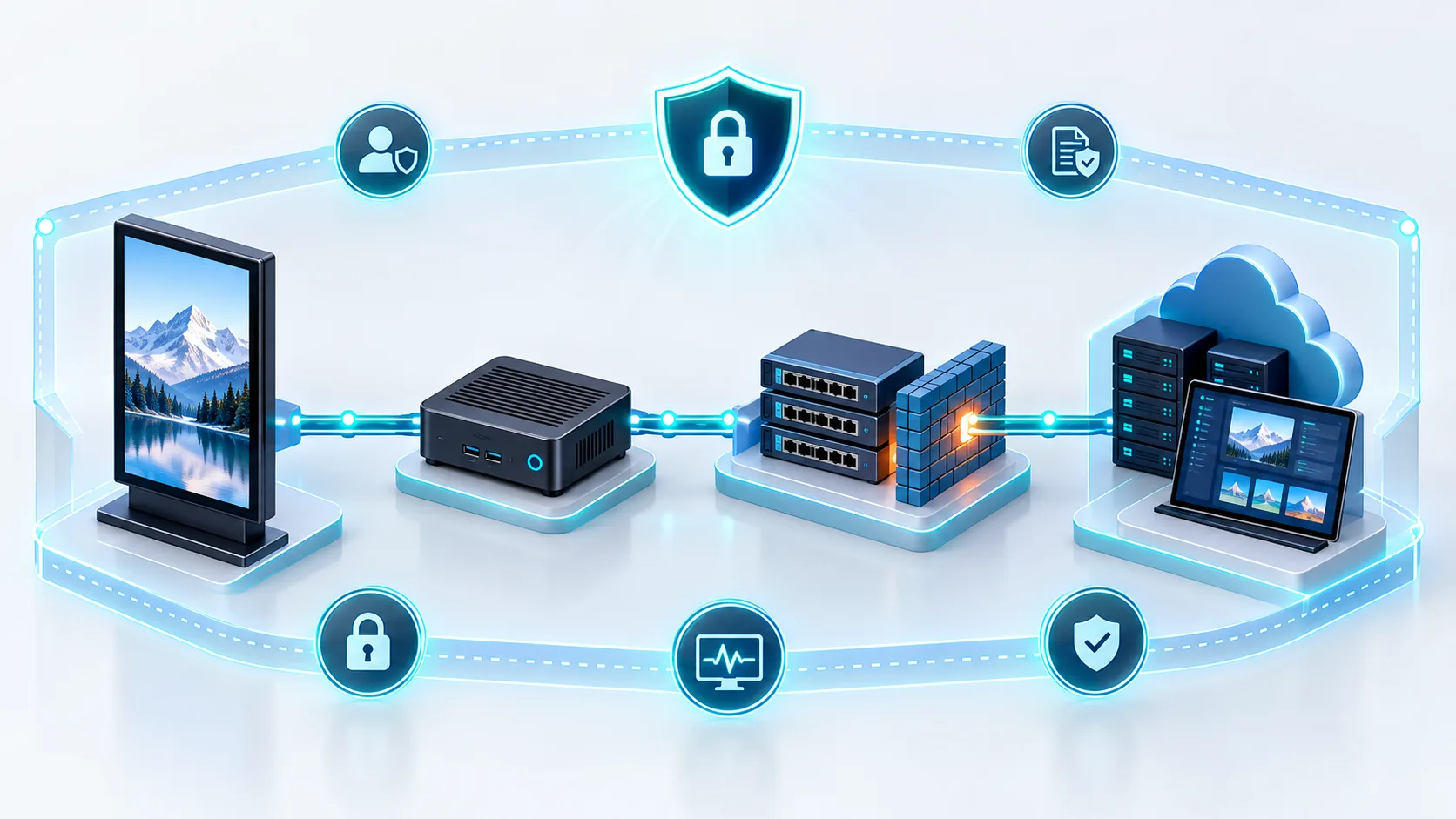
VLAN and Network Segmentation: Isolate digital signage hardware onto dedicated administrative or visual communication VLANs, physically or logically separated from the Operational Technology (OT) and SCADA control networks.
Secure API Communication: Restrict communication to outbound-only HTTPS/TLS connections, pulling read-only data from manufacturing execution systems without exposing write-access ports.
Device Hardening: Disable unnecessary peripheral ports (USB, external inputs) and use enterprise-grade operating systems with automated security patching and firewall management.
How to Implement Factory Digital Signage
Deploying a visual management system on the plant floor requires a structured rollout. A successful implementation bridges IT, operations, and health and safety teams to deliver real-time information without disrupting daily production workflows.
Define the Operational Problem and Success Metrics
Before mounting screens, identify the exact operational bottlenecks you need to solve. Clarifying these goals sets baseline metrics to track your return on investment:
Response bottlenecks: Slow maintenance response times during machine stoppages.
Data blind spots: Operators lacking visibility into hourly production targets versus actual output.
Safety compliance: Low awareness of updated protocols and high-risk zone warnings.
Clear success metrics: Target a 15% reduction in unplanned downtime, faster shift changeovers, or 100% on-time safety briefing delivery.
Map Audiences, Screen Locations, and Content Zones
Different areas of a manufacturing facility serve distinct audiences with unique information needs. We map hardware formats to visual zones across the facility:
Work cells and assembly lines: Overhead production floor digital signage showing real-time takt time, scrap rates, and part counts.
Logistics and staging bays: Large-format monitors displaying inbound dock schedules, pick lists, and forklift safety alerts.
Plant entrances and break rooms: High-traffic displays for shift rotas, corporate news, and employee recognition. Understanding the four type of digital signage configurations helps match the right display style to each plant environment.
Start With a Pilot on One Production Line or Department
Begin implementation by testing on a single high-impact line or a targeted bottleneck area. A contained pilot allows you to stress-test your setup under real operating conditions:
Verify screen readability under factory ambient lighting and high dust conditions.
Test automated data feeds from your PLC, MES, or ERP systems for lag or data dropouts.
Collect direct feedback from operators regarding font sizes, color-coded status alerts, and dashboard clarity.
Assign Content Ownership and Update Workflows
A digital signage network quickly becomes obsolete if content is not kept current. Establish strict roles and automate data integration wherever possible:
Department Assigned Content Zone Update Frequency Operations / Shift Leads Hourly output, OEE dashboards, changeover alerts Real-time (Automated API / MES feed) EHS (Safety) Team Incident-free days, PPE rules, emergency overrides Daily or event-triggered Plant Management / HR Company milestones, shift schedules, training reminders Weekly / Shift-based
Measure Results and Scale Across Facilities
Evaluate your pilot against the operational goals established in the initial planning phase. Assess how quickly teams reacted to downtime alerts, whether scrap rates dropped, and if operator engagement improved.
Once you fine-tune the hardware mounting specifications, data workflows, and layout templates, create a standardized deployment guide. This ensures rapid, consistent installation across the rest of your manufacturing lines and multi-site facilities.
Where to Install Digital Signage in a Factory
Strategic placement determines whether your factory digital signage drives operational gains or simply becomes background noise. Positioning screens where employees naturally look ensures real-time metrics, warnings, and schedules reach the right teams without disrupting workflow.
Production Lines and Work Cells
Mounting screens directly above workstations or at the heads of lines keeps operators aligned with dynamic manufacturing targets.
Real-time visibility: Position an OEE dashboard display or real-time production dashboards overhead so operators can spot takt time variances and output pacing instantly.
Work instructions: Place compact digital SOP displays within operator line-of-sight to deliver step-by-step assembly guides, quality checkpoints, and changeover steps.
Immediate response: Integrate visual factory downtime alerts that signal line stoppages or maintenance calls to team leads across the floor.
Factory Entrances and Clock-In Areas
Turn main entryways, turnstiles, and time-clock stations into central briefing hubs before workers step onto the floor.
Daily alignment: Broadcast shift assignments, daily plant output targets, and high-priority site notices.
Safety readiness: Highlight shift-specific safety protocols, PPE requirements, and consecutive days without incident.
Seamless setup: Review our digital signage installation checklist to ensure structural, power, and connectivity readiness across heavy-traffic access points.
Installation ZonePrimary Content TypeRecommended Display FormatProduction LinesLive KPIs, OEE, downtime alerts, digital SOPsHigh-brightness ceiling or truss mountsClock-In AreasShift schedules, plant announcements, EHS rulesWall-mounted commercial LCD displaysWarehouses & DocksInbound/outbound queues, forklift safety rulesLarge-format impact-resistant screensBreak RoomsHR notices, team milestones, training remindersWall-mounted standard commercial screensHigh-Risk ZonesHazard warnings, evacuation routes, live alertsHigh-visibility emergency display units
Warehouses and Loading Areas
Material handling zones and logistics docks require clear, readable coordination to keep materials moving safely.
Dock management: Deploy warehouse digital signage near bay doors to display real-time trailer assignments, loading queues, and carrier schedules.
Logistics tracking: Show staging locations, pick-and-pack rates, and urgent parts delivery requests for assembly replenishment.
Traffic safety: Broadcast forklift crossing alerts, speed limit reminders, and clear pedestrian lane warnings.
Break Rooms and Employee Common Areas
Break areas provide an ideal setting for non-urgent workforce messaging and culture building.
Corporate updates: Use employee communication screens to share internal news, shift handovers, policy updates, and executive messages.
Team recognition: Highlight employee of the month, production milestones, certification completions, and retirement celebrations.
Training and wellness: Run rotating snippets of refresher safety tips, wellness initiatives, and upcoming training schedules.
High-Risk and Emergency Assembly Areas
Safety-critical zones require dedicated display hardware engineered for rapid, unmistakable alert delivery.
Hazard warnings: Position factory safety signage outside chemical storage rooms, high-voltage rooms, and high-heat production zones to warn personnel of active hazards.
Instant evacuation instructions: In an emergency, these screens switch automatically into high-visibility emergency notification displays, flashing clear exit routes, muster point maps, and real-time status updates.
Assembly point coordination: Install displays at external or internal muster stations to track roll-call completion and broadcast all-clear signals directly from incident commanders.
How to Measure Factory Digital Signage ROI
Calculating the return on investment for factory digital signage requires looking at both hard cost reductions and bottom-line productivity gains. When visual communication moves in real time, operational waste drops significantly across your facilities. To evaluate the true financial impact, we measure performance across five core operational areas.
Production Response Time and Downtime
Every minute an assembly line sits idle directly hits profitability. Installing digital signage for manufacturing enables instant line-stoppage and Andon alerts that slash mean time to repair (MTTR).
Faster maintenance dispatch: Automated alerts notify technicians the moment a fault occurs, cutting response times by up to 30%.
Reduced bottleneck duration: Supervisors spot material shortages immediately on production floor digital signage before a line halts completely.
Lower downtime costs: Eliminating even a few minutes of unplanned downtime per shift translates to thousands of dollars saved annually per line.
Safety Incidents and Alert Acknowledgment
Workplace injuries lead to costly downtime, compensation claims, and compliance penalties. Factory safety signage reinforces standard operating protocols and delivers immediate hazard notifications.
Instant hazard broadcasting: Critical alerts, forklift traffic warnings, and spill notifications display within seconds facility-wide.
Compliance tracking: Continuous visual reminders help teams maintain OSHA and local safety compliance standards.
Fewer lost-time accidents: Consistent daily safety metrics keep safety protocols top of mind for every shift worker.
Schedule Adherence and Quality Metrics
Real-time production dashboards give teams immediate feedback on their output against target quotas, driving proactive adjustments instead of end-of-shift surprises.
Metric Tracked Traditional Static Notice Industrial Digital Signage Operational Impact Scrap & Defect Rates Reviewed daily/weekly Live quality control alerts Prevents entire batch contamination Hourly Output (PPH) Updated manually per shift Automated MES sync Immediate pacing adjustments OEE Performance Calculated post-shift Live plant-wide visibility Faster root-cause resolution
Training Completion and Employee Engagement
Keeping deskless workers informed improves retention and reduces training overhead. Displaying bite-sized standard operating procedures (SOPs), safety tips, and company updates keeps everyone aligned without pulling workers off the floor for extended meetings.
Faster onboarding: Looping digital SOP displays reinforce machine operational guidelines for new hires at the workstation.
Shift alignment: Direct handover notes and shift recognition programs boost overall plant morale and operational discipline.
Printing, Labor, and Communication Costs
Managing static paper notices across large industrial sites drains both administrative time and operational budgets. Upgrading to networked displays eliminates recurring printing and administrative labor expenses.
Zero paper and toner costs: No need to print, laminate, and distribute hundreds of physical safety sheets, KPI printouts, and compliance posters.
Eliminated manual update hours: Content updates push instantly across all screens from a centralized management portal instead of requiring staff to manually swap paper boards.
Optimized asset utilization: Understanding how to maximize ROI with digital displays ensures high-durability hardware delivers measurable efficiency returns for years of continuous 24/7 operation.
Factory Digital Signage Deployment Checklist
Deploying industrial digital signage across a manufacturing facility requires a systematic approach to avoid operational disruptions and hardware failures. Use this checklist to verify every stage of your installation.
StageFocus AreaKey DeliverablePhase 1Environmental Site SurveyIngress protection, ambient light, and power access verificationPhase 2Tech Stack & MountingDisplay ratings, secure mounting, and isolated network configurationPhase 3Content & Safety ProtocolStandardized screen layouts and automated emergency broadcast triggersPhase 4Lifecycle & ExpansionPreventive maintenance schedules, spare parts, and scaling roadmap
Site Survey and Environmental Assessment
A thorough walkthrough of the production floor reveals physical challenges before hardware is ordered.
Ambient Light & Glare: Measure lux levels near bay doors, overhead industrial lighting, and skylights to determine screen brightness (nits) needs.
Contaminants & Moisture: Identify washdown zones, oil mist exposure, metal shavings, and heavy particulate concentrations.
Thermal & Airflow Conditions: Check temperature ranges near furnaces, injection molding lines, or cold storage facilities.
Vibration Sources: Note nearby stamping presses, heavy conveyors, and crane pathways that require vibration-dampened fixtures.
Power Accessibility: Confirm dedicated, surge-protected AC drops or PoE points within reach of target display spots.
Hardware, Software, Network, and Mounting Requirements
Commercial Hardware: Select industrial-grade displays rated for 24/7 continuous run times with IP-rated protective housings.
Mounting Load Integrity: Ensure I-beam clamps, ceiling drop poles, and wall brackets exceed screen and enclosure weights by standard safety margins.
Network Infrastructure: Deploy wired Ethernet or dedicated industrial Wi-Fi VLANs isolated from core programmable logic controller (PLC) networks.
CMS & Data Integration: Verify software connectors for ERP, MES dashboard display feeds, and automated data refreshing protocols.
Content Templates and Emergency Procedures
Structured layouts prevent information clutter and ensure critical safety messages get instant attention.
Visual Zoning: Standardize screen real estate into primary KPI zones (OEE, output targets), secondary feeds (shift updates), and bottom tickers (announcements).
High-Contrast Color Coding: Use standard industrial indicators (Green = Target Met, Yellow = Warning, Red = Line Stoppage).
Emergency Broadcast Triggers: Program the CMS to override regular content with plant-wide emergency evacuation or hazard alerts when triggered by facility safety systems.
Content Governance: Assign strict role-based access so line managers control departmental data while corporate communications manage company-wide notices.
Maintenance, Warranty, and Expansion Planning
Consistent upkeep protects your capital investment and maintains 99.9% display uptime across all shifts.
Firmware and OS Patches: Set off-shift schedules for CMS, media player, and operating system updates to avoid floor downtime.
Spares Management: Keep pre-configured backup media players and replacement power supplies on-site for rapid swap-outs.
Scalability Blueprint: Document mounting types, network configurations, and screen models to streamline rollouts to additional production cells or sister plants.
Plan Your Factory Digital Signage Hardware With Uniview LCD
Selecting the right hardware is essential to ensure your plant displays survive continuous operation and demanding plant environments. As a professional display manufacturer, we engineer rugged commercial screens built for industrial reliability, high ambient light, and continuous 24/7 duty cycles. Whether you are replacing paper noticeboards or deploying connected dashboards, our commercial digital signage displays provide the thermal protection, dust resistance, and visual clarity modern production facilities demand.
Match Display Formats to Different Factory Locations
Every area of a manufacturing plant has distinct physical constraints, viewing distances, and environmental conditions. We build specialized hardware formats engineered to match these diverse plant zones:
Factory Zone Recommended Display Type Key Features & Specifications Assembly Lines & Workstations Stretched bar LCDs & compact panels Space-saving ultra-wide aspect ratios, low profile, clear line-of-sight visibility above conveyor systems. Main Aisles & Overhead Trusses Large-format high-brightness displays (55″–86″) High nit ratings (700+ nits), ceiling mounts, wide viewing angles for long-distance visibility. Break Rooms & Cafeterias Standard commercial wall-mounted displays Full HD/4K clarity, integrated speakers, shift-based scheduling, anti-glare coatings. Facility Entrances & Clock-in Hubs Floor-standing digital kiosks & touch totems Tamper-resistant tempered glass, heavy-duty bases, interactive badge-scanning integration options. Loading Docks & Warehouses High-durability IP-rated industrial monitors Enclosed housing, dust protection, high resistance to vibration and ambient temperature swings.
For space-restricted overhead conveyors and specialized packing lines, deploying our indoor stretched screens delivers clear process tracking and takt-time alerts without obstructing equipment or worker movement.
Information to Prepare Before Requesting a Quote
To help us configure the best factory digital signage package for your plant, gathering key facility requirements upfront streamlines technical validation and quoting:
Screen Locations and Quantities: Pinpoint exact installation spots, total unit counts per line, and preferred screen dimensions.
Environmental Conditions: Document average ambient temperatures, humidity levels, airborne dust exposure, and whether washdown chemicals are present.
Mounting and Structural Needs: Identify the physical mounting surface, such as structural steel columns, drop-ceiling beams, masonry walls, or freestanding floor positions.
Lighting and Visibility Distance: Note whether the screens face direct overhead industrial lighting, skylights, or open bay doors to determine the required nit brightness.
Signal and Power Setup: Specify network availability (Ethernet or dual-band Wi-Fi), power outlet distances, and whether you require integrated media players or dedicated external inputs.
Frequently Asked Questions
What Content Should Be Shown on Factory Digital Signage?
Factory digital signage works best when it delivers a mix of operational, safety, and workforce information:
Operational KPIs: Real-time OEE, target vs. actual output, scrap rates, and machine downtime tracking.
Safety & Compliance: Incident-free day counters, hazard alerts, PPE requirements, and digital SOPs.
Workforce Updates: Shift schedules, team announcements, daily production goals, and employee recognition.
Can Factory Digital Signage Connect to Existing Production Systems?
Yes. Modern industrial displays connect directly to MES, ERP, SCADA, and BI tools using secure APIs, ODBC database connectors, or automated web dashboards. This direct link allows your factory floor digital signage to update output numbers and downtime alerts automatically in real time without manual input.
What Type of Display Is Best for a Factory Floor?
Standard consumer TVs will quickly fail in industrial settings due to heat, airborne debris, and non-stop use. The best choice is a ruggedized commercial LCD display built for 24/7 operation, featuring a metal housing, high-brightness panel (500 to 1,000+ nits), and thermal protection. Evaluating the correct IP rating for your digital signage is essential to protect hardware against industrial dust, oil mist, and moisture.
Where Should Digital Signage Screens Be Installed in a Factory?
Mount screens in high-visibility locations tailored to specific worker groups:
Production Lines & Work Cells: High-mounted displays for real-time takt time, line status, and scrap tracking.
Facility Entrances & Time Clocks: Broad communication hubs for shift announcements and general safety reminders.
Warehouses & Shipping Docks: Staging zones for inventory movement, pick rates, and logistics alerts.
Break Rooms: Low-stress areas for HR notices, training schedules, and company milestones.
Can Factory Digital Signage Be Used for Emergency Alerts?
Yes. Centralized digital signage systems feature priority override protocols. When linked to building management or safety systems, screens immediately drop scheduled production dashboards and display high-contrast emergency instructions, evacuation paths, or hazardous spill containment protocols across the entire plant.
How Much Does a Factory Digital Signage System Cost?
Total investment depends on screen dimensions, environmental protection levels, mounting requirements, and software licensing. While standard indoor screens for break rooms carry lower hardware costs, heavy-duty production floor digital signage requires commercial-grade displays engineered for 24/7 durability. These industrial units deliver a rapid return on investment by cutting scrap, reducing unplanned downtime, and speeding up shift handovers.
 English
 Chinese (Simplified)
 Japanese
 Spanish