

Hospitality Digital Signage Solutions
Create clear, guest-facing digital communication across hospitality spaces with LCD displays selected around your installation environment, display size, brightness, mounting and system requirements.
Uniview LCD manufactures indoor, semi-outdoor and outdoor LCD digital signage and supports project-specific hardware configuration and customization.
Share your application, required size, quantity and installation location. If the exact display specification is not yet defined, we can review the project requirements first.

Match the Display to Each Hospitality Space
Hospitality projects can require different display formats across entrances, lobbies, reception areas, restaurants, event spaces and other guest-facing locations.
Instead of selecting one screen type for every location, start with the environment and the job each display needs to perform. For each installation point, review:
- Indoor, window-facing or outdoor environment
- Viewing distance and orientation
- Required screen size
- Ambient light conditions
- Wall-mounted, suspended, floor-standing or mobile
- Touch or non-touch operation
- Operating system and interface requirements
- Content or system responsibilities
- Maintenance access
- Branding and enclosure requirements
Digital Signage Across Hospitality Environments
Build the display configuration around the location and use case rather than forcing every hospitality space into the same hardware setup.

Hotel Lobby & Reception
Use floor-standing or wall-mounted LCD displays for welcome information, property updates, promotions, and event schedules.

Restaurants & QSR Areas
LCD displays support menu presentation and self-service hardware requirements. Includes RES-W wall-mounted and RES-F floor-standing ordering hardware.

Restaurants & Service Areas
Wall-mounted and bar-type LCD displays for menus, promotions, and directional information.

Events & Meeting Spaces
Use digital signage for schedules, directions, and temporary guest communication. Portable or floor-standing displays for flexible positioning.
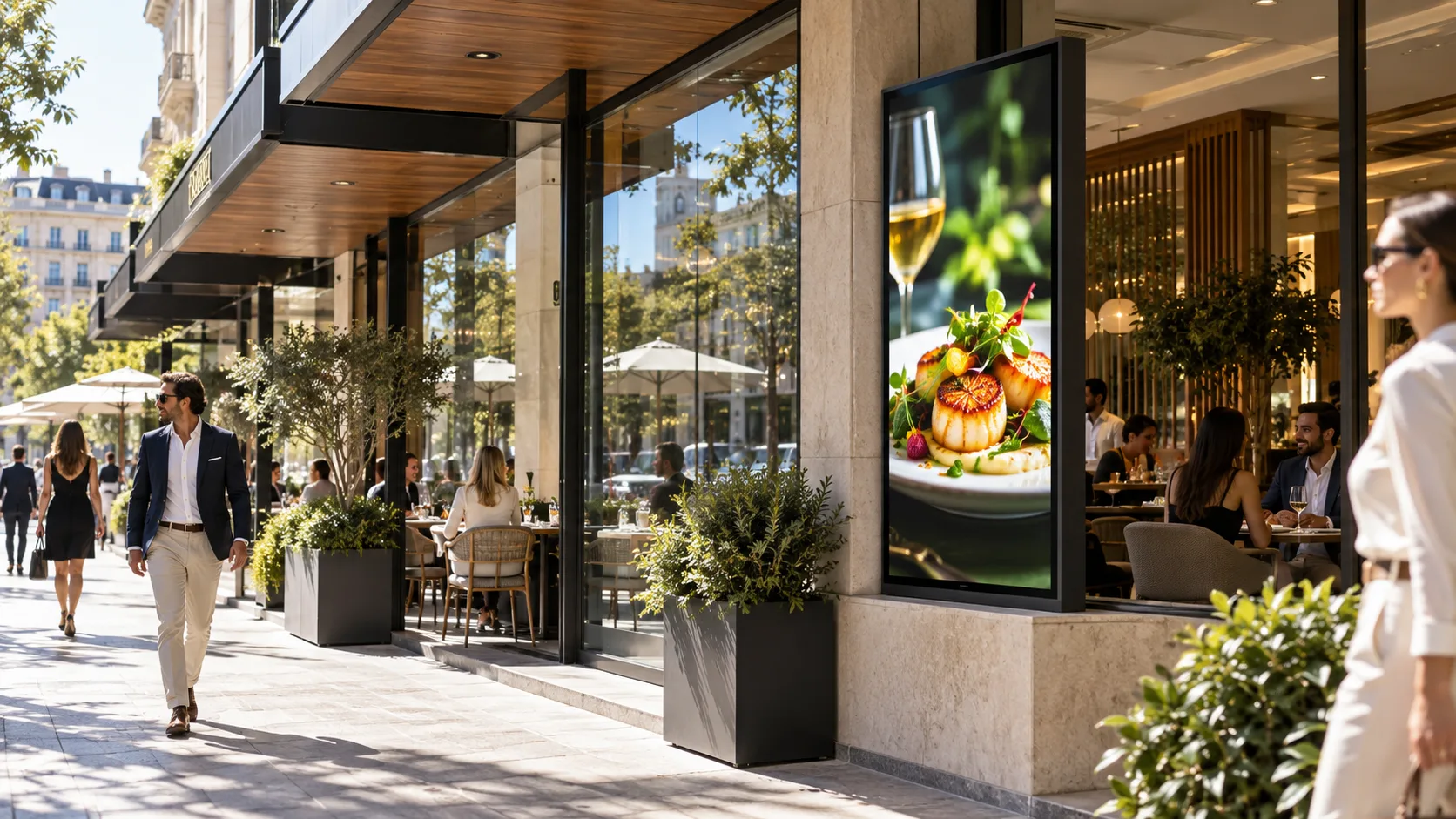
Windows & Street-Facing
For hotel restaurants or storefronts, semi-outdoor high-brightness displays overcome high ambient light.

Outdoor Entrances
Direct outdoor installations requiring specific brightness, environmental protection, thermal design, and maintenance structures.
Display Options for Hospitality Projects
The right product depends on where the screen is installed and what the project requires. The following product families are starting points for evaluation, not universal configurations.
| Hospitality Requirement | Display Type | Relevant Product Family | Selection Considerations |
|---|---|---|---|
| Lobby / reception | Floor-standing display | S-UT1900 / S-DF1800 / S-FS1900 | Size, orientation, OS, touch, installation |
| Restaurant self-service | Ordering kiosk | RES-W / RES-F | Touch, peripherals, system responsibility |
| Menu / directional content | Bar display | SS100 | Dimensions, content format, mounting |
| General indoor wall display | Wall-mounted LCD | S-WI300L / S-WI300H | Size, orientation, OS, mounting |
| Portable guest communication | Portable display | S-POK / POK | Positioning, touch option, OS |
| Window-facing display | High-brightness window display | U1500P / UW1500P | Ambient light, brightness, mounting |
| Outdoor entrance | Outdoor digital signage | F130 / F160 / V100 / V130 | Environment, brightness, protection, thermal design |
* Product naming variations subject to technical verification before final configuration.
What Should Be Confirmed Before Selecting a Hospitality Display?
Installation Environment
Is the display fully indoors, facing a bright window, or installed directly outdoors? This affects the display category and environmental requirements.
Size & Viewing Position
Confirm the installation location, viewing distance, portrait or landscape orientation and available mounting space before narrowing the screen size.
Brightness
Brightness should be evaluated against the actual lighting environment. For window-facing or outdoor installations, provide a site photo where possible.
Mounting
Configurations may include wall mounting, suspension, floor standing, or mobile positioning. Confirm installation and maintenance access.
Operating System & Interfaces
Confirm the required interfaces, player architecture (Android, Windows, or display-input) and system responsibility before quotation.
Touch & Peripherals
If self-service is required, define touch requirements, printer, scanner, card/RFID reader, camera, and other peripheral devices.
Hardware Customization for Hospitality Projects
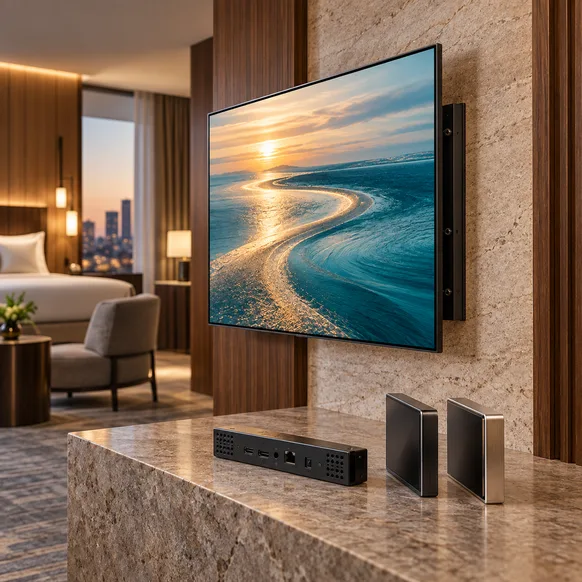
Hospitality projects may require the display hardware to match a specific interior, installation structure, system or branded environment.
Share your drawings, reference images or hardware requirements. Uniview LCD can review the requested configuration with engineering before the customization scope is confirmed.
Customization Areas to Review:
- Structure
- Appearance
- Size
- Brightness
- Touch
- Operating system
- Interfaces
- Electronics
- Peripheral devices
- Cooling
- Mounting
- Branding
From Requirement to Sample Evaluation
For a new hospitality project, define the hardware and evaluation requirements before moving toward larger deployment.
Requirement
Share the application, installation environment, size, quantity and project timing.
Engineering Review
Review the display category, hardware configuration, mounting, interfaces and customization.
Configuration
Define the proposed model and applicable options.
Drawing
Confirm relevant structure and drawing requirements where needed.
Quotation
Align the quoted configuration, quantity, customization and included scope.
Sample
Confirm sample configuration, pricing and production arrangement.
Evaluation
Review the display against agreed project requirements and available documentation.
Production
Move toward production after the applicable technical and commercial requirements are confirmed.
Evaluate the Display Against Your Project Requirements
Supplier evaluation should go beyond a list of certification logos. Start with the proposed model and configuration, then review the information that is relevant to your hospitality project.
Depending on the product and project, evaluation may include:
- Applicable product specifications
- Drawings
- Available test documentation
- Sample evaluation requirements
- Inspection information
- Applicable compliance documents
Project Resources
Hospitality Digital Signage FAQ
What type of digital signage can be used in hotels?
Can the displays be customized for a hotel project?
Can you provide digital signage for hotel restaurants?
Do your displays include CMS software?
Can we evaluate a sample before a larger order?
What information should we provide for a quotation?
Tell Us About Your Hospitality Display Project
You do not need to define every technical parameter before contacting us. Start with the project information you already know. We can use it to narrow the display options and identify what needs further review.
Not sure about brightness or the exact model? Describe the installation location or let us know if you need to upload a site photo or reference drawing later.
Email Support
lcdsales@univiewlcd.com
Sales Hotline
+86-755-21009715