

Digital Signage for Hospitals and Medical Facilities
Enhance patient experience, simplify wayfinding, and improve internal communication with commercial-grade digital displays designed for the demanding environments of modern healthcare facilities. From high-brightness lobby screens to interactive patient self-service kiosks, we provide robust and durable hardware that ensures 24/7 reliable operation.

Application Scenarios of Digital Signage in Healthcare Facilities
Deploy targeted visual communication at every key touchpoint in healthcare facilities to inform, guide, and engage patients and staff.
Entrances and Lobbies
Welcome patients, display directory information, and showcase facility announcements on large, high-brightness screens.
Waiting Areas
Reduce perceived wait times with infotainment, queue management displays, and health education content.
Corridors
Install ultra-slim displays along corridors for continuous communication, emergency alerts, and staff information updates.
Wayfinding Points
Help visitors navigate complex hospital ward areas with interactive 3D maps and clear directional signage.
Service Areas
Streamline check-in, pharmacy pickup, and cafeteria menu processes with dedicated transaction and menu displays.
Public Information Areas
Broadcast public health campaigns, donor recognition boards, and community news in high-traffic areas.
Choosing the Right Displays for Different Healthcare Spaces
Choose from our wide range of commercial LCD hardware, meticulously designed to seamlessly integrate into various healthcare environments.

Wall-Mounted Digital Signage
Space-saving displays perfect for corridors, waiting rooms, and over-counter installations. Available in standard and ultra-wide sizes.

Floor-Standing Digital Signage
Eye-catching freestanding totems, ideal for main lobbies and large open areas to maximize visibility and impact.
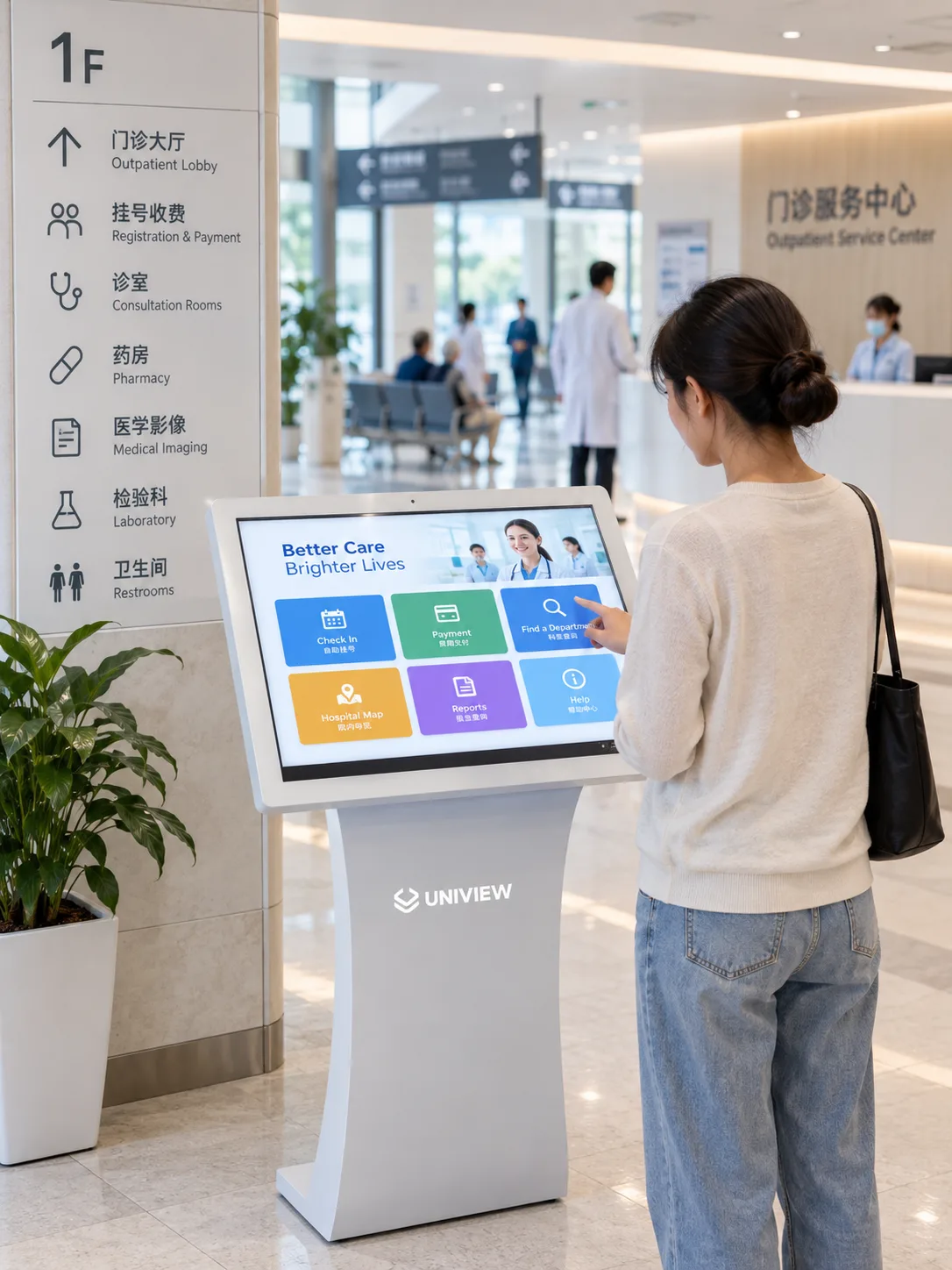
Interactive Kiosks
Self-service stations built with robust touch technology for patient check-in, payment processing, and interactive wayfinding.

Interactive Touch Displays
Wall-mounted or cart-based interactive screens designed for staff collaboration, patient education, and detailed medical imaging review.
Factors to Consider When Choosing Healthcare Digital Signage
Size
Determine the optimal screen diagonal size based on viewing distance and content complexity (from 10-inch room signs to 98-inch lobby displays).
Brightness
Use standard brightness (400-500 nits) for indoor areas, and high brightness (1000+ nits) for sunlit lobbies and window-facing installations.
Mounting
Ensure VESA compliance and select secure, flush, or adjustable mounting methods that meet hospital safety and ADA protrusion standards.
Touch
Choose PCAP (Projected Capacitive) or IR touch technologies. For users with strict hygiene requirements, consider easy-to-clean edge-to-edge glass panels.
Orientation
Select landscape orientation for traditional media and menus; choose portrait orientation for directories, wayfinding systems, and life-size digital posters.
Systems and Interfaces
Choose integrated Android/Windows operating systems or standalone displays with HDMI/DP inputs to match your IT infrastructure and CMS.
Planning Display Solutions Based on Installation Environments
Healthcare environments face unique challenges, ranging from strict disinfection protocols to variable lighting conditions. We meticulously design our LCD displays to operate stably in these specialized settings. Whether you need optical bonding technology to reduce glare in sunlit atriums or specialized enclosures capable of withstanding medical-grade cleaners, planning hardware based on the actual environment is crucial to ensuring its longevity and performance.
- Assess Ambient Light and Glare Sources
- Evaluate Wall Structure and Load-Bearing Capacity
- Review Disinfection and Hygiene Requirements

Configure Displays for Your Healthcare Project
We offer comprehensive OEM/ODM customization services to precisely tailor hardware specifications to your project's operational needs.
Size
Structure
Brightness
Touch
OS
Interfaces
Peripherals
Mounting
Software and System Integration Requirements
Hardware is only part of the solution. Successful deployment requires seamless integration with the hospital's IT infrastructure and content management systems.
Display Hardware
Ensure the selected displays have sufficient processing power, memory, and the appropriate operating system (Android/Windows/Linux) to run your required applications smoothly.
Content Management System / Content
Confirm compatibility with your preferred content management system. Our displays support a variety of third-party digital signage software.
Third-Party Systems
Plan for integration with queue management, HL7 (Health Level Seven) data feeds, emergency alert systems, or IoT sensors.
Installation Responsibilities
Clarify the scope of work between internal IT teams, AV integrators, and hardware vendors to ensure a smooth deployment.
Evaluate Displays Before Deployment
We mitigate the risks of large-scale hospital rollouts through a comprehensive evaluation and sampling process. We provide the necessary documentation and hardware for thorough testing.
Healthcare Digital Signage FAQs
Do your displays meet healthcare facility standards?
Can these screens operate 24/7 in emergency rooms?
Do you provide content management software?
What is the typical lead time for custom hospital deployments?
Discuss Your Healthcare Display Needs
Partner with an experienced manufacturer for your next healthcare digital signage project. Contact us for pricing, specifications, and OEM/ODM service capabilities.