

Restaurant Self Service Kiosk RES-F
The RES-F is a professional indoor floor-standing restaurant self service kiosk designed for QSR, fast-casual dining, and hospitality environments. Featuring interactive touchscreen displays and configurable system platforms, it provides the robust hardware foundation needed to support modern self-ordering workflows and peripheral integration.
- 27"–49" Display Options
- Portrait Floor-Standing Design
- Capacitive or Infrared Touch
- Configurable System and Peripherals
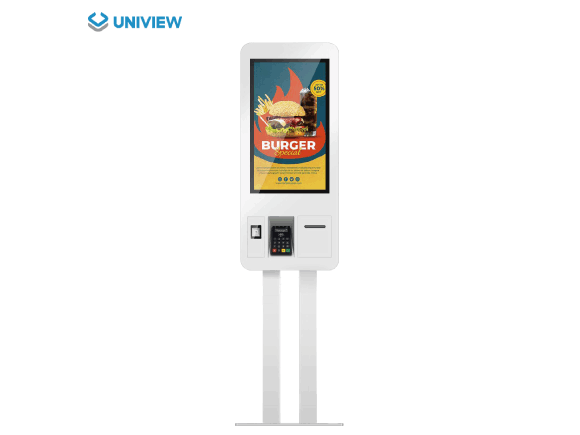
What Is a Restaurant Self Service Kiosk?
A restaurant self service kiosk is an interactive hardware terminal where customers can independently browse digital menus, select items, modify their choices, and confirm orders via a touchscreen interface. Depending on the software and project configuration, users can also submit their orders or complete payments directly at the terminal.
When integrated properly, these orders can be transmitted directly to the restaurant's Point of Sale (POS) or Kitchen Display System (KDS). The RES-F provides the commercial-grade display, touch interface, computing power, and peripheral integration hardware. It is important to note that menu functionality, payment processing, and operational workflows depend entirely on compatible third-party software and project integration, which can support and may help streamline the ordering process depending on the restaurant workflow.
Product Highlights
Core features and configurable options of the RES-F hardware platform.
Floor-Standing Design
The confirmed standard installation format. Designed for indoor deployment, providing an accessible interaction point for customers without requiring counter space.
Multiple Display Sizes
Available in 27", 32", 43", and 49" configurations with portrait orientation. Resolution (1080p or 4K) and brightness (350–1000 nits) options are available depending on the selected size.
Responsive Touch Options
Configurable with commercial-grade capacitive or infrared touch technology supporting 10 to 40 touch points, facilitating smooth menu navigation and selection.
Configurable System Platforms
Choose from Driver Board, Standalone media player, Android, or Windows operating systems to match your specific ordering software and networking requirements.
Peripheral Integration Support
The hardware enclosure can be customized to integrate optional QR code scanners, thermal printers, and designated POS or payment peripherals based on project confirmation.
OEM and ODM Customization
Support for custom colors, customized logos, and specific interface requirements to align the hardware with your restaurant's brand identity and technical specifications.
Which Restaurant Kiosk Format Fits Your Space?
Understanding the differences between installation formats helps ensure the hardware matches your restaurant layout. The RES-F is confirmed as a floor-standing model.
| Format | RES-F Floor-Standing Kiosk | Wall-Mounted Kiosk | Countertop Kiosk |
|---|---|---|---|
| Installation | Freestanding on the floor. | Mounted to a structural wall (Subject to project confirmation for RES-F). | Placed on existing counters. |
| Space Requirement | Requires dedicated floor space in lobbies or ordering zones. | Zero floor footprint, utilizes empty wall space. | Consumes valuable counter space near registers. |
| Customer Interaction | Prominent, standalone destination for ordering. | Integrated into the environment flow. | Close proximity to staff and traditional POS. |
| Relocation Flexibility | Can be moved if power and network connections allow. | Fixed installation; requires structural work to move. | Highly portable across counters. |
| Peripheral Space | Large enclosure allows robust internal integration. | Limited depth may restrict large peripheral integration. | Often relies on external/separate peripherals. |
How to Choose a Restaurant Self Service Kiosk
Follow these steps to configure the right hardware for your ordering workflow.
Confirm the restaurant workflow
Determine peak hours, order volume, and how kitchen processing integrates with front-of-house ordering.
Select the installation location
Identify indoor spaces with adequate power, network access, and clearance for a floor-standing unit.
Choose the screen size
Select from 27" to 49" based on viewing distance and the complexity of your visual menu.
Confirm brightness and resolution
Match brightness (350/700/1000 nits) to indoor ambient light and resolution (FHD/4K) to content clarity needs.
Select capacitive or infrared touch
Choose the touch technology that best suits your interface design and expected user interaction.
Choose the operating platform
Align the OS (Android, Windows, or Standalone) with your chosen ordering software requirements.
Define scanner, printer and payment peripherals
Specify which hardware additions are necessary for completing transactions and printing receipts.
Confirm POS, software and KDS compatibility
Ensure your software provider supports the hardware interfaces for seamless data transmission.
Review accessibility and operating-height requirements
Evaluate if the hardware dimensions meet local regulations for user accessibility.
Confirm branding, quantity and destination market
Finalize custom colors, logos, batch sizes, and required certifications for your region.
How a Restaurant Self Service Kiosk Works
A typical customer journey facilitated by the hardware platform.
Customer views digital items.
Touchscreen input registers choices.
Confirm selections and modifiers.
Via integrated peripherals.
Data transmitted to POS/KDS.
Receipt generation if configured.
Important Integration Notice:
- Actual steps are determined by the selected ordering software.
- Payment functionality depends entirely on the integrated payment terminal and service provider.
- POS and kitchen system connections require compatible software or API interfaces.
- Some projects may configure the kiosk to only submit orders, with payment handled at a separate counter.
- Printing receipts requires the optional thermal printer configuration.
Restaurant Kiosk Hardware Components
Commercial LCD
Standard platform componentTouch Layer
Configuration optionComputing System
Configuration optionFloor-Standing Enclosure
Standard platform componentNetwork Connection
Configuration optionQR Code Scanner
Available for integrationThermal Printer
Available for integrationPOS / Payment Peripheral
Subject to project confirmationCamera Option
Available for integrationCapacitive and Infrared Touch Options
The RES-F offers two primary touch technologies to facilitate user interaction via a standard USB interface. The final touchscreen configuration is selected according to the approved project specification.
Capacitive Touch
Provides a smooth, flat-surface experience similar to modern smartphones. Offers excellent clarity and is easy to clean, making it highly suitable for high-traffic restaurant environments requiring a premium look.
Infrared Touch
A robust and cost-effective solution supporting 10–40 touch points. It relies on a bezel structure and is highly responsive, suitable for various indoor commercial applications.
System and Media Player Options
Select the computing platform that aligns with your ordering software. The intended use depends entirely on the content and software requirements of your project.
| Configuration | Interfaces | Listed Memory / Storage |
|---|---|---|
| Driver Board | HDMI / VGA / DVI | None listed (Requires external source) |
| Standalone | HDMI / USB | 16G |
| Android | HDMI / USB | 2G+16G / 4G+16G / 4G+32G |
| Windows | HDMI / VGA / USB | 4G+128G / 32G+512G |
Restaurant Self Service Kiosk Applications
Reasonable indoor application scenarios for the RES-F hardware platform (Illustrative purposes only).
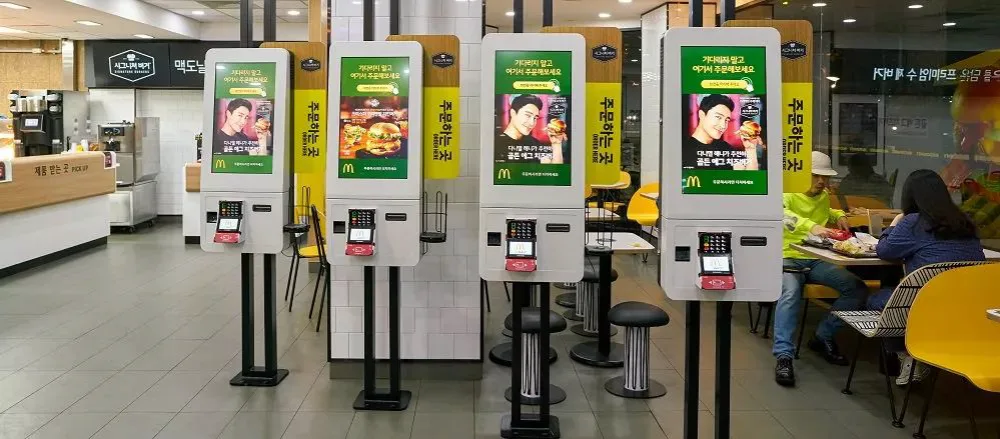
Quick-Service Restaurant
Facilitating rapid menu browsing and ordering in high-volume fast food environments.
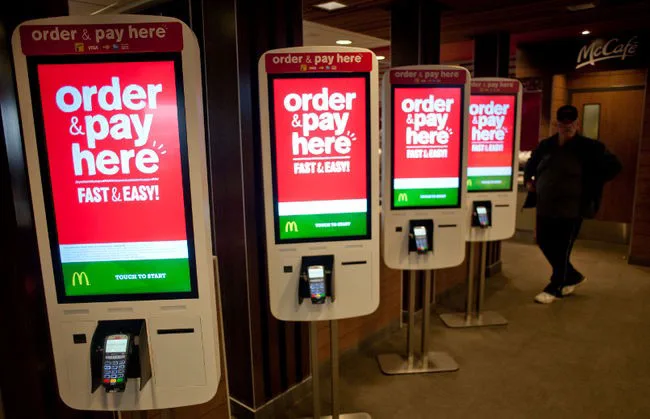
Fast-Casual Restaurant
Supporting customized meal modifications and modern digital dining experiences.
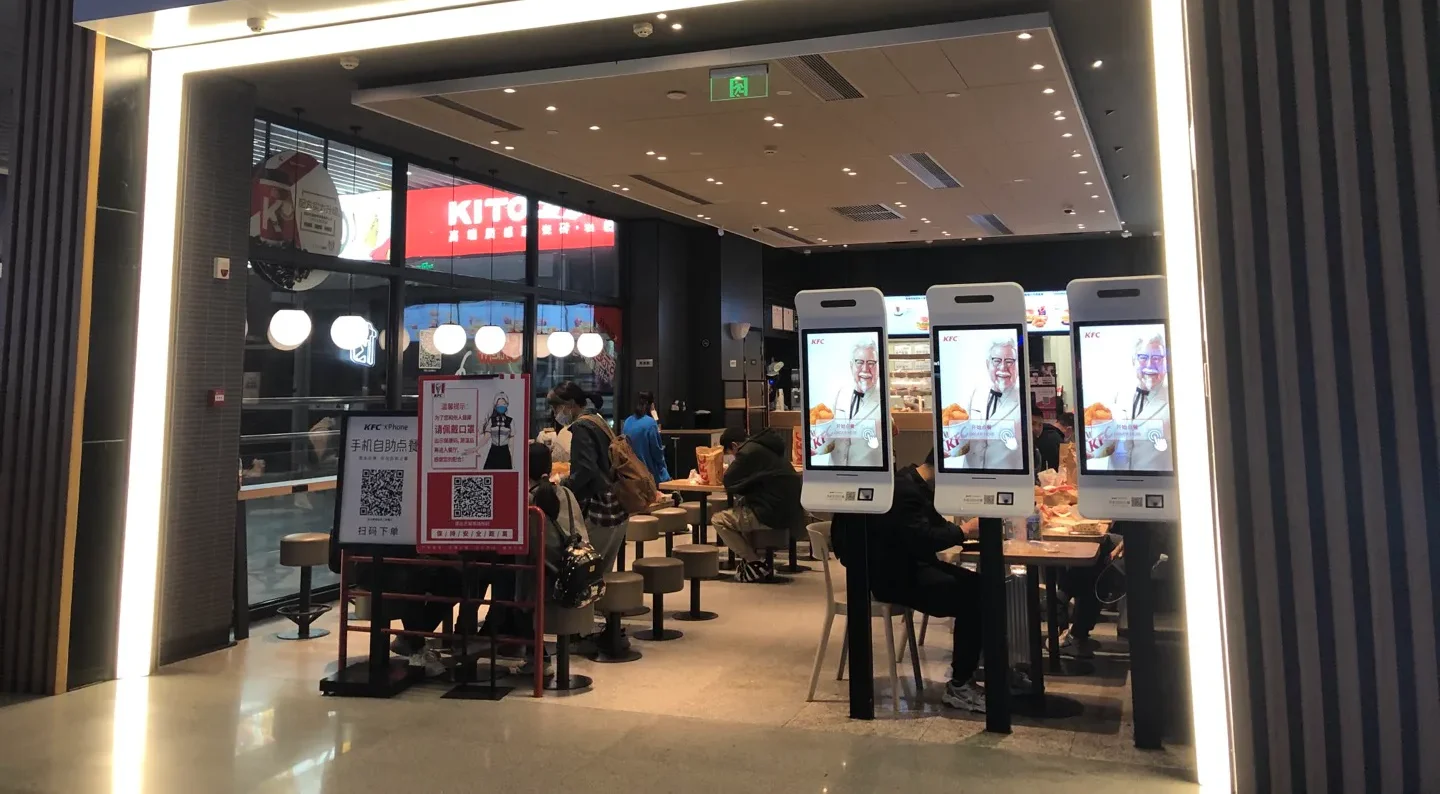
Café or Bakery
Presenting visual menus for beverages and pastries to assist customer choices.
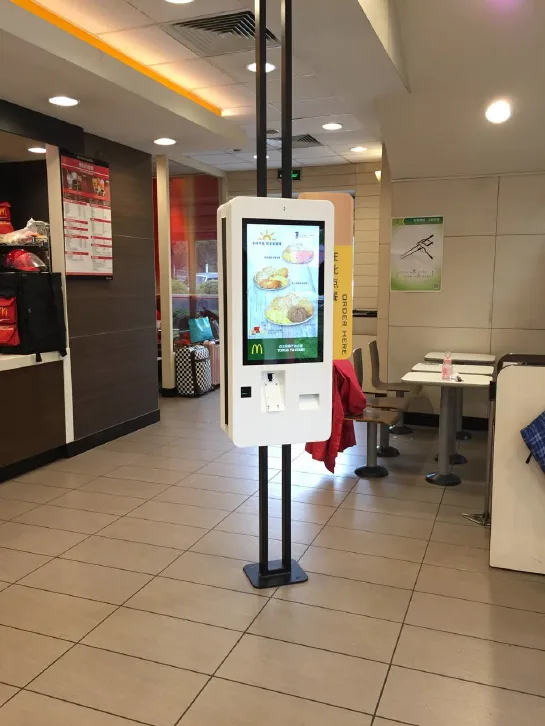
Hotel Dining or Food Court
Providing accessible multi-vendor or 24/7 ordering hardware platforms.
Hardware, Software, POS and Payment Integration
Understanding the boundaries between the kiosk hardware and the systems required to complete a transaction.
Kiosk Hardware
The RES-F provides the commercial display, touch interface, computing system, physical structure, and the platform for peripheral integration. It is the foundation that runs your chosen applications.
Ordering Software
Menu layouts, item modifiers, order logic, membership functions, promotions, and backend management depend entirely on the compatible third-party software selected by the customer.
POS and Kitchen Systems
Order transmission, POS synchronization, and KDS connection require compatible software interfaces and dedicated project integration to function properly.
Payment Processing
Card readers, QR payments, transaction processing, and local compliance are determined by the selected payment service provider and the specific peripherals integrated for the target market.
Content and Connectivity
The RES-F platform supports standard confirmed interfaces including HDMI, VGA, DVI, and USB, depending on the chosen system configuration.
Features often associated with digital displays such as Anti-Theft Lock, Touch, Split Screen, Miracast, Remote Control, or Customized Design are not universally standard. Availability depends on the selected system and final project configuration.
Designed for Indoor Restaurant Environments
The RES-F is strictly positioned as an indoor device. While a 1000 nits high-brightness option is available for well-lit indoor areas, this does not imply outdoor protection.
- Projects located near entrances, windows, or high-light areas require advance confirmation of lighting, temperature, and installation conditions.
- Floor load-bearing capacity, power supply, network routing, operating space, and maintenance clearance must be confirmed prior to installation.
Technical Specifications
Confirmed parameters for the RES-F series. Final specifications are subject to the approved quotation and specification sheet.
| Category | Confirmed Information |
|---|---|
| Product Type | Indoor floor-standing self-ordering kiosk |
| Model | RES-F |
| Panel Type | LCD |
| Panel Sizes | 27 / 32 / 43 / 49 inches |
| Resolution Options | 1080 × 1920 / 2160 × 3840 |
| Brightness Options | 350 / 700 / 1000 nits |
| Contrast Ratio | 1200:1 / 3000:1 |
| Listed Operating Life | 50,000–60,000 hours |
| Orientation & Installation | Portrait / Floor standing |
| Touch Options | Capacitive touch / Infrared touch (10–40 points via USB) |
| Operating Environment | Indoor |
| Temperature | Operating: 0°C to 40°C | Storage: -10°C to 60°C |
| Humidity | 10%–80% RH, non-condensing |
| Optional Items | Custom colors, Touchscreen configuration, Wi-Fi access point, Camera, Customized logo, QR code scanner integration, Thermal printer integration, POS or payment peripheral integration |
Note: Different sizes, resolutions, brightness levels, and system combinations may vary. FHD, 4K, and 350/700/1000 nits are series options and do not mean every size supports all combinations.
What Affects Restaurant Self Service Kiosk Pricing?
Pricing is project-based and typically depends on the following configuration variables:
- Screen size and resolution
- Brightness levels
- Touch technology selection
- Android or Windows configuration
- Enclosure and mounting structure
- Scanner, printer and payment peripherals
- Software and integration requirements
- Branding and custom color
- Order quantity
- Certification requirements
- Packaging and shipping destination
OEM and ODM Support
UNIVIEW LCD provides customization services to align the hardware with your brand and technical needs. All custom requests are subject to technical feasibility, quantity, and project confirmation.
- Logo and enclosure color customization
- Screen, brightness, and touchscreen selection
- System configuration and interface requirements
- Peripheral integration mapping
- Packaging customization and sample support
- Project-based hardware development
Manufacturing Support for Restaurant Kiosk Projects
Backed by 14+ years of commercial display industry experience, UNIVIEW LCD manages the physical realization of your kiosk project. From commercial LCD display production to final product assembly and integration, we provide comprehensive manufacturing support.
- • Commercial LCD display production
- • Product assembly and integration
- • OEM/ODM coordination
- • Sample evaluation
- • Batch production support
- • Packaging and shipment preparation
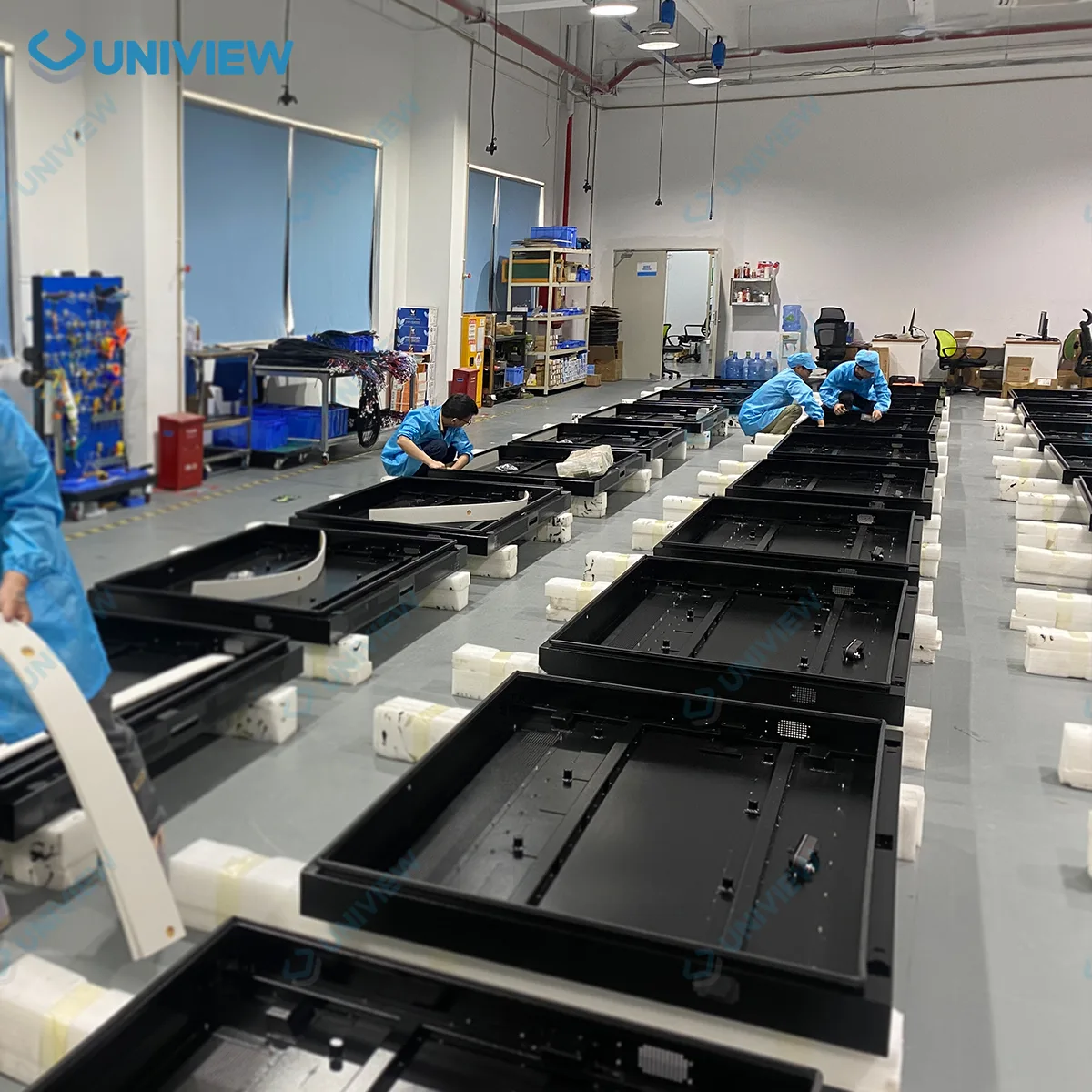
Quality Control Before Shipment
Material Inspection
Checking incoming materials and structural components.
Display & Touch
Testing screen clarity and touch-function responsiveness.
System Verification
Verifying computing platforms and interface connectivity.
Peripheral Integration
Checking the physical integration of optional peripherals.
Appearance
Inspecting enclosure finish and custom branding elements.
Aging Test
Performing aging tests when applicable for stability.
Packaging
Inspecting protective packaging materials.
Shipment Prep
Final verification before dispatching the order.
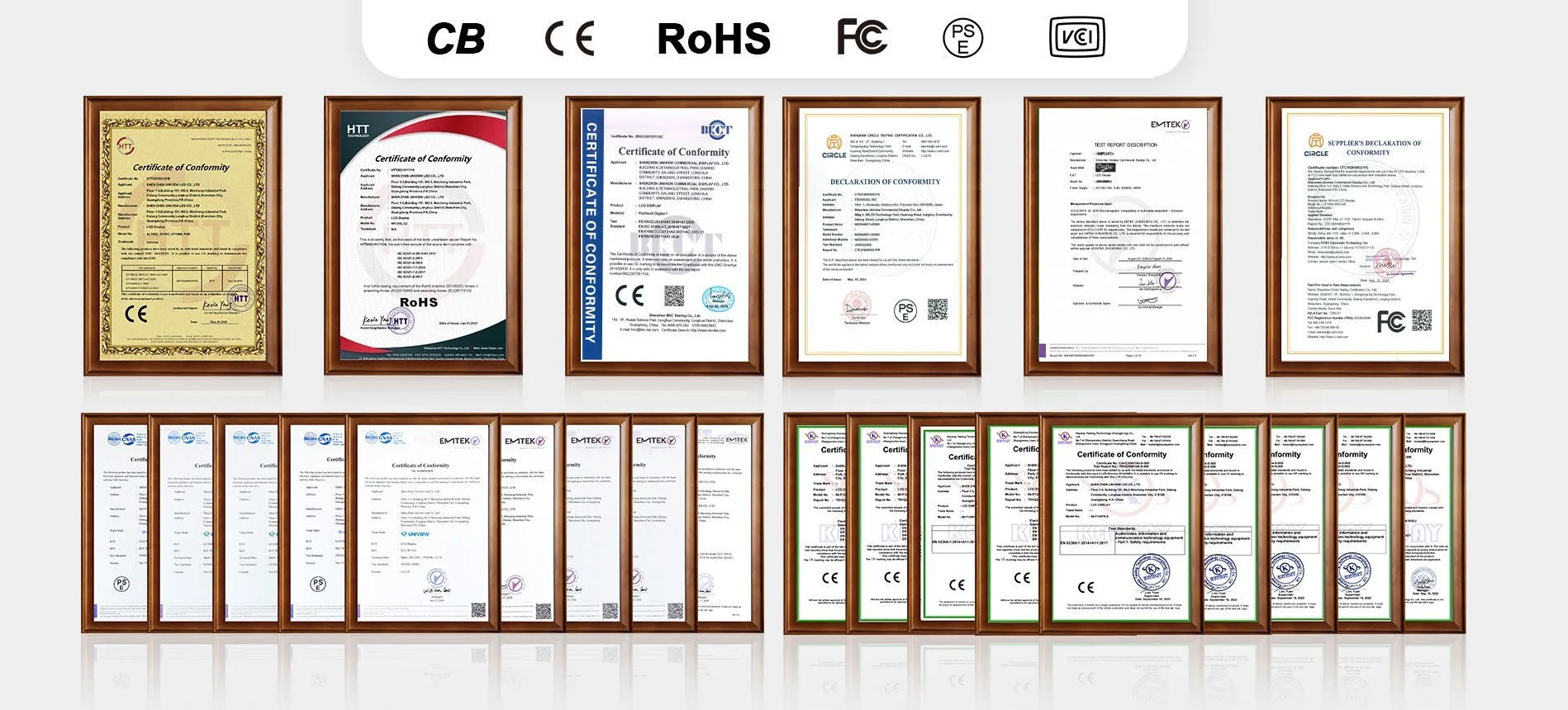
Certification Support
UNIVIEW LCD can provide or assist in confirming certification documentation based on the specific product configuration and your target market requirements. Supported certifications may include CE, FCC, PSE, VCCI, RoHS, and CB.
Notice: The scope of applicable certifications depends entirely on the final confirmed product configuration and the intended sales market. It is necessary to confirm the exact certification version corresponding to your specific RES-F configuration before placing an order.
From Restaurant Requirements to Delivery
Our structured process ensures your hardware specifications align with your project goals.
Requirement Discussion
Confirming your ordering workflow, software plans, and installation environment.
Hardware & Software Review
Evaluating POS/KDS interfaces, payment methods, screen options, and peripheral needs.
Configuration & Quotation
Providing a detailed quote based on confirmed specs, quantity, and certification markets.
Sample or Order Confirmation
Finalizing the specification sheet and proceeding with sample evaluation or batch order.
Production & Quality Inspection
Manufacturing the hardware and conducting rigorous quality control tests.
Packaging & Delivery
Preparing secure packaging and arranging delivery to your specified destination.
Frequently Asked Questions
Is the RES-F a floor-standing kiosk?
Which screen sizes are available?
Does the RES-F include restaurant ordering software?
Can it integrate with a restaurant POS system?
Are the QR scanner and thermal printer included?
Can a payment terminal be integrated?
Which touch and system options are available?
Is the RES-F suitable for outdoor use?
What information is required for a quotation?
Configure Your Restaurant Self Service Kiosk
Contact UNIVIEW LCD to discuss your hardware specifications, peripheral integration, and receive a project-based quotation.
lcdsales@univiewlcd.com
Phone
+86-755-21009715
Address
Floor 1-3, Bldg 9, Delta Science and Technology Park, Dalang Street, Longhua District, Shenzhen, China
Website
https://www.univiewlcd.com/