Multiple Size Options
Choose from 55, 65, 75, 86 and 98 inch interactive flat panel displays to suit the available space and intended viewing arrangement.


EV300L1 is an indoor interactive flat panel display for education, training and corporate meeting rooms. It combines a large-format screen, touch interaction and computer connectivity for classroom instruction, collaborative annotation and presentation. Select the screen size, resolution, brightness, touch technology, system route and installation method according to your project.

An interactive flat panel display is an indoor large-format display that combines visual presentation, touch interaction and computer connection in one screen-based solution. It can support teaching, meetings, training and demonstrations. EV300L1 can extend or connect with a desktop or laptop, while the touch technology, operating system, screen size, brightness and mounting method are selected for the final project configuration.
A configuration-led display platform for projects that need clear selection points before quotation and installation.
Choose from 55, 65, 75, 86 and 98 inch interactive flat panel displays to suit the available space and intended viewing arrangement.
Capacitive or infrared touch and 10-point or 40-point touch options can be selected according to writing, presentation and collaboration requirements.
FHD and 4K UHD options are available. Confirm the final resolution together with screen size and project requirements before ordering.
Android and Windows are optional configuration routes. Select the operating system and memory route appropriate for your intended software environment.
Use a wall-mounted arrangement for a fixed room or select an optional floor stand with wheels for easier repositioning between indoor spaces.
Screen, brightness, touch, interfaces, appearance, packaging and documentation can be discussed for project-specific engineering confirmation.
Share the installation environment and intended use with UNIVIEW LCD so the final configuration can be confirmed before quotation.
Select 55, 65, 75, 86 or 98 inch based on viewing distance, room area and participant needs.
Choose capacitive or infrared touch, plus 10-point or 40-point touch, according to use requirements.
Compare driver board, standalone, Android and Windows configurations with your application needs.
Choose wall mounting for fixed rooms or an optional wheeled stand for flexible indoor use.
| Comparison | EV300L1 Interactive Flat Panel | Traditional Display | Projector-Based Presentation System |
|---|---|---|---|
| Touch interaction | Optional capacitive or infrared touch | Usually requires separate touch solution | May require separate interactive equipment |
| Image presentation | FHD / 4K UHD options | Depends on selected display | Depends on projector and room setup |
| Computer connection | Available interfaces depend on configuration | Depends on selected model | Typically through source equipment |
| Installation | Wall mount or optional mobile floor stand | Typically fixed installation | Requires projector placement and screen or wall surface |
| Mobility | Optional wheeled floor stand | Depends on mounting arrangement | Depends on equipment arrangement |
| Typical application | Teaching, meetings, training and collaboration | Information display and presentations | Presentations in suitable room conditions |
Touch technology and the number of touch points are selected according to the project configuration. EV300L1 can use capacitive or infrared touch with 10-point or 40-point options.

These elements serve different roles and should be reviewed separately during project planning.
Includes the panel, WLED backlight, interfaces and selected touch components. Resolution, brightness and touch route depend on configuration.
Android and Windows are optional configuration routes. A dual-system arrangement must be confirmed against the final hardware solution.
Whiteboard, meeting, teaching and content applications are separate software considerations. Compatibility and licensing should be confirmed before ordering.
The operating system does not automatically include every teaching, meeting or whiteboard application. Software compatibility and licensing should be confirmed before ordering.
| Configuration | Main Interfaces | Memory / Storage |
|---|---|---|
| Driver board | HDMI / VGA / DVI | No internal storage |
| Standalone | HDMI / USB | 16 GB |
| Android | HDMI / USB | 2 GB + 16 GB or 4 GB + 16 GB |
| Windows | HDMI / VGA / USB | 4 GB + 120 GB SSD |
Android and Windows are configuration options rather than guaranteed standard dual systems. Final interfaces, memory and storage should be confirmed in the quotation and specification sheet.

A suitable choice for fixed classrooms, dedicated meeting rooms and permanent training spaces. Confirm the final wall-mount arrangement with the installation plan.

An optional floor-standing support can make the display easier to reposition between indoor rooms, such as training areas and shared meeting spaces.
Wall mounts and mobile stands are selected items and are not assumed to be included in every quotation.
EV300L1 is designed for indoor interaction and presentation environments. These images illustrate typical applications, not customer case studies.




Specifications vary by selected size and configuration. Confirm the final specification sheet for your chosen product version.
| Display | |
|---|---|
| Available screen sizes | 55 / 65 / 75 / 86 / 98 inch |
| Aspect ratio | 16:9 |
| Resolution | FHD / 4K UHD options; confirm for the selected size |
| Brightness | 350 / 700 / 1000 / 2000 nits options; depending on configuration |
| Contrast ratio | 1400:1 |
| Gray-to-gray response time | 8 ms |
| Viewing angle | 178° horizontal / 178° vertical |
| Backlight | WLED |
| Rated operating life | 50,000–60,000 hours, depending on panel and configuration |
| Touch | |
| Touch technology | Capacitive or infrared touch, optional |
| Touch points | 10-point or 40-point, depending on configuration |
| Touch connection | USB |
| System & Interfaces | |
| System route | Driver board, standalone, Android or Windows; optional configuration |
| Interfaces | HDMI / VGA / DVI / USB depending on configuration |
| Functions | Interactive whiteboard, multi-touch, split-screen and Miracast support depending on selected system configuration; remote control; anti-theft lock |
| Power & Environment | |
| Input power | AC 100–240 V, 50/60 Hz |
| Application environment | Indoor |
| Operating temperature | 0–40°C |
| Storage temperature | -10–60°C |
| Relative humidity | 10–80% RH, non-condensing |
| Optional Accessories | |
| Optional items | Touchscreen configuration, Wi-Fi access point, floor stand with wheels and camera |
Final product dimensions and engineering drawings are available upon configuration confirmation.
Final product dimensions and engineering drawings are available upon configuration confirmation.
Reference product dimensions: 1750 × 1030 × 85 mm.
Reference product dimensions: 1970 × 1155 × 95 mm.
Final product dimensions and engineering drawings are available upon configuration confirmation.
Interactive flat panel display price is normally determined after the complete project configuration is reviewed. Key factors include screen size, resolution, brightness, touch technology, number of touch points, Android or Windows route, storage, installation accessories, camera or Wi-Fi options, OEM/ODM requirements, order quantity and destination.
Provide your preferred configuration to receive a project-relevant discussion.
UNIVIEW LCD can discuss configuration directions for interactive display projects. All customized items remain subject to engineering confirmation and final quotation.
Project support can include structural assembly, component integration, display installation, functional testing, touch testing, appearance inspection and packaging preparation. Product details are reviewed against the selected project configuration.
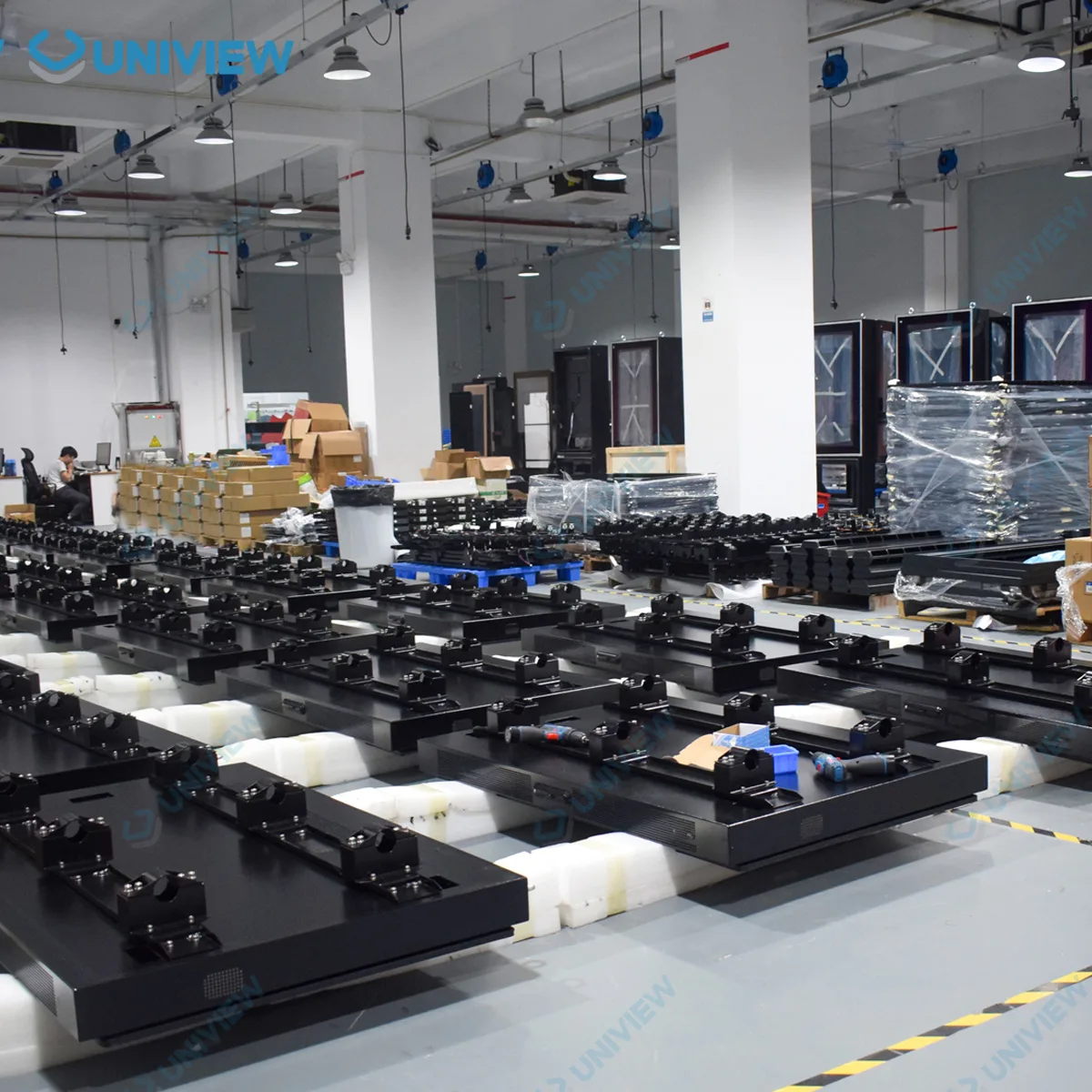
Incoming component inspection
Assembly inspection
Display and interface testing
Touch function testing
Aging and stability checks
Appearance and packaging inspection
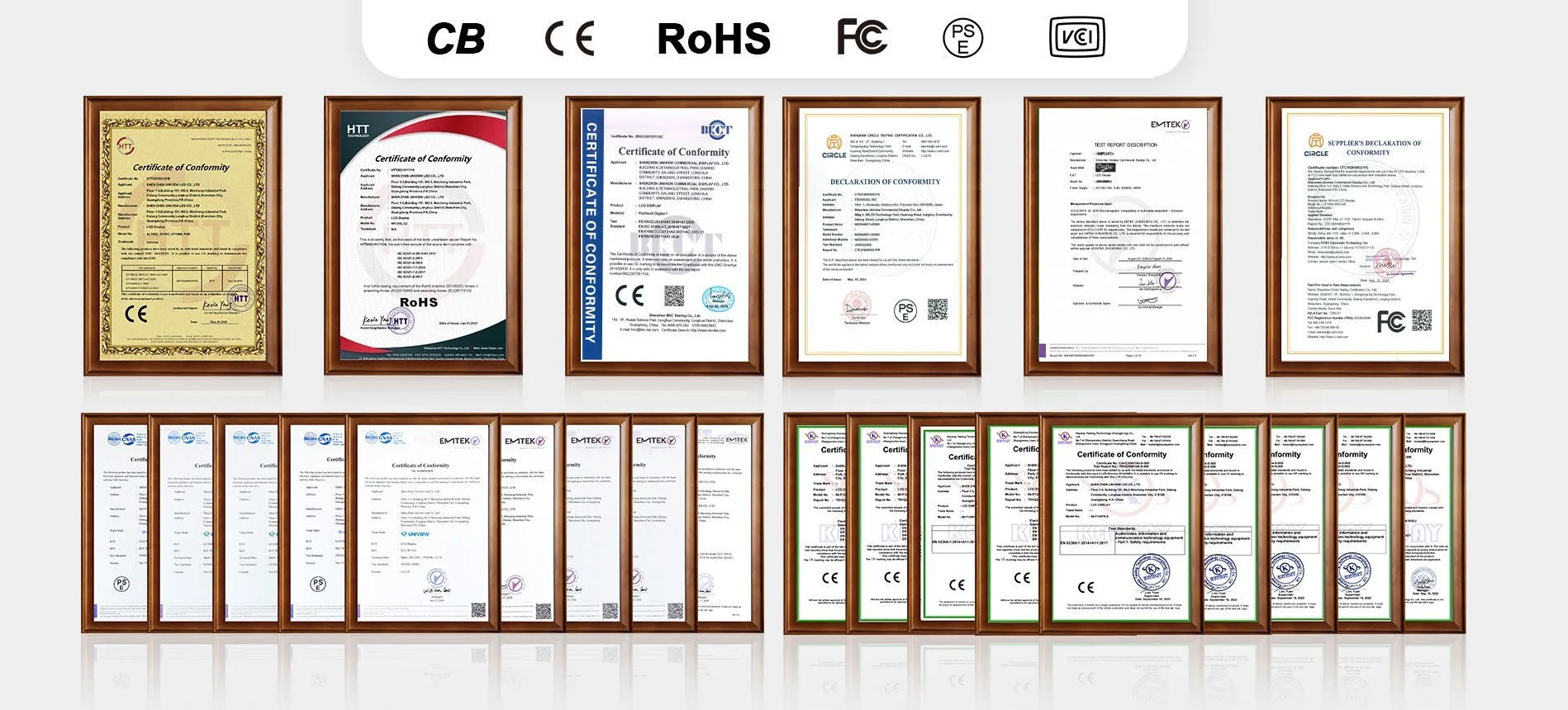
Certification support may include CE, FCC, PSE, VCCI, RoHS, CB and other product-related certifications where applicable.
Certification availability and applicable standards depend on the selected configuration and destination market. Please contact UNIVIEW LCD for the documents relevant to your project.
STEP 01
Review application, size, environment and required functions.
STEP 02
Confirm touch, system, brightness, interfaces and accessories.
STEP 03
Review the quotation and relevant drawings for the selected version.
STEP 04
Confirm the approved product route before production planning.
STEP 05
Carry out production and relevant inspection activities.
STEP 06
Prepare packaging and delivery arrangements after order confirmation.
Tell us your required screen size, installation environment, touch requirement, preferred operating system, accessories and order quantity. Our team can help review the appropriate EV300L1 configuration.