Home/Solutions/Advertising & DOOH

Advertising & DOOH Display Solutions

Plan display hardware for street furniture, retail media, transit and storefront advertising. Compare outdoor, semi-outdoor and indoor configurations by sunlight exposure, weather protection, mounting method and thermal requirements.

Compare Installation Environments
Advertising and DOOH outdoor digital kiosk deployment
Start with the siteOutdoor · Semi-outdoor · Indoor
01Outdoor, semi-outdoor and indoor configurations
02Freestanding, wall-mounted and integrated formats
03Brightness, protection and thermal systems selected by project
04OEM/ODM hardware configuration support

Choose DOOH Hardware by Installation Environment

A display specification is only meaningful when it matches the real exposure, mounting and service conditions at the site.

Semi-outdoor equipment should not be treated as direct-rain equipment unless the selected enclosure is approved for that exposure.

03 / CONTROLLED ENVIRONMENT

Indoor Advertising

For shopping centres, airports, lobbies, restaurants and controlled retail environments. The primary decisions shift toward viewing distance, orientation, mounting, touch interaction and system interfaces.

  • Screen size, orientation and viewing distance
  • Wall, floor-standing or multi-screen format
  • Touch, player and operating-system requirements
  • Service access and content-network interfaces
Explore indoor digital signage

Advertising & DOOH at a Glance

Use the media location to narrow the display format, then confirm the site-specific hardware variables before quotation.

Solution track 01

Street Furniture DOOH

Freestanding or integrated displays for streets, plazas, public information points and transport shelters. Site exposure, structural interface and service access drive the configuration.

Review compatible formats

Solution track 02

Retail Media Networks

Window displays, totems, wall displays and video walls for storefronts, entrances, aisles and checkout zones. Visibility, mounting and system interfaces must be standardized for rollout.

Review compatible formats
Deployment typeTypical locationCommon formatPrimary hardware question
Street furniture DOOHStreets, plazas, public information pointsFreestanding or integrated displaySunlight, weather, impact and foundation
Retail media networksStorefronts, aisles, entrances, checkout zonesWindow display, totem or wall displayVisibility, mounting and network scale
Transit mediaAirports, stations and sheltersWall-mounted, freestanding or shelter-integratedViewing distance, duty cycle and public access
Indoor venue advertisingMalls, hospitality and corporate venuesTotem, video wall or wall displayContent format, orientation and service access

Match the Display Format to the Media Location

Select the physical format first. Final brightness, protection, impact and cooling requirements remain configuration-dependent.

▯

Freestanding Outdoor Kiosk

Roadside, plaza and public information placement. Confirm foundation, service access, solar load, cable entry and local structural requirements.

Outdoor range
▣

Outdoor Wall-Mounted Display

Facade or external wall installation where bracket design, rear clearance, cable routing and maintenance access must be reviewed together.

Outdoor range
⌂

Shelter-Integrated Display

Bus shelters and covered street furniture. Confirm whether the position remains exposed to driven rain, reflected sun or restricted airflow.

Outdoor range
⇄

Double-Sided Advertising Display

Two viewing directions from one installation. Review asymmetric sunlight, internal heat load, service method and structural balance.

Outdoor range
☀

High-Brightness Window Display

Storefront-facing media behind glass. Assess glare, solar heat gain, viewing angle, ventilation and the distance from the window.

Window displays
▦

Indoor Totem or LCD Video Wall

Large-format campaigns, directories and multi-screen media in controlled venues. Confirm orientation, touch, player, bezel and access needs.

Indoor range

Why DOOH Hardware Requires Whole-Project Configuration

Brightness alone does not define outdoor readability. Each decision changes the next layer of the product and installation scope.

01Site exposure & climate
02Brightness & glass
03Thermal path
04Enclosure protection
05Mounting & foundation
06Electrical & system interfaces

The target IP or impact rating, cooling method, glass, player and mounting details must be confirmed for the selected platform and approved specification.

From Site Inputs to a Frozen Hardware Configuration

A clear approval path reduces late drawing changes and makes sample-to-bulk reproduction easier to control.

Site & Climate Review

City, temperature, sunlight, rain, dust and public access.

Display Direction

Size, brightness, orientation, touch and viewing distance.

Enclosure & Thermal

Protection target, glass, cooling method and service access.

Drawing & Interfaces

Foundation, cable entry, power, network and I/O confirmation.

Configuration Approval

Approved drawing and specification before bulk production.

Lead-time boundary: Lead time is confirmed after the display size, enclosure, thermal system, electronics, quantity and approval route are frozen.

Hardware, CMS and Installation Responsibility

Use the approved quotation and specification as the responsibility record. Avoid assuming that a display quotation automatically includes content, connectivity or local civil work.

Uniview LCD supplies the hardware and project-specific options defined in the approved quotation and specification. CMS licensing, content operations, network services, civil works and local installation are not included unless explicitly stated.

ScopeUniview LCD hardware scopeClient / integrator scopeConfirm per project
Display & enclosureDisplay assembly, enclosure and quoted options—Final model and protection level
Thermal & electricalQuoted cooling, power and internal control componentsSite power supplyVoltage, load and cable entry
Player / operating systemSupplied only when included in the quotationAccount, content and ongoing administrationOS, player and interface compatibility
CMSCompatibility information where availableLicence, hosting, configuration and content operationsInterface testing and acceptance
Civil & structural workProduct or foundation drawings when includedFoundation, permits, lifting and local installationWind load and structural approval
NetworkHardware interface when quotedSIM, LAN/Wi-Fi service and security policyRemote monitoring and network ownership

Advertising Display Projects in the Field

These records show confirmed deployment context and hardware format. They do not claim unverified ROI, audience or revenue results.

View all case studies
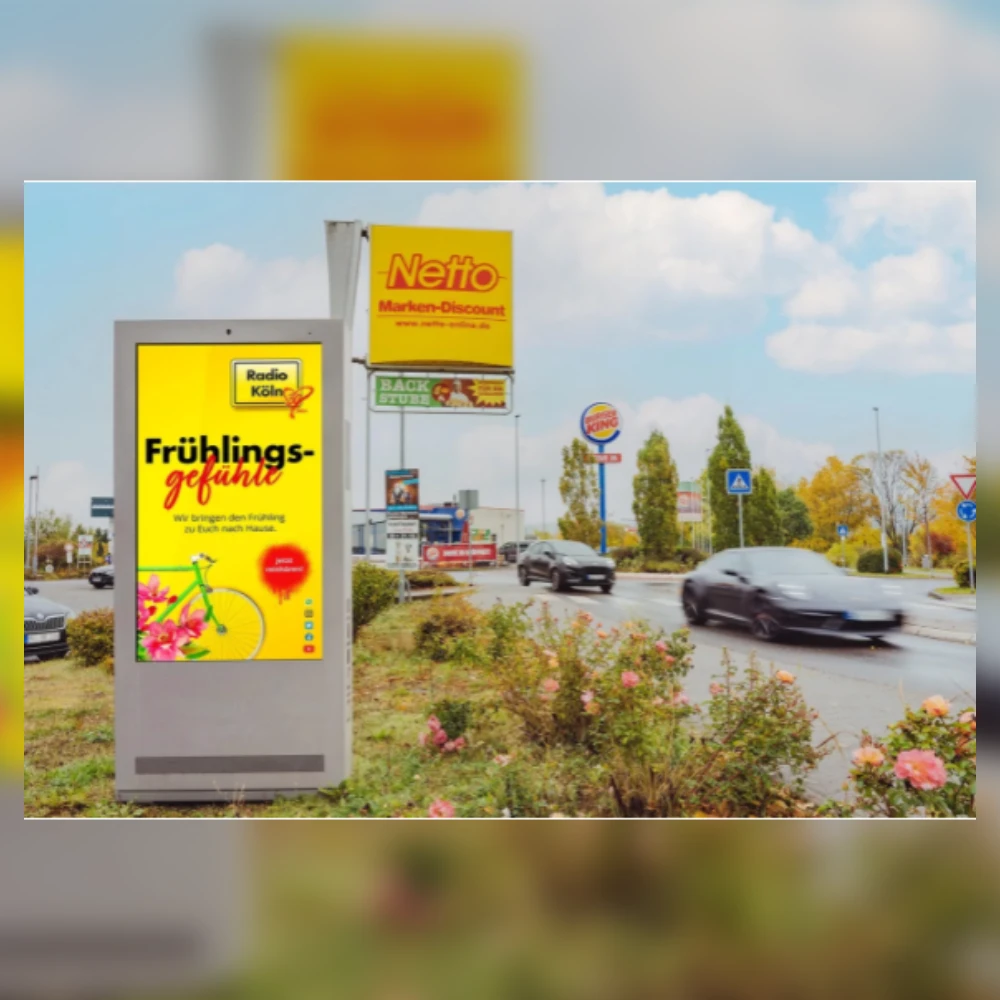
65-inch smart city outdoor kiosk installed in Germany

Smart City · Germany

65-Inch Smart City Outdoor Kiosk

Application
Public information / DOOH
Product
65-inch outdoor kiosk
Installation
Freestanding roadside
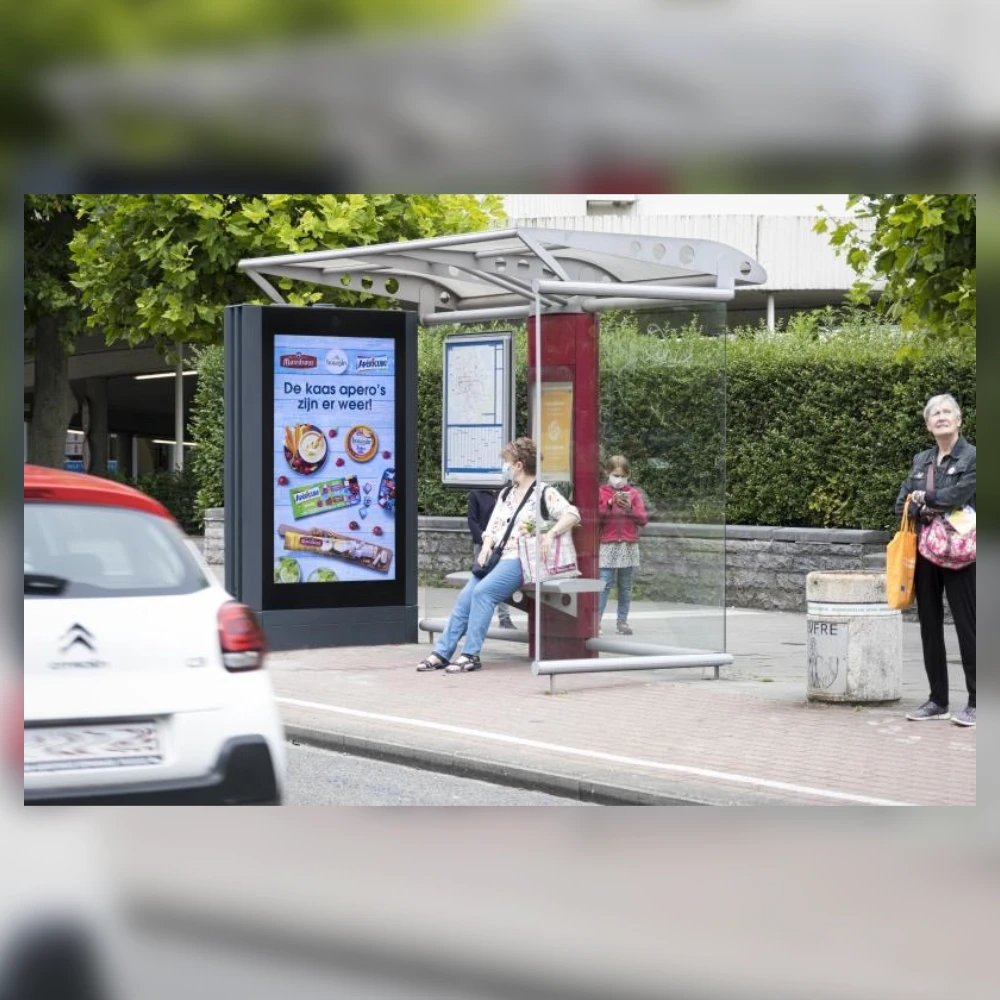
65-inch smart city outdoor kiosk at a bus stop in the Netherlands

Smart City · Netherlands

65-Inch Smart City Outdoor Kiosk

Application
Transit / public information
Product
65-inch outdoor kiosk
Installation
Shelter-integrated
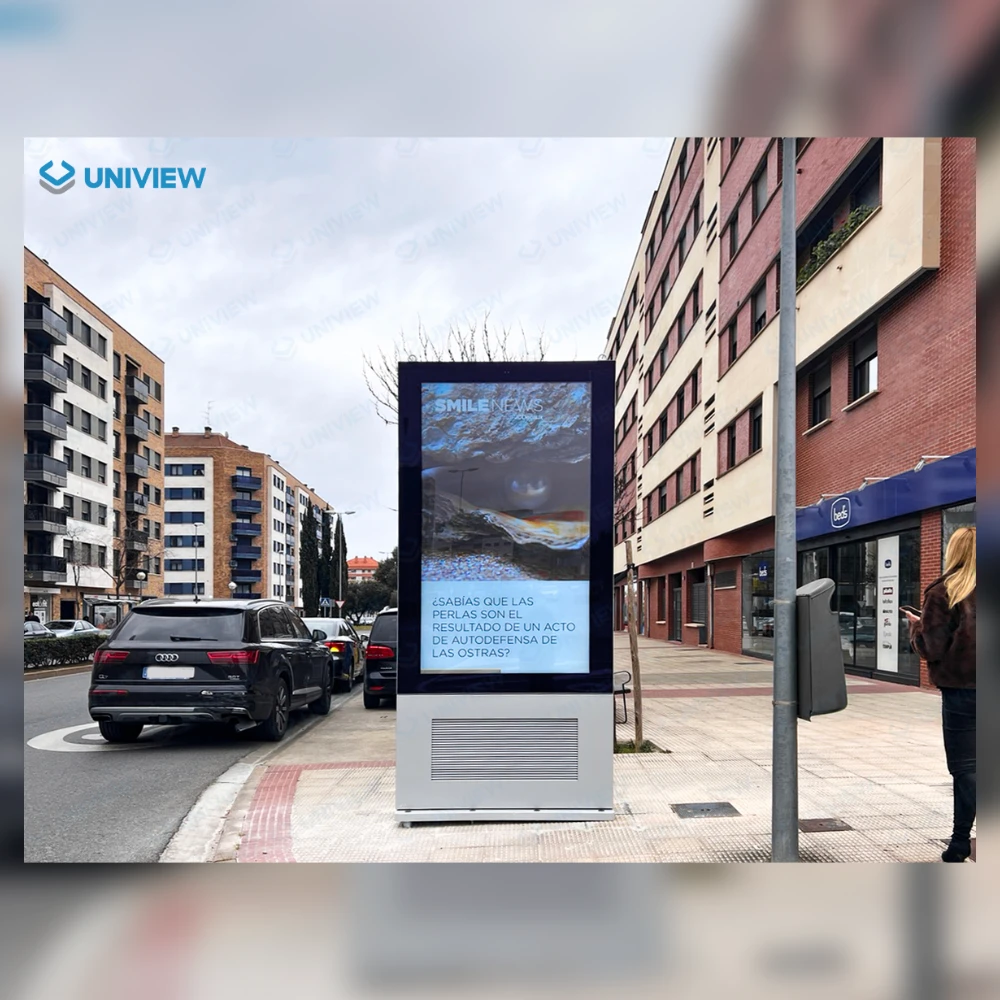
86-inch outdoor digital kiosk installed in Spain

Outdoor Advertising · Spain

86-Inch Outdoor Digital Kiosk

Application
Roadside advertising
Product
86-inch outdoor kiosk
Installation
Freestanding roadside

Prepare the Site Information Before You Request a Quote

The first quotation is more useful when the team can review the actual exposure, installation interface and system boundary.

Installation city and climate
Direct-sun and shading conditions
Rain, dust and public-contact exposure
Screen size and orientation
Mounting or foundation method
Power and network availability
Player, OS and CMS interface
Quantity and required delivery window

Advertising & DOOH Hardware FAQ

What information is required to quote a DOOH display project?

Provide the installation city, sunlight and weather exposure, screen size, orientation, mounting method, power, network, player or CMS interface, quantity and expected schedule. Photos or drawings of the location also help clarify the hardware scope.

When should I choose full-outdoor rather than semi-outdoor signage?

Choose full-outdoor hardware when the display can be exposed to direct rain, dust, large temperature changes or sustained solar load. Covered or in-window locations still require an exposure review; shelter alone does not prove that a semi-outdoor enclosure is suitable.

Are IP rating, IK rating and brightness the same across all models?

No. These values depend on the selected product platform and approved configuration. Compare the complete quotation and model specification rather than applying one rating to the full product range.

Can the display work with our existing CMS or media player?

Compatibility must be confirmed against the required operating system, player, inputs, network method and CMS interface. CMS licensing, hosting and content operations are separate unless they are explicitly included in the project scope.

Can we approve a sample or configuration before bulk production?

A sample, drawing or configuration-approval route can be discussed for the project. The exact process, commercial terms and approval criteria must be confirmed in the quotation.

How is project lead time confirmed?

Lead time is confirmed after the display size, enclosure, thermal system, electronics, quantity and approval route are frozen. It should not be inferred from a generic website promise.

How should I compare DOOH hardware quotations apples to apples?

Compare brightness conditions, protection level, glass, thermal method, player or OS, mounting parts, electrical standard, service access, included drawings, testing scope, packaging and excluded installation services.

Who is responsible for installation, networking and content operations?

The approved quotation should define the boundary. Unless explicitly included, local civil work, permits, lifting, installation, network services, CMS licensing and content operations remain with the client or appointed integrator.


Configure the Display Hardware for Your DOOH Location

Share the installation environment, screen size, mounting method, system interface, quantity and expected schedule. The team can review the hardware configuration and identify the items that must be confirmed before quotation.