

How to Evaluate an Outdoor LCD Manufacturer’s Capabilities
Start outdoor LCD manufacturer selection with your installation conditions. Then verify who controls the engineering, check evidence for the proposed configuration, and approve a tested sample before committing to production. Confirm delivery, installation and repair responsibilities in the same decision.
This guide is for distributors, system integrators, project operators and OEM/ODM buyers choosing a finished outdoor LCD signage manufacturer. You may already know commercial displays and still be buying outdoor LCD hardware for the first time.
A specification sheet can help you shortlist products. The decision needs more: evidence that matches your site, an agreed production reference, and a practical plan for supporting the equipment locally.
On this page
- Define Your Site Before Shortlisting Manufacturers
- Verify Who Controls Engineering, Assembly and Quality
- Evaluate Sunlight Readability and Thermal Performance
- Check Weather Protection, Mounting and Compliance Scope
- Confirm Customization, Integration and Remote Management
- Validate a Sample and Freeze the Approved Configuration
- Compare Total Cost, Delivery and After-Sales Responsibilities
- Make the Final Decision with an Evidence-Based Scorecard
- Frequently Asked Questions
- Discuss Your Outdoor LCD Project with Uniview LCD
Define Your Site Before Shortlisting Manufacturers
Record Sun Exposure, Climate and Operating Conditions
Give every candidate the same site brief. Include the city, screen orientation, periods of direct sunlight, local temperature conditions, rain, dust and any coastal exposure. Add site photographs and the intended daily operating schedule.
Distinguish a fully exposed installation from a sheltered position or an indoor screen facing through a window. Similar-looking products can have different environmental assumptions. Ask the manufacturer to state which conditions its proposed configuration covers.
Describe what is known and mark what needs checking. An early proposal can identify missing inputs; a final configuration should resolve the conditions that materially affect suitability.
Confirm Viewing, Mounting and Project Requirements
State the screen size, portrait or landscape orientation, single- or double-sided requirement, content type and actual viewing positions. Include mounting drawings, available power, network access and space for opening doors or removing components.
Browse outdoor LCD signage platforms as a starting point, then ask which configuration fits the installation. A product-family description is not a substitute for a project-specific specification.
Separate the sample quantity, confirmed first order and possible later rollout. If the project is still awaiting a tender result or end-customer approval, say so. This helps both parties plan reviews without treating a forecast as a committed order.
Use this brief for each candidate:
Project location and current approval stage:
Application, content and viewing positions:
Screen size, orientation and number of sides:
Sun exposure, climate and operating schedule:
Mounting, service clearance, power and network:
Operating system, interfaces and peripherals:
Sample quantity, confirmed quantity and forecast:
Target date, required documents and local service contact:
Verify Who Controls Engineering, Assembly and Quality
Check the Contracting Entity and Manufacturing Responsibilities
When evaluating an outdoor LCD factory, confirm the legal entity on the quotation and contract, the manufacturing location, and responsibility for final inspection. Where a group uses different entities, ask how the supply and support relationship is documented.
Ask which activities are performed internally, purchased or subcontracted. These may include enclosure fabrication, coating, electronics, assembly and testing. Outsourcing alone does not establish poor quality; the useful question is who controls specifications, supplier changes and acceptance.
Identify an engineering contact for technical decisions. A commercial salesperson can coordinate the discussion, but installation or configuration questions may need an engineer's review before they become order commitments.
Request Evidence for the Proposed Product
Request the proposed specification, relevant drawings, configuration details and applicable inspection or test records. Agree what can be shared, when it will be available, and whether a factory visit, video review or independent inspection is appropriate.
Review the manufacturer's company and engineering information alongside product-specific evidence. A general factory presentation cannot establish that the unit you are ordering has completed the checks your project needs.
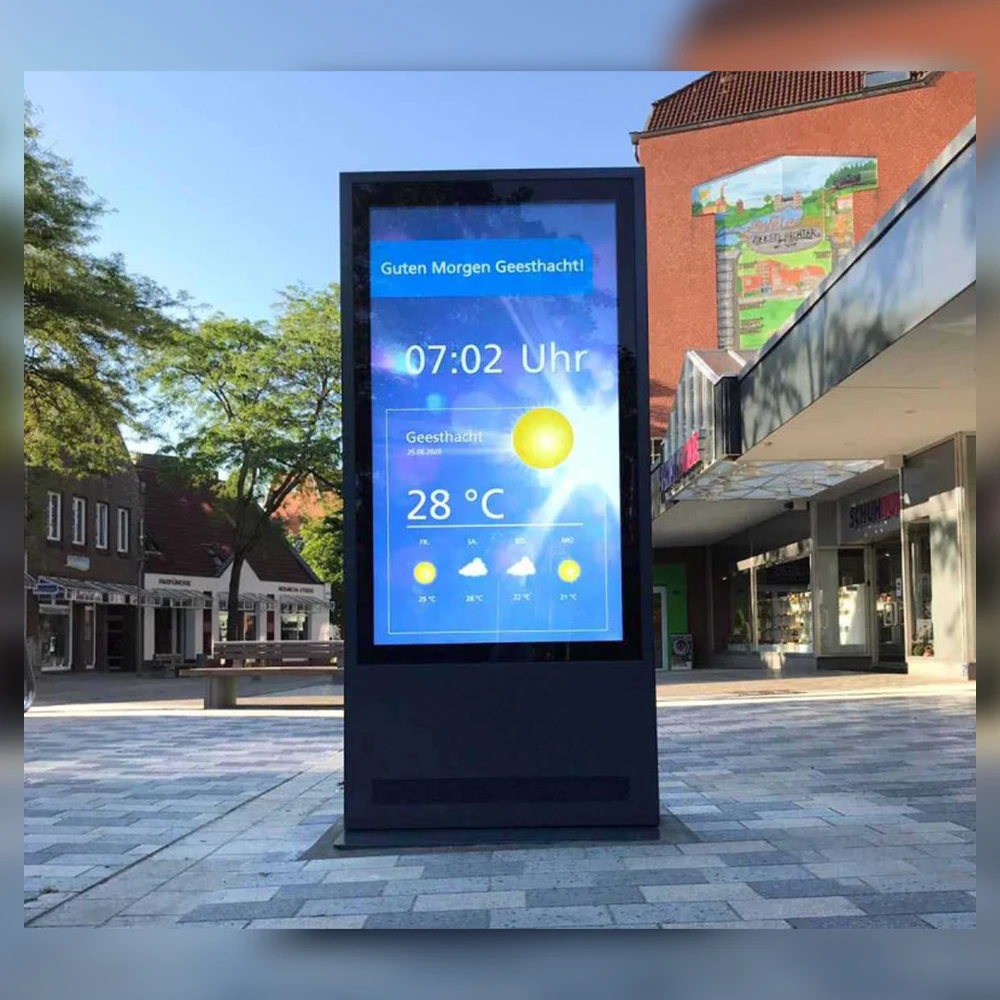
Installation photographs are useful for understanding applications. Ask what they actually document: location, installation type and product identity, where available. A photograph alone does not establish operating history, failure rate or performance in a different climate.
Evaluate Sunlight Readability and Thermal Performance
Assess Readability Under the Intended Viewing Conditions
Ask how brightness was measured: on which configuration, at what settings, under what conditions and after how much operating time. A peak value and a sustained operating value can answer different questions. Record which value the proposal commits to.
Assess the complete viewing task. Reflection from the front surface, content contrast, glass treatment and viewing position can affect whether information remains legible. Use your intended text, images and layout during a demonstration rather than relying only on bright promotional footage.
The technical article Outdoor Displays for Industrial Applications discusses outdoor readability as a combination of optical and environmental factors. Use that principle to frame questions; it does not establish a universal brightness requirement for every signage installation.
Confirm how daytime output and nighttime dimming will be set and checked. Higher headline brightness should not replace an assessment of the actual location and content.
Review Thermal Testing and Sun-Exposure Evidence
For thermal testing, request a description of the display configuration, ambient conditions, brightness setting, operating duration and measurement points. Confirm whether actual solar exposure or a simulated solar load was included.
Ask what happens when internal temperatures rise. Does the unit reduce brightness, issue an alert or enter a protective state? What conditions trigger that behavior, and what would the user see? Review the answer against the project's operating requirements.
For cold locations, also ask whether startup conditions differ from continuous operation and whether heating is needed. Review the cooling arrangement, airflow clearances and maintenance tasks for the selected configuration.
If a sample shows dark patches, unexpected dimming, shutdowns or other abnormalities, record the conditions and request engineering diagnosis. An adjustment to fans or settings should be followed by agreed verification before the issue is considered closed.
| Buyer question | Evidence to request | What to verify |
|---|---|---|
| Will the content remain readable? | Measurement conditions and a demonstration using representative content | Viewing position, reflections and agreed output |
| What happens during hot operation? | Configuration-specific temperature records and protection behavior | Test conditions, duration and visible changes |
| Does the evidence cover direct sun? | A description of actual or simulated exposure | Whether the test represents the intended site |
| What if the configuration changes? | Engineering change record and validation plan | Which checks need repeating |
Check Weather Protection, Mounting and Compliance Scope
Look Beyond the IP Label
Ask for the protection claim and supporting record for the proposed assembly. Confirm the tested model, configuration, installation orientation and scope, including whether a statement applies to the complete unit or only a particular surface or component.
Assess the proposed unit’s waterproof design by reviewing cable entries, service doors, mounting penetrations and the instructions for restoring seals after maintenance. Ask separately about condensation, corrosion and the materials proposed for your environment. A dust-and-water protection statement does not answer every environmental question.
Where public access creates an impact risk, identify the required protection and supporting evidence for the relevant glass or enclosure. Avoid assuming that a component-level statement automatically applies to the finished assembly.
Confirm Installation and Market Documentation
Request dimensions, weight, bracket interfaces, access clearances and lifting or handling instructions relevant to the order. Check that doors can open and that the parts likely to need service can actually be removed at the installed position.
Allocate responsibility for the support structure, foundations, electrical work and any local approvals. The display supplier and site contractor should agree their interfaces before production drawings are approved.
Ask which product and market documents are available for the final configuration. Distinguish quality-system credentials from product-specific compliance evidence. Check document identity, scope and status through the appropriate issuer or review process where applicable.
Use the quality and document review process to discuss the proposed model, evaluation conditions and required records before production. Additional testing or documentation may affect cost and schedule.
Confirm Customization, Integration and Remote Management
Review Hardware and Software Interfaces Separately
Define the player or mainboard, operating system, physical interfaces, cable positions and any touch or peripheral requirements. Send drawings and identify the software or equipment that must connect to the display.
Ask what is already supported, what requires modification and what remains subject to engineering review. A matching connector does not establish end-to-end compatibility; confirm the intended function with the actual hardware and software arrangement.
Uniview LCD's OEM/ODM hardware review covers areas such as enclosure layout, interfaces, mounting and thermal conditions. The available scope depends on the product platform and agreed specification.
Allocate CMS supply, licensing, installation, third-party development and ongoing software support separately. Put exclusions in the proposal so an apparently complete hardware quotation is not mistaken for a complete operating service.
Define What Remote Support Actually Includes
Separate three functions: publishing content, monitoring device conditions and diagnosing hardware faults. They may use different systems and have different access requirements. Confirm which functions the project needs and who supplies them.
If monitoring is required, list the desired parameters and alerts. Ask which sensors or control hardware are needed, how the data is accessed, whether your platform can use it, and what licensing or network dependencies apply.
Agree who receives alerts, who investigates them and who performs any physical work. A remote dashboard cannot replace an arrangement for local inspection, cleaning or component replacement.
Validate a Sample and Freeze the Approved Configuration
Agree on Test Conditions and Acceptance Criteria
Before ordering the sample, define what it must demonstrate and who will evaluate it. The checks should reflect your application, installation arrangement, content, interfaces and important environmental risks.
Distinguish a practical demonstration from a controlled engineering test or formal third-party report. Each can contribute evidence, but their scope and limitations should be clear. Request specialist testing where the project requires it.
| Evaluation item | Agree before testing | Record before approval |
|---|---|---|
| Readability | Content, viewing positions and lighting conditions | Images, measurements where required and observations |
| Thermal behavior | Configuration, settings, exposure and duration | Temperature records, protective behavior and unresolved issues |
| Integration | Player, OS, CMS and peripheral arrangement | Function results, versions and exceptions |
| Installation and service | Brackets, access clearances and maintenance tasks | Fit checks, drawings and agreed changes |
A small professional trial can be a sensible first step. Its value depends on a useful test plan and feedback, rather than the number of units alone.
Close Issues Before Approving Volume Production
Maintain an issue log with the symptom, conditions, proposed action, responsible person and retest result. Record items still awaiting confirmation. Approval should identify any accepted limitations rather than silently dropping them from the discussion.
Use an approved sample and configuration as the production reference. Confirm the bill of materials, drawing revisions, hardware and firmware versions, included accessories and relevant inspection requirements.
Agree how component substitutions or design changes will be reviewed. A changed part may affect fit, software behavior or validation; the manufacturer should explain what needs reassessment before the change is accepted.
For repeat orders, confirm that the current configuration still matches the approved reference and installation requirements. Keep a route for handling discontinued components instead of assuming indefinite availability.
Compare Total Cost, Delivery and After-Sales Responsibilities
Normalize Quotations Before Comparing Prices
Compare the same display configuration and supply scope. Check the enclosure, glass, panel, cooling arrangement, player, accessories, documents and packaging. Identify development, sample or tooling charges separately where they apply.
Then consider freight, handling, installation, electricity, cleaning, maintenance, spare parts and possible return shipping. Ask for power figures and their measurement conditions if operating cost is important. Avoid calculating savings from unmatched settings or unsupported assumptions.
A lower unit price can still be the appropriate choice when the product meets the requirement and the responsibilities are workable. Factory-direct purchasing should be evaluated on the complete offer rather than treated as an automatic cost advantage.
Check Order-Level Delivery and Local Service Arrangements
Request a schedule showing the starting conditions for each stage: drawing approval, sample feedback, configuration release, material readiness, production, inspection and shipment. Check how changes, payments or delayed approvals affect the plan.
If the end-customer decision is pending, agree what can proceed now and what requires formal approval. Keep estimated future volume separate from the quantity used to reserve materials or production capacity.
Before ordering, name the parties responsible for diagnosis, site access, removal, replacement and verification. Clarify spare-parts availability, warranty coverage, labor and freight charges under the applicable agreement.
Review Uniview LCD's hardware support arrangements for installation guidance, joint troubleshooting, parts and repairs. On-site work and ongoing third-party software services require separate confirmation. A response starts the support process; it does not establish a fixed resolution time.
Make the Final Decision with an Evidence-Based Scorecard
Separate Mandatory Requirements from Preferences
List the conditions the project must meet before comparing optional advantages. A critical unresolved requirement should not disappear inside a high overall score for price, appearance or communication.
Use a comparison table that records the evidence and the proposed configuration. Distinguish missing information from a demonstrated failure to meet a requirement. Both need action, but they are different findings.
| Decision area | Project requirement | Manufacturer evidence | Status / next step |
|---|---|---|---|
| Site and optical fit | Defined installation and viewing task | Proposed configuration and readability evidence | Confirmed / pending / does not meet |
| Thermal and enclosure fit | Agreed exposure and protection needs | Applicable records and installation assumptions | Confirmed / pending / does not meet |
| Sample and production control | Approved configuration and change process | Evaluation results and production reference | Confirmed / pending / does not meet |
| Delivery and local support | Required milestones and workable responsibilities | Order schedule and agreed service scope | Confirmed / pending / does not meet |
Choose any preference weights to suit the project. A transport information installation, an advertising kiosk and a custom equipment enclosure may place different emphasis on the same criteria.
Complete the First-Order Approval Checklist
Before issuing the order, confirm that:
- The installation conditions and selected configuration agree.
- Required documents identify the relevant product and evidence scope.
- Sample issues are closed or explicitly reviewed and accepted.
- The production reference and change-approval process are recorded.
- Delivery milestones, payment terms and shipment scope are agreed.
- Installation, software, local repair and cost responsibilities are clear.
Pause approval where a mandatory condition remains unresolved. Ask for the missing evidence, an alternative configuration or a revised project requirement, then record the decision.
Frequently Asked Questions
How do I verify an outdoor LCD manufacturer remotely?
Confirm the contracting entity and manufacturing responsibilities, request documents for the proposed configuration, and arrange a relevant video review or independent inspection where appropriate. Evaluate a sample against agreed requirements before approving volume production.
How bright should an outdoor LCD be for my installation?
The requirement depends on sunlight, reflections, viewing positions, content and operating conditions. Ask for a configuration recommendation and its measurement basis, then verify readability with representative content. One brightness number cannot establish suitability for every site.
Is an IP rating enough to judge outdoor suitability?
No. Check the product and tested scope, then assess thermal conditions, corrosion, condensation, mounting and maintenance requirements separately. The complete installation must match the assumptions behind the proposed configuration.
What thermal test evidence should I request?
Request the tested configuration, ambient conditions, brightness settings, duration, measurement points and treatment of solar exposure. Review temperature records and any dimming, alerts or shutdowns against the project's agreed operating requirements.
Does the manufacturer need to produce every component in-house?
No. Purchased components and subcontracted processes can form part of a controlled manufacturing arrangement. Verify who approves design and component changes, manages production quality and takes responsibility for the delivered equipment.
What should I check before approving a sample for production?
Check application fit, agreed test results, unresolved issues and the configuration to be reproduced. Record the approved sample, drawings, components, versions and change process so production approval refers to a defined product.
Who handles installation and repairs in my country?
That must be agreed before ordering. The manufacturer may provide guidance, remote diagnosis or suitable parts, while a local contractor or your team performs physical work. Confirm availability, qualifications, warranty scope and charges for the actual arrangement.
What information should I send for an initial proposal?
Send the location, site photographs, size and orientation, application, sunlight exposure, operating schedule, mounting, system and interface requirements, quantities and target date. Identify pending approvals and your local installation or maintenance arrangements.
Discuss Your Outdoor LCD Project with Uniview LCD
Uniview LCD supplies commercial LCD signage and reviews project-specific hardware requirements for distributors, integrators and project buyers. Share the installation conditions first so the discussion can focus on the appropriate platform, configuration and evaluation needs.
Send your location, site photographs, preferred size, quantities, interfaces and target date. Include who will install and maintain the equipment locally. Any customization, testing, documents, commercial terms and support scope are confirmed for the proposed project.