

How to Review Digital Signage Supplier Compliance Evidence
Digital signage supplier qualification is the process of checking a supplier’s identity, relevant capabilities and supporting documents against your purchasing requirements. Start with the proposed product and destination market, then verify who the evidence covers, what it demonstrates and which questions remain unresolved.
This guide helps distributors, system integrators, project operators and OEM/ODM buyers review suppliers before moving to samples, technical approval or a purchase order. It focuses on evidence you can use, rather than the number of certificates displayed on a website.
A supplier can have valid company credentials while a particular configuration still needs assessment. Keep supplier onboarding, product evaluation and order approval connected, with a clear decision recorded at each stage.
On this page
- Define Which Qualifications Your Project Requires
- Confirm the Supplier’s Identity and Responsibilities
- Understand What Each Document Actually Proves
- Check Document Authenticity and Product Coverage
- Review Manufacturing and Quality-Control Evidence
- Assess Evidence of Project Experience, Delivery and Support
- Build a Practical Supplier Qualification Review
- Handle Missing or Inconsistent Evidence Before Approval
- Frequently Asked Questions
- Request Documents for Your Proposed Uniview LCD Display
Define Which Qualifications Your Project Requires
Separate Mandatory Requirements from Buyer Preferences
Write down why each requested item is needed. It may address an applicable market requirement, your organization’s onboarding process, an end-customer specification or a preference. These categories can lead to different review and approval decisions.
Avoid asking every supplier for the same long list without identifying the product or purpose. A document required for one installation or market may not answer the questions raised by another project.
In this guide, technical approval means your team’s acceptance of a proposed configuration for a defined application. It is separate from supplier registration and does not replace the assessment of applicable product compliance requirements.
Identify the Product, Market and Supply Scope
State the display model or product family, intended configuration, destination, installation environment and purchasing stage. Identify options such as touch, a different player, wireless hardware or a custom enclosure that may need further review.
Clarify whether you are buying hardware, requesting engineering changes or purchasing installation and integration services. The evidence needed to review a hardware supplier differs from the evidence for a contractor carrying out local site work.
Use a short brief to start the review:
Company, destination market and project stage:
Proposed model or product family:
Configuration, options and intended environment:
Hardware, customization and service scope:
Required documents and reason for each request:
Review owner, target decision and required date:
Confirm the Supplier’s Identity and Responsibilities
Check the Contracting Entity and Company Information
During supplier vetting, compare the entity named in the quotation, proposed contract and company records. Check the address and relevant contact details, then ask about differences that could affect who supplies the equipment or handles a claim.
A brand name, sales office and manufacturing entity may be different. Ask the supplier to explain their relationship and identify the party responsible for the order. A mismatch calls for clarification; it does not establish fraud by itself.
Use the supplier’s company information as a starting point. Check important statements against the documents and responsibilities relevant to your purchase.
Clarify the Brand, Trading Company and Manufacturing Relationships
Identify who designs or selects the product, controls assembly, arranges testing and approves changes. Also confirm who provides the quotation, shipment documents and hardware support.
A distributor or trading company can be a workable supply partner. Ask how it obtains manufacturing evidence, manages technical questions and coordinates warranty or repair arrangements with the producer.
Do not treat an in-house claim or an outsourced process as a complete quality judgment. Establish who controls the work, how changes are approved and how the supplied unit can be traced to its agreed configuration.
Understand What Each Document Actually Proves
Distinguish Management-System Credentials from Product Documents
A quality-management certificate and a product test report answer different questions. Read the named organization, scope and assessed subject before deciding how a document contributes to the review.
ISO and IAF explain that ISO 9001 concerns an organization’s quality management system. Accredited certification does not mean the product itself is certified, nor does it guarantee that every delivered item will conform.
Product compliance also needs its own assessment. For products subject to CE marking, the European Commission describes responsibilities including conformity assessment, technical documentation and an EU declaration of conformity. A displayed CE logo is not a substitute for reviewing the relevant product information.
The documents needed depend on the product and applicable market rules. Ask the supplier to identify the basis of its claims, and involve the appropriate technical or compliance reviewer where required.
Separate Supplier Assessments from Product Performance Evidence
A supplier assessment may examine a particular organization, facility or set of activities. Read what was actually reviewed and when. An assessment of a trading entity does not automatically establish the capabilities of an unnamed manufacturing partner.
A test report should be read against its identified sample, method, conditions and results. It can support a defined finding without establishing that every configuration or installation will behave the same way.
| Document category | Check first | What it helps establish | What still needs review |
|---|---|---|---|
| Company identity records | Entity, address and relevant relationships | Who the proposed partner is | Its manufacturing and order responsibilities |
| Management-system certificate | Holder, covered sites, activities and status | The stated management-system scope | Suitability of the particular product |
| Product compliance documents | Product identity, configuration and applicable scope | Evidence relevant to a product claim | Coverage of the proposed order and destination |
| Test or inspection records | Sample, method, conditions and result | Findings within the recorded assessment | Relevance to your configuration and application |
| Supplier or factory assessment | Assessed entity, activities and date | Evidence about the reviewed operations | Current order-level capability and arrangements |
Check Document Authenticity and Product Coverage
Verify the Issuer, Holder, Scope and Status
Request readable documents with enough identifying information to review them. Note the reference number, issuer, holder, dates and stated scope. Check current status or validity where applicable rather than relying only on a cropped image.
Use the issuing organization’s verification process or contact details obtained from its official source. If an online search is inconclusive, seek clarification. Different document types may not share one public verification method.
Record the review method and unresolved points. A supplier’s explanation can help identify the correct record, but it should not be treated as independent confirmation of a disputed claim.
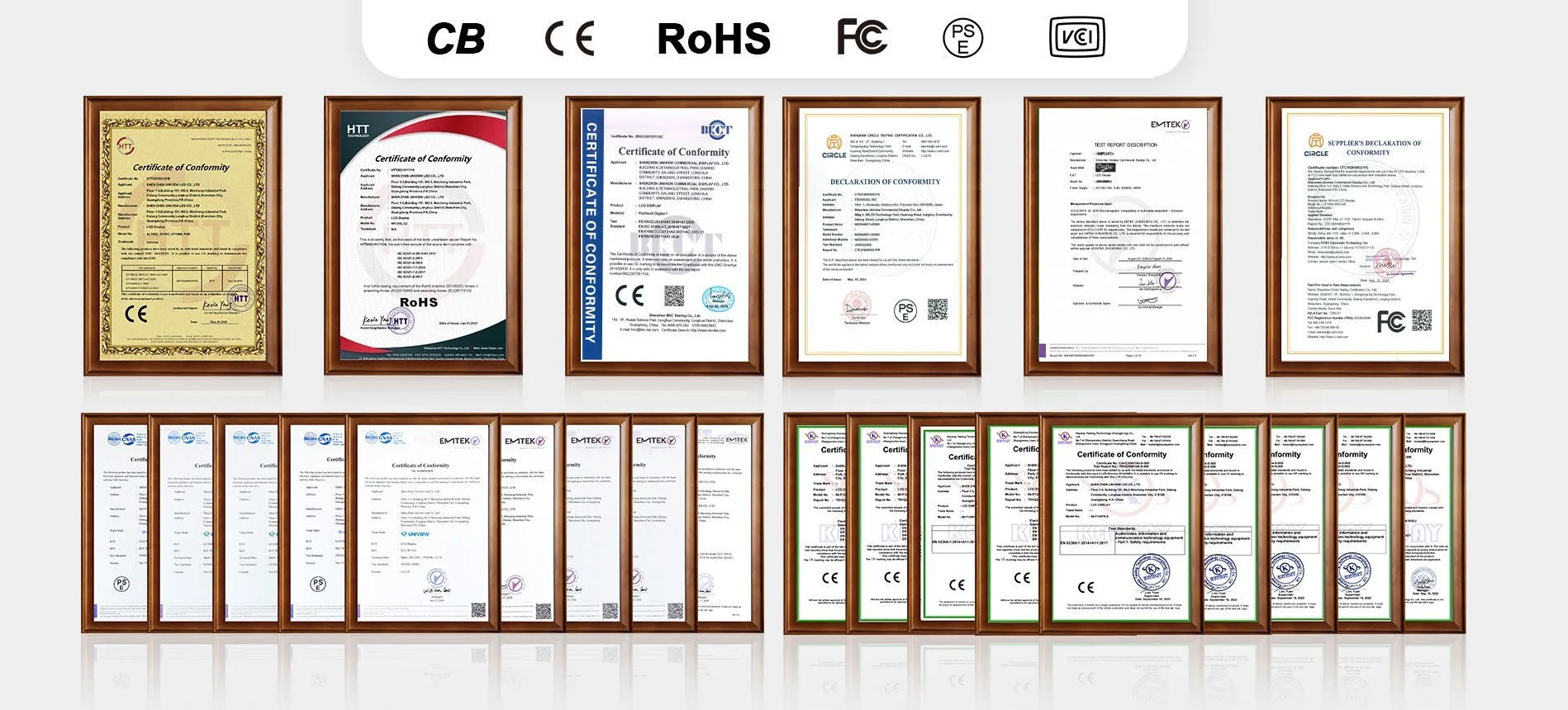
Match Documents to the Exact Model and Configuration
Compare the proposed specification with the product identity and coverage described in the documents. Ask about differences in model names, enclosures, mainboards, power supplies or optional modules that could affect the assessment.
For example, suppose a report identifies a standard display, while the quotation proposes a different player and enclosure. This is an illustrative situation, not a reported customer case. Ask how the revised configuration is covered and what additional review is needed.
Do not assume either that every change invalidates the evidence or that every change is harmless. Request a documented explanation, and arrange further assessment where the change or project requirement calls for it.
Use the quality and product document review to discuss the proposed model, configuration, installation conditions and required records. Confirm availability, scope and any additional work before relying on the documents for approval.
Review Manufacturing and Quality-Control Evidence
Confirm Who Controls Production and Engineering Changes
Ask who approves drawings, selects key components and authorizes substitutions. Identify the production reference and how the manufacturer distinguishes the approved version from later revisions.
For a customized display, agree which engineering questions must be resolved before quotation or production. Uniview LCD’s OEM/ODM review process addresses areas such as enclosure layout, hardware interfaces, mounting and validation needs, with the actual scope confirmed for the project.
A general capacity statement cannot establish whether a particular order fits the production plan. Request relevant scheduling and manufacturing information at the stage where the order scope and timing are sufficiently defined.
Request Relevant Inspection and Traceability Records
Discuss which sample results, incoming or final inspections, version records and shipment information are relevant to your review. Request the agreed records before production if they are needed for acceptance or customer submission.
For critical checks, ask how the unit or sample is identified and how the result relates to the proposed configuration. If a record shows an issue, review the corrective action and subsequent verification rather than considering the report alone.
Confirm the access arrangements for detailed files. Public documents, project summaries and restricted technical information may be handled differently. Agree a suitable review route instead of assuming every internal record will be openly published.
Assess Evidence of Project Experience, Delivery and Support
Review References and Delivery Evidence Carefully
Use installation photographs and project descriptions to understand applications. Ask what details can be verified or shared with permission. Do not infer a customer identity, deployment quantity or operating history from a photograph alone.
For references that matter to your decision, explain what you need to confirm: a similar application, the supplier’s role, a relevant configuration or the handling of a project issue. Respect any limits on customer disclosure.
Review delivery evidence separately. Once the order is defined, request milestones and starting conditions for engineering, approvals, materials, production, inspection and shipment. A previous delivery does not itself commit the supplier to your current deadline.
Confirm Installation, Repair and Software Responsibilities
Identify who performs local installation, provides remote diagnosis, supplies parts and carries out physical repairs. Ask which arrangements are available for the destination and how charges are determined.
Review hardware support responsibilities alongside the proposed contract. On-site service, where available, requires separate arrangements. Third-party CMS licensing, development and ongoing software maintenance should also be allocated explicitly.
Your organization may require supplier registration, payment approval or specific service documents. Tell the supplier early and confirm whether it can meet those conditions. Commercial onboarding should not be confused with proof that the hardware has passed technical evaluation.
Build a Practical Supplier Qualification Review
Request a Project-Specific Document Package
Send shortlisted suppliers one clear request stating the product, destination, scope, reason for each item and desired review date. Identify a contact who can coordinate technical, commercial and document questions.
Use supplier vetting to reduce uncertainty in stages. Initial identity checks may support a discussion; a detailed configuration review may be needed before sample or production approval. State the decision each stage is intended to support.
A concise request can read:
Please provide the available documents for our proposed display:
- Company identity and manufacturing responsibilities
- Relevant management-system or supplier assessment scope
- Product compliance documents and identified coverage
- Applicable test, inspection and configuration records
- Delivery, hardware support and local service arrangements
Please identify unavailable items, limitations and any extra work.
Record Findings, Gaps and Approval Conditions
Maintain one review record rather than an unstructured folder of attachments. Assign an owner to each open question and record what evidence would close it. Keep the supplier’s response and the reviewer’s finding distinguishable.
Use practical status labels: verified for scope, pending clarification, not applicable, or does not meet the requirement. “Received” can track document collection, but should not imply that the content has been checked.
| Review item | Project requirement | Evidence and covered subject | Status | Owner / next step |
|---|---|---|---|---|
| Entity and responsibilities | Identify the contracting and manufacturing parties | Company records and relationship explanation | Record finding | Buyer / supplier contact |
| Product document coverage | Match the proposed configuration and market | Applicable documents and coverage explanation | Record finding | Technical or compliance reviewer |
| Production control | Identify the approved reference and change process | Drawings, versions and relevant records | Record finding | Engineering / quality reviewer |
| Delivery and support | Establish a workable project arrangement | Milestones, scope and service terms | Record finding | Project / commercial reviewer |
Record whether the supplier can proceed to sample evaluation, must provide further information or is not approved for the defined scope. Technical approval should identify the configuration and conditions accepted by your team. Supplier approval alone is not approval of every product it sells.
Handle Missing or Inconsistent Evidence Before Approval
Ask for Clarification Before Drawing Conclusions
When a holder name, model or address differs, ask what relationship or change explains it and which records support that explanation. If a document is incomplete, identify the missing information precisely.
A refusal or inability to provide a particular file can have different implications depending on its importance and the available alternatives. Assess whether an agreed summary, controlled review or independent assessment can answer the question.
Where authenticity remains unresolved, record that limitation. Avoid labelling a supplier fraudulent solely because a search returned no result, just as you should avoid approving a claim solely because a document looks professional.
Pause Approval When Critical Requirements Remain Unresolved
List the conditions that must be met before the next stage. If essential product coverage, responsibilities or validation evidence is unresolved, pause that approval and request the missing evidence or a revised proposal.
Document any accepted limitations and the person authorized to accept them. Commercial preference cannot replace a mandatory requirement. Revisit the review when the model, configuration, manufacturing arrangement or destination changes materially.
Keep the qualification file connected to the approved sample, purchase specification and agreed service scope. This makes the original decision easier to understand during repeat orders, inspections or later support discussions.
Frequently Asked Questions
What qualifications should a digital signage supplier provide?
Request evidence suited to the product, destination market and purchasing scope. This may include company identity, relevant management-system credentials, product compliance documents, test records, manufacturing responsibilities and support arrangements. Define the purpose of each requested item.
Does ISO 9001 certification mean the display itself is certified?
ISO 9001 quality-management-system certification is not product certification. Read the certificate’s holder, sites, activities and scope, then review the product-specific documents and test evidence needed for the proposed display.
How can I check whether a document covers my model?
Compare the product identity and stated coverage with the quotation, specification and configuration. Ask about differences and request a documented explanation or further assessment where needed. A similar model name alone does not establish coverage.
What if the certificate holder differs from the supplier?
Ask how the holder relates to the contracting entity and manufacturer, and what evidence connects the document to your order. Different names require clarification but do not establish fraud or valid coverage on their own.
Can a trading company qualify as a digital signage supplier?
Yes, if its role and supporting evidence meet the defined purchasing requirements. Verify access to the manufacturer, responsibility for technical issues, product document coverage and the agreed supply and service arrangements.
How can I verify supplier capabilities remotely?
Review relevant company and product records, ask for a focused live discussion or factory walkthrough where appropriate, and consider independent inspection or sample evaluation. Record what each step verifies and which limitations remain.
Does supplier approval replace sample evaluation?
No. Digital signage supplier qualification addresses the partner and defined review scope. Sample evaluation checks the proposed product against agreed application requirements. Record technical approval for the specific configuration rather than treating vendor registration as product acceptance.
What information should I provide when requesting documents?
Provide your company, destination, proposed model and configuration, installation environment, project stage, required documents, review purpose and target date. Identify any end-customer or supplier-registration requirements that affect the request.
Request Documents for Your Proposed Uniview LCD Display
Uniview LCD supplies commercial LCD displays and reviews project-specific hardware requirements for distributors, integrators and project buyers. Start a document request with the proposed product and the question you need the evidence to answer.
Share your company, destination market, model or application, configuration, quantity and review deadline. Ask which relevant records are available and what additional assessment may be needed. Document scope, customization, commercial terms and support arrangements are confirmed for the project.