

LCD Advertising Display-UT1900
Source the reliable indoor, floor-standing LCD advertising display designed for extended commercial operation. The UT1900 delivers high-impact visual communication through a full-glass surface and reinforced aluminum structure.
- 43″–65″ Sizes
- FHD / 4K Options
- 350–1000 nits Brightness
- Android / Windows Options

What Is an LCD Advertising Display?
A commercial LCD advertising display is a professional digital signage solution engineered specifically to showcase advertisements, promotional content, brand messaging, wayfinding, and service information in public spaces. Unlike standard consumer televisions, the UT1900 is a dedicated indoor, vertical, floor-standing device built for extended commercial operation. It provides businesses with a highly visible, reliable medium to engage audiences in high-traffic indoor environments, combining robust hardware with flexible playback systems.

A Vertical LCD Advertising Display for Indoor Commercial Spaces
Full-Glass, Ultra-Thin Appearance
Features a sleek, edge-to-edge full-glass surface that elevates the aesthetic of premium retail and corporate environments, ensuring the focus remains on your content.
Reinforced Aluminum Structure
Built with a reinforced aluminum profile, side-stripe design, and a stable base to withstand the demands of high-traffic public areas safely.
Flexible FHD and 4K Display Options
Available in 43 to 65 inches with FHD or 4K resolutions and 350 to 1000 nits brightness, ensuring crisp visibility tailored to your specific indoor lighting.
Multiple Playback-System Choices
Adapt to any project requirement with configurable driver boards, standalone plug-and-play modules, or robust Android and Windows operating systems.
How to Choose the Right LCD Advertising Display
Follow this step-by-step process to configure the UT1900 series perfectly for your commercial space.
Not sure which configuration fits your project?
Share the installation location, viewing distance, content type, required interaction, quantity, and destination market with our team for expert guidance.
Assess the Location
Confirm the indoor installation position, available floor space, and average viewing distance.
Select Screen Size
Choose from 43, 49, 55, or 65-inch models based on the spatial assessment.
Determine Resolution
Select FHD (1080×1920) for standard content or 4K (2160×3840) for highly detailed portrait visuals.
Match the Brightness
Choose 350, 700, or 1000 nits according to the ambient indoor lighting conditions.
Choose the System
Select a Driver Board, Standalone USB player, Android, or Windows OS based on your content source and CMS software requirements.
Define Interactivity
Decide between a non-touch screen, capacitive touch, or infrared touch depending on user interaction needs.
Confirm Physical Details
Verify panel brand preference, optional lightbars, side-stripe colors, base style, and mobility wheels.
Add Optional Hardware
Incorporate necessary peripherals like cameras, printers, card readers, or scanners for kiosk functionality.
Finalize Production Specs
Confirm final interfaces, storage capacity, destination market certifications, and specific installation conditions before manufacturing begins.
Choose the Display, System and Interaction Level
Screen Size & Brightness
- Available options: 43", 49", 55", 65" sizes; 350, 700, or 1000 nits.
- Best suited for: Matching physical space constraints and overcoming specific indoor ambient lighting.
- Must confirm: Exact panel dimensions and LG/Samsung supply availability.
FHD or 4K Portrait Display
- Available options: 1080×1920 (FHD) or 2160×3840 (4K).
- Best suited for: 4K is ideal for close-up viewing of detailed graphics; FHD is cost-effective for standard video loops.
- Must confirm: Media player capability to output native 4K portrait content.
Driver Board / Standalone
- Available options: Basic driver board inputs or 16G USB standalone player.
- Best suited for: External media players or simple offline USB looping without network needs.
- Must confirm: Cable routing access for external devices.
Android / Windows
- Available options: Android (2G+16G/4G+32G) or Windows (4G+120G SSD).
- Best suited for: Networked digital signage, remote CMS management, and complex interactive applications.
- Must confirm: Software compatibility, OS version, and exact storage requirements.
Touch & Optional Hardware
- Available options: 10/40-point capacitive or infrared touch; Wi-Fi AP, camera, printer, card reader, scanner, wheels.
- Best suited for: Wayfinding, self-service kiosks, and highly interactive retail deployments.
- Must confirm: Hardware driver compatibility with your chosen OS and application software before production.
One LCD Advertising Display. Multiple Indoor Applications.
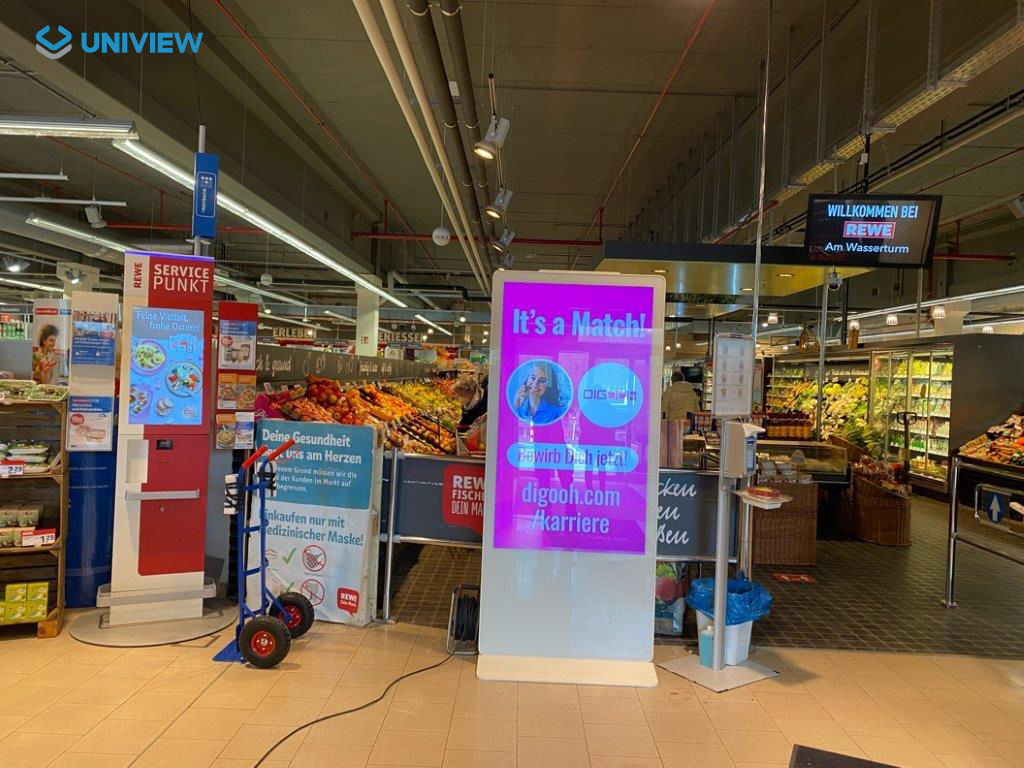
Supermarket
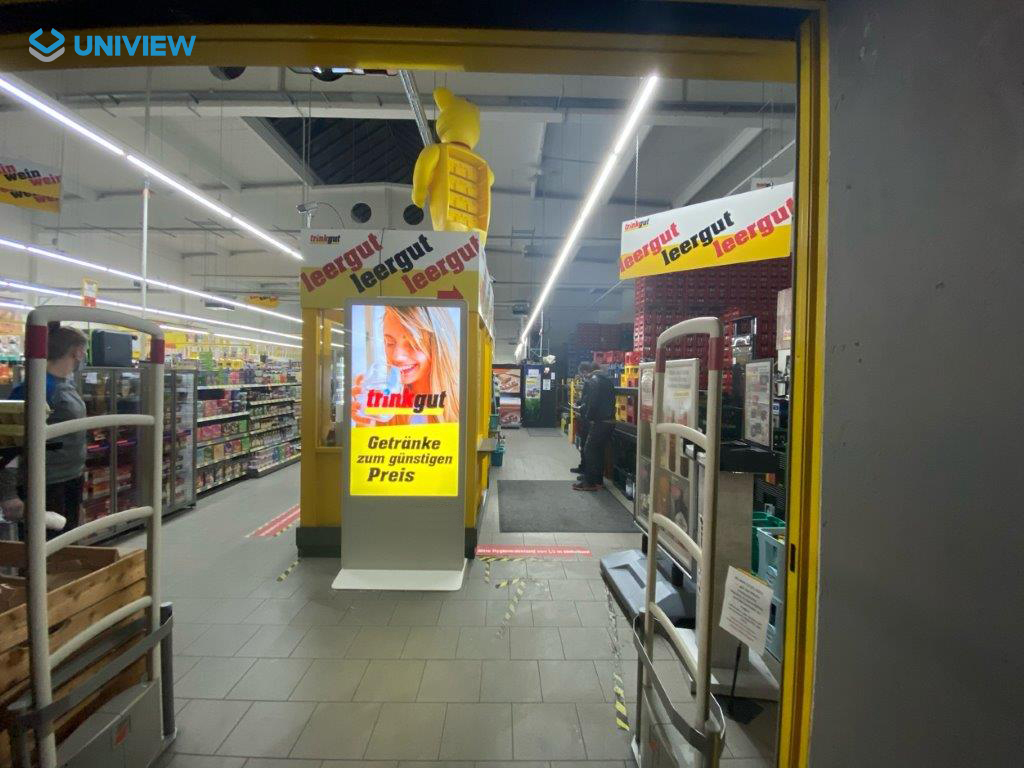
Shopping Mall
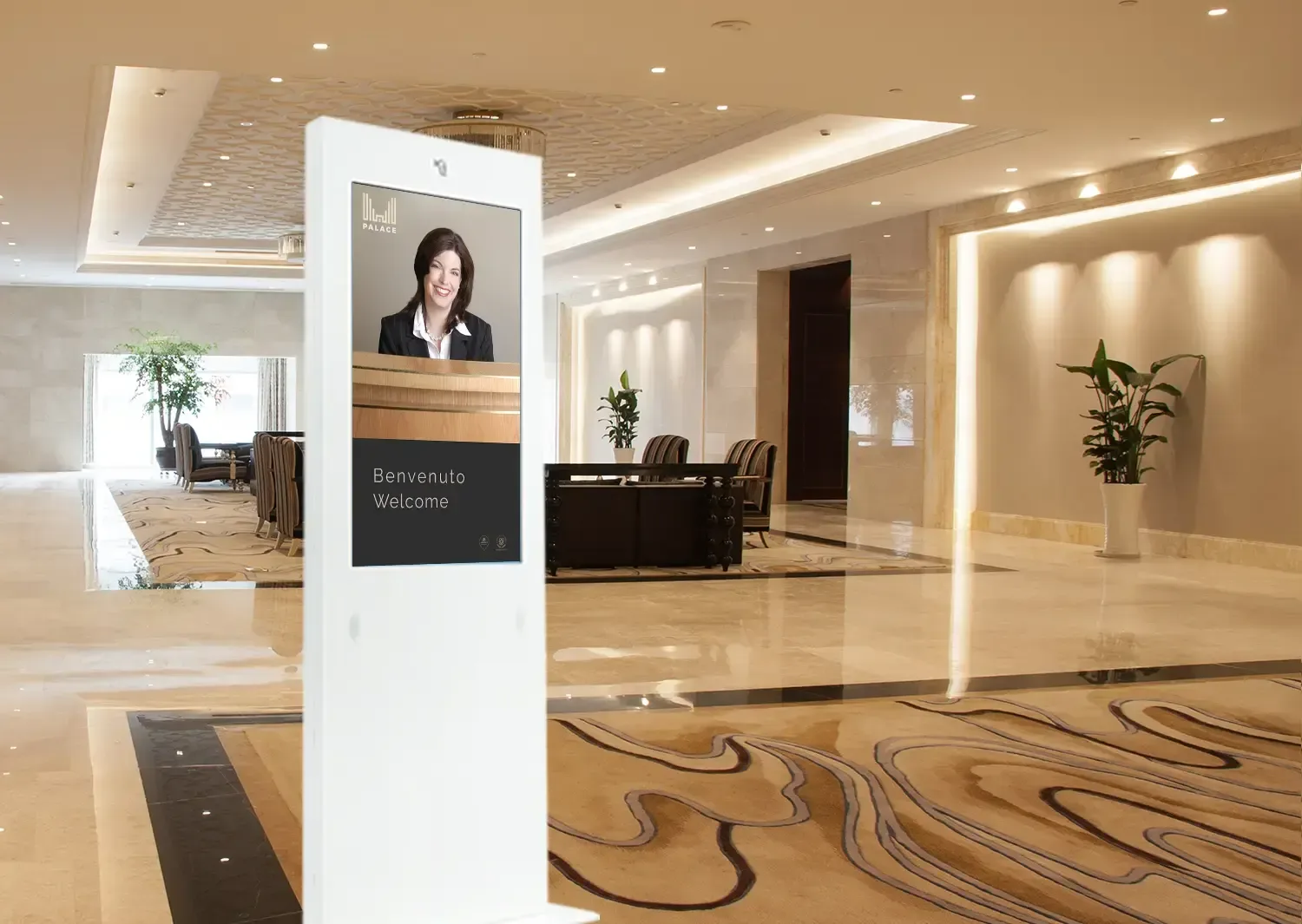
Hotels & Hospitality
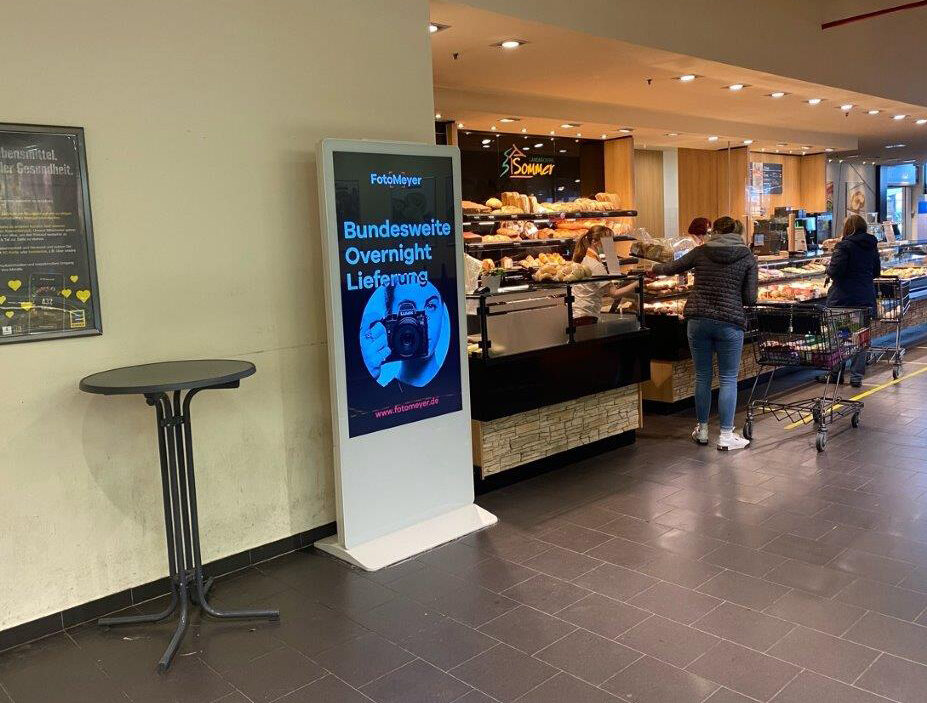
Retail Entrance
* Interactive features require optional touch hardware and compatible software.
How Content Can Be Connected and Played
The UT1900 series is designed to adapt to your deployment strategy. The Driver Board version is ideal if you plan to connect your own external media players or PCs via HDMI. The Standalone version supports simple plug-and-play operations for local USB content playback without requiring an internet connection.
For networked and interactive projects, choose the Android version to run dedicated signage apps, or the Windows version for environments demanding a full PC architecture. Exact OS versions and CMS compatibility must be confirmed per project.
| System Version | Interfaces | Listed Storage |
|---|---|---|
| Driver Board | HDMI / VGA / DVI | None |
| Standalone | HDMI / USB | 16G storage |
| Android | HDMI / USB | 2G+16G / 4G+16G |
| Windows | HDMI / VGA / USB | 4G+120G SSD |
UT1900 LCD Advertising Display Specifications
| Model | UT1900 |
|---|---|
| Screen Size | 43 / 49 / 55 / 65 inch |
| Resolution | 1080 × 1920 / 2160 × 3840 |
| Aspect Ratio & Orientation | 16:9 Portrait |
| Brightness Options | 350 / 700 / 1000 nits |
| Contrast Ratio | 1400:1 |
| Viewing Angle | 178° / 178° |
| Backlight & Response Time | WLED / 8 ms (Gray-to-gray) |
| Operating Life | 50,000–60,000 hours |
| Touch Interface (Optional) | USB (10 or 40 points capacitive/infrared) |
| Input Voltage | AC100–240V, 50/60Hz |
| Operating Environment | Indoor (0°C to +40°C, 10%–80% RH non-condensing) |
Designed for Indoor Commercial Installations
The UT1900 is strictly an indoor lcd advertising display. It does not carry an IP rating and is not suitable for exposure to rain, heavy dust, roadside environments, or direct outdoor sunlight. If your project requires exterior placement, please consult us for dedicated outdoor digital signage products. Additionally, note that the UT1900 is a floor-standing portrait unit; it is not a stretch LCD, wall-mounted screen, dual-sided display, or portable battery-powered unit.
Custom LCD Advertising Display Options for Project Orders
Officially Listed Product Options
- 43 / 49 / 55 / 65 inch sizes
- FHD or 4K resolutions
- 350 / 700 / 1000 nits brightness
- Multiple operating-system versions
- Touch capabilities
- Optional lightbar integration
- Wi-Fi AP, wheels, camera, printer, card reader, and scanner
General Company Capabilities
- Full OEM / ODM manufacturing
- Custom logo and branding application
- Custom packaging solutions
- Sample unit support for evaluation
Confirm for Each Project
- Custom colors and finishes
- Non-standard size feasibility
- CMS and software compatibility
- Minimum Order Quantity (MOQ)
- Production lead time
- Specific certification scope
State-of-the-Art Production Facility
With over 14 years of industry experience, UNIVIEW LCD operates a comprehensive manufacturing facility supporting structure fabrication, system integration, precise assembly, rigorous testing, and secure packaging for commercial display equipment.
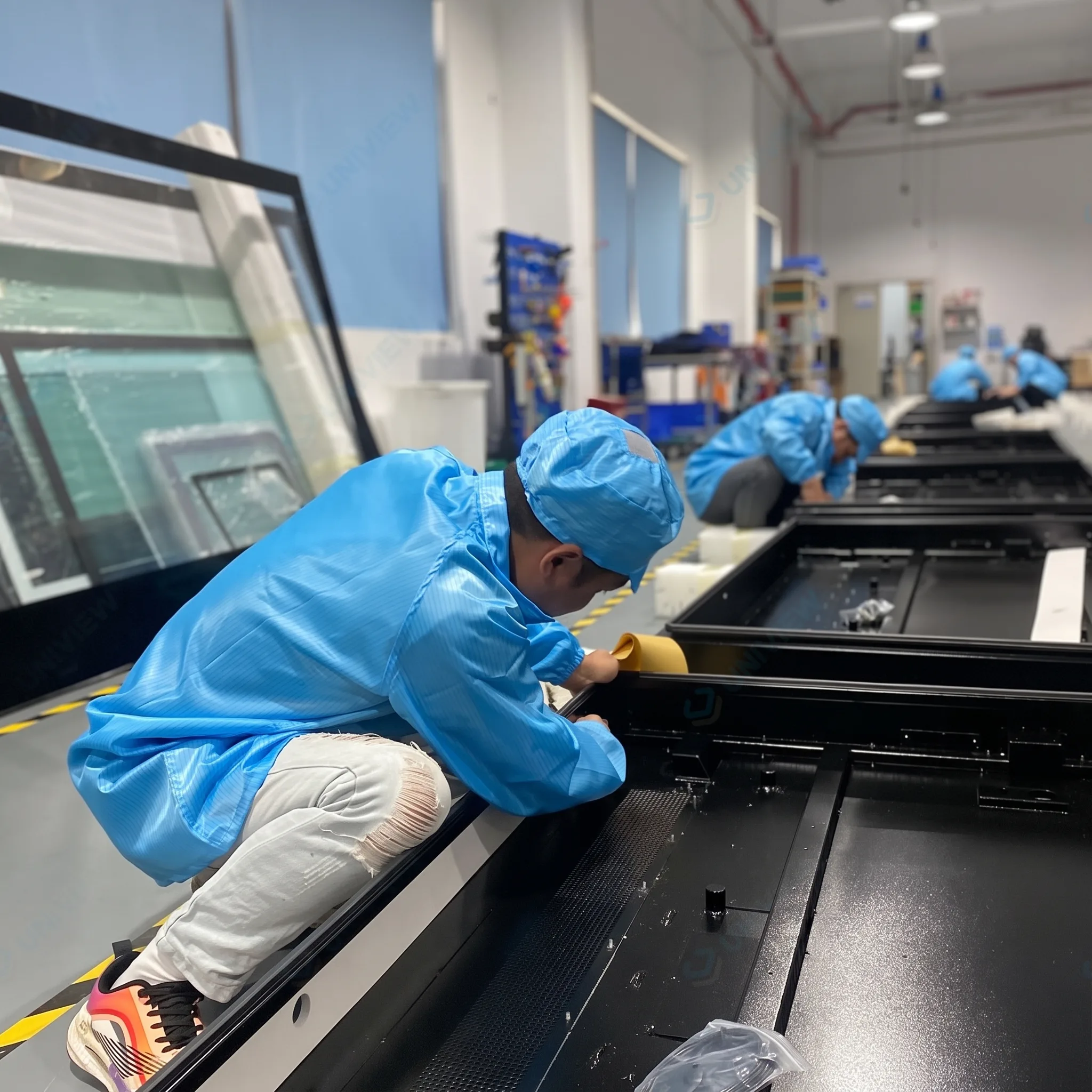
1. Aluminum-profile preparation
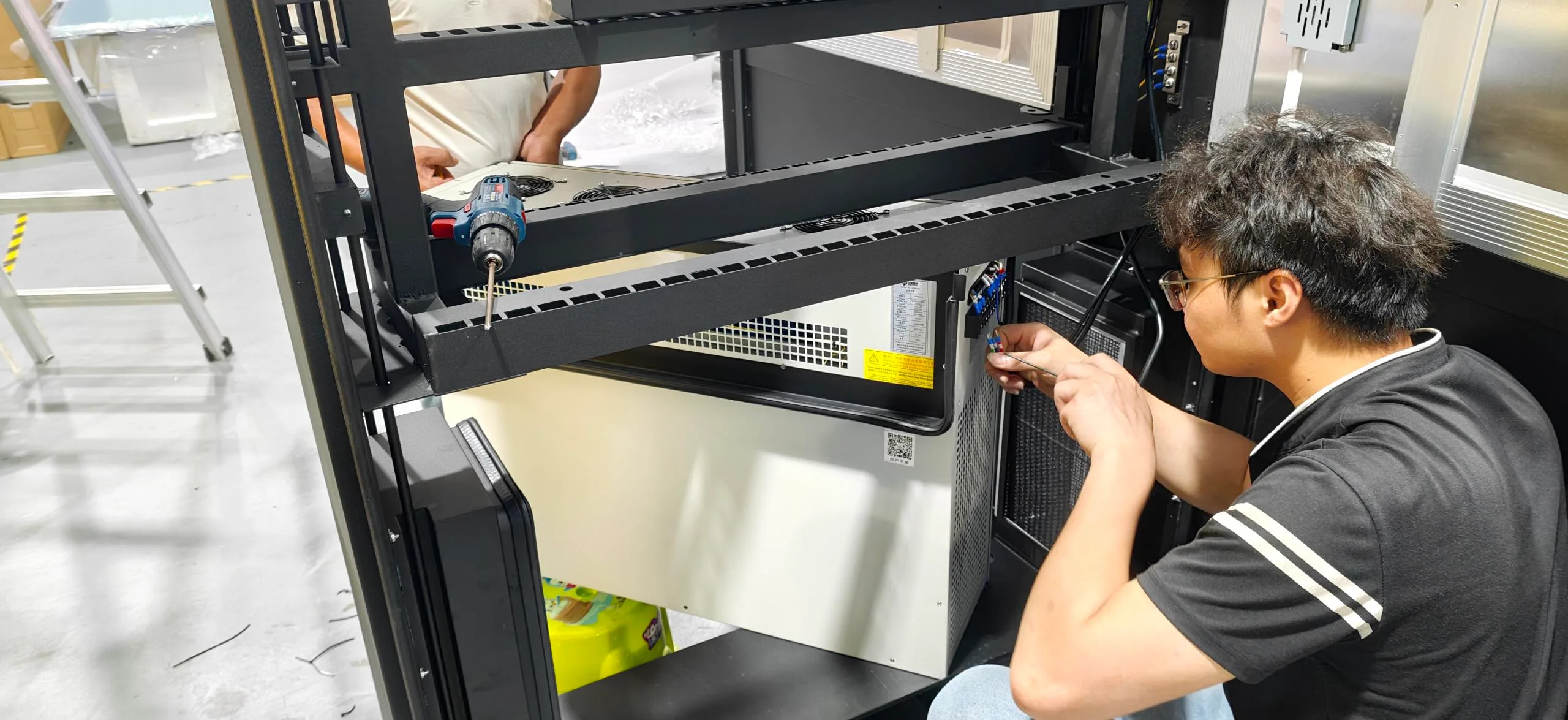
2. Base & side-stripe assembly
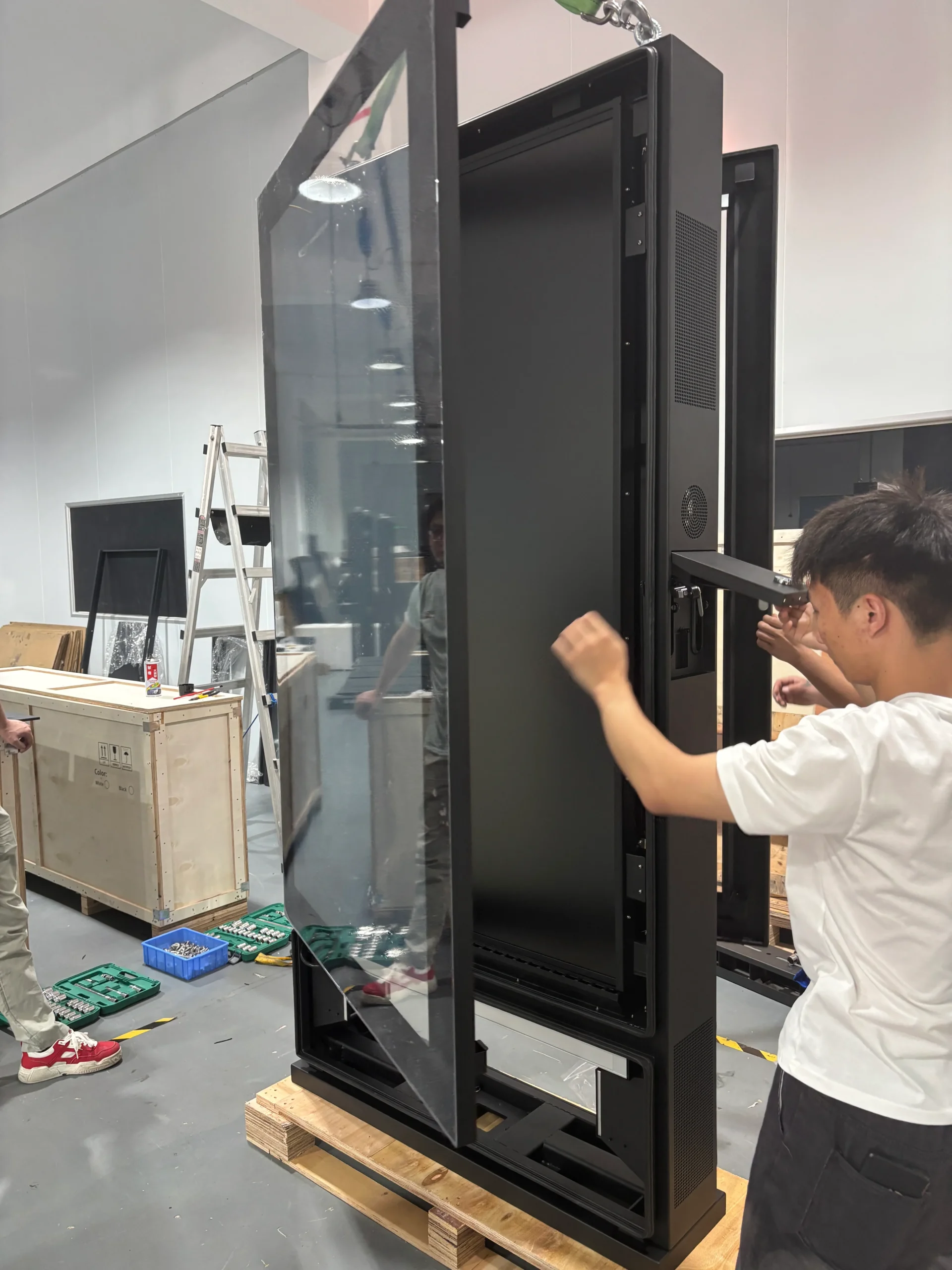
3. Panel & full-glass assembly

4. Lightbar & appearance integration
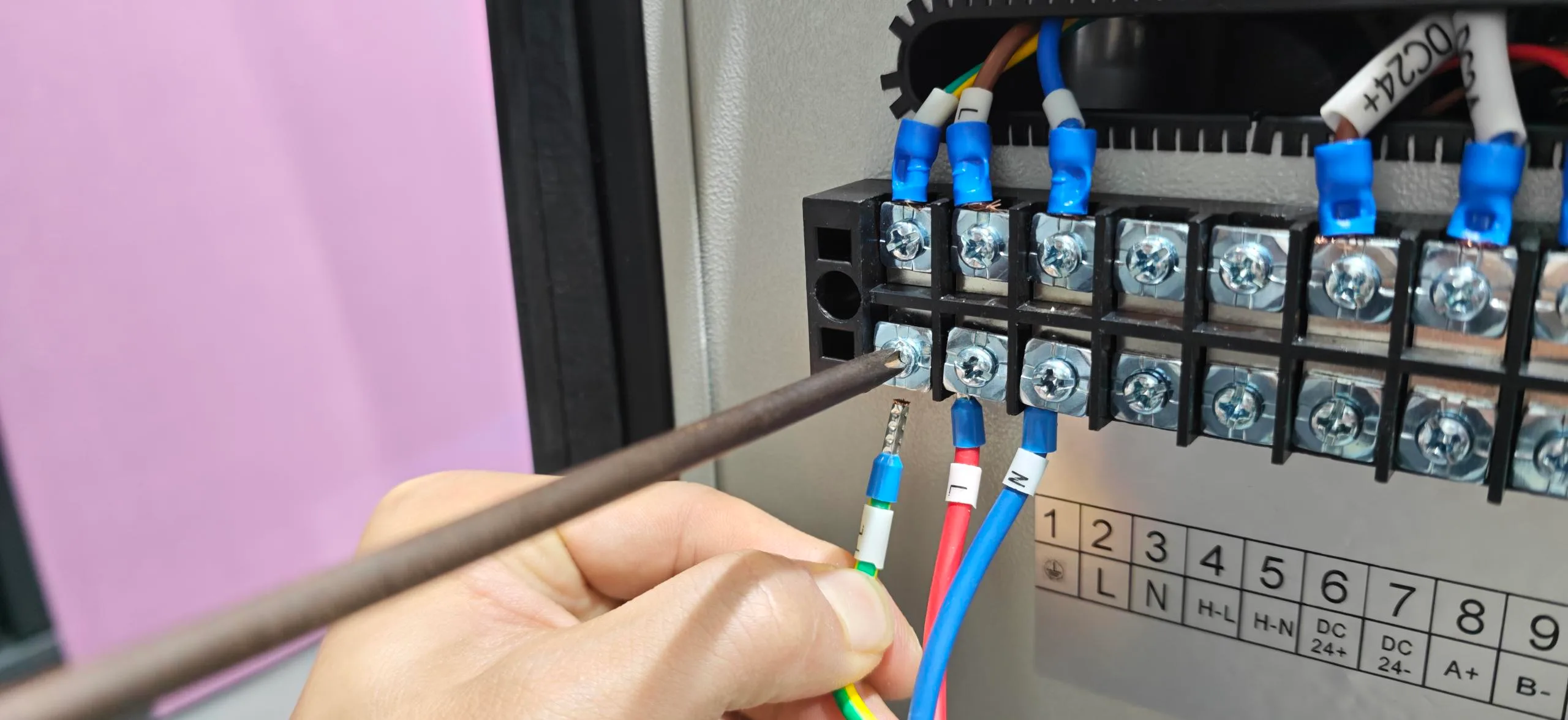
5. System & interface integration
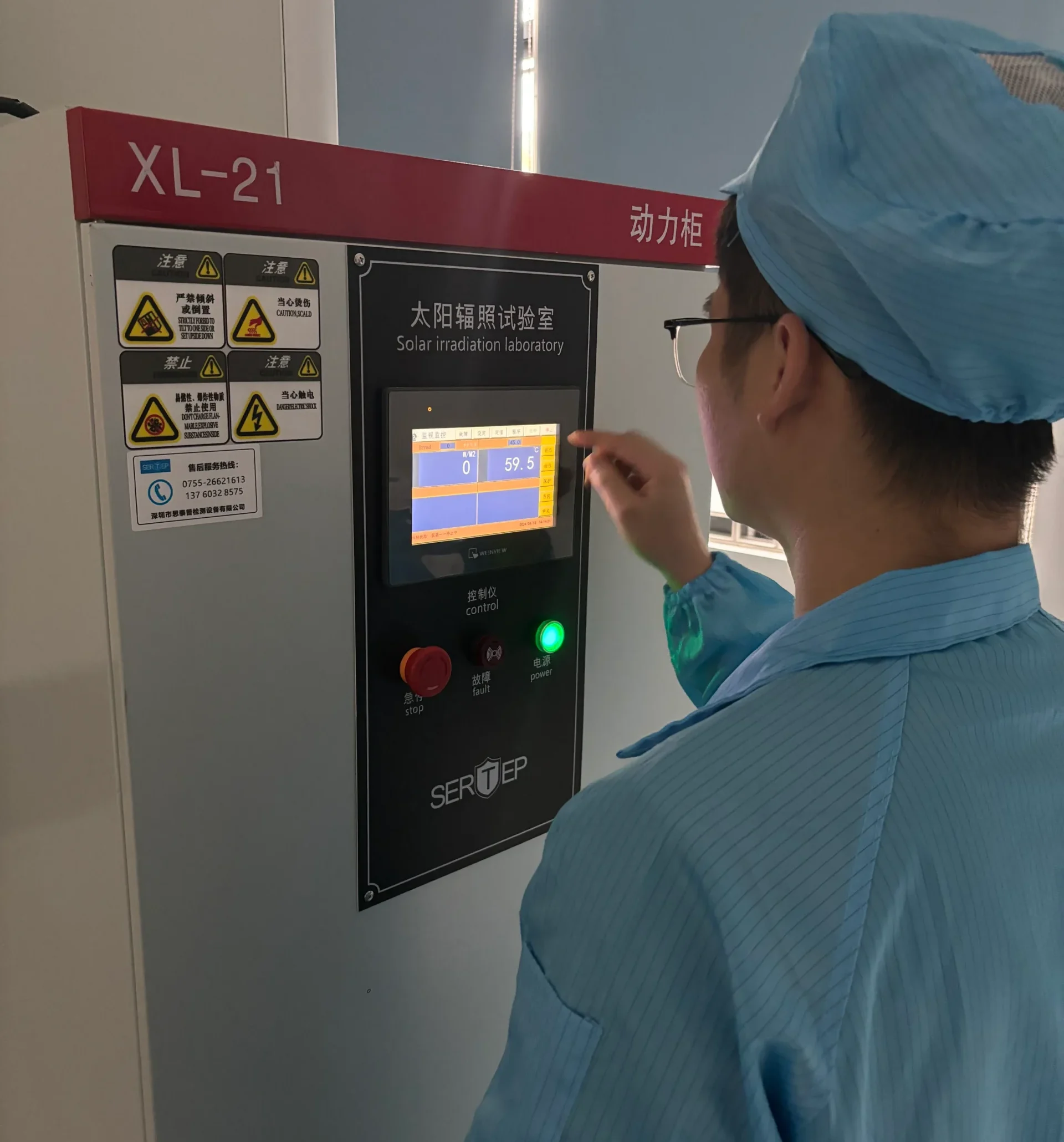
6. Display, touch & aging inspection
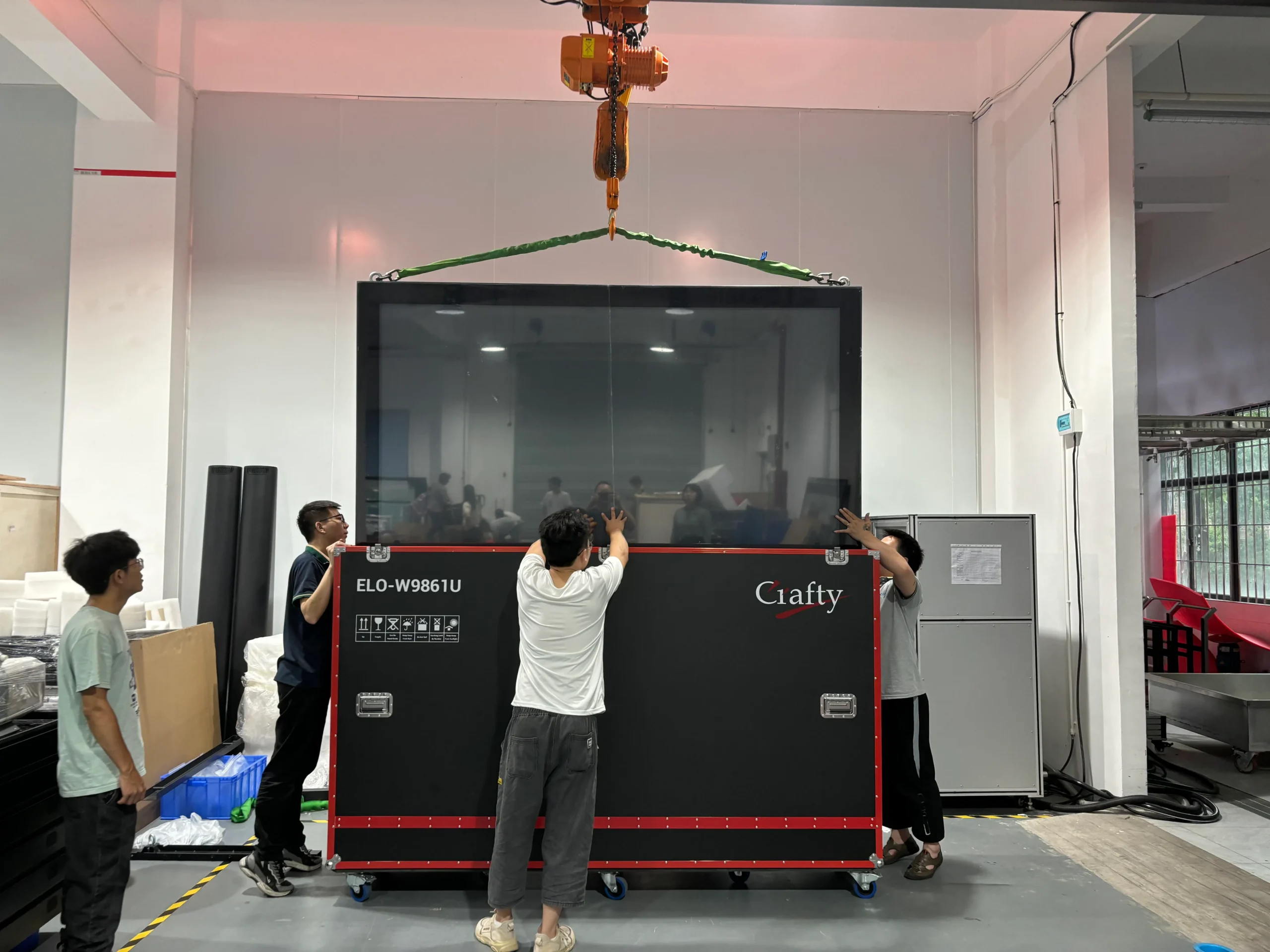
7. Packing
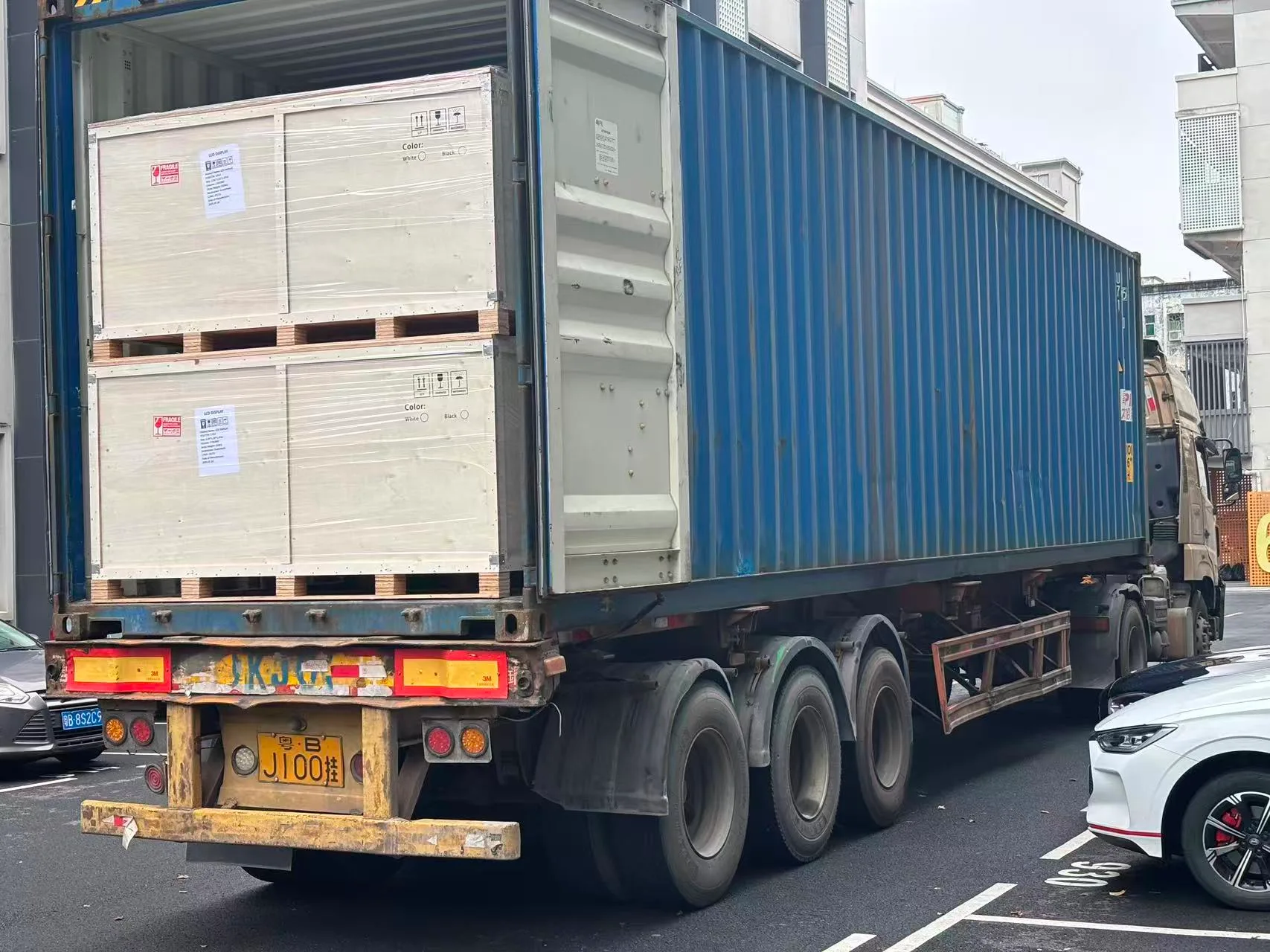
8. Shipment
Verification Before Shipment
- Aluminum-profile inspection
- Reinforced-base stability check
- Full-glass appearance inspection
- Display, brightness and color check
- Touch-response test (if applicable)
- System and interface test
- Continuous-operation or aging inspection
- Final packing inspection
Certification Support for Different Markets
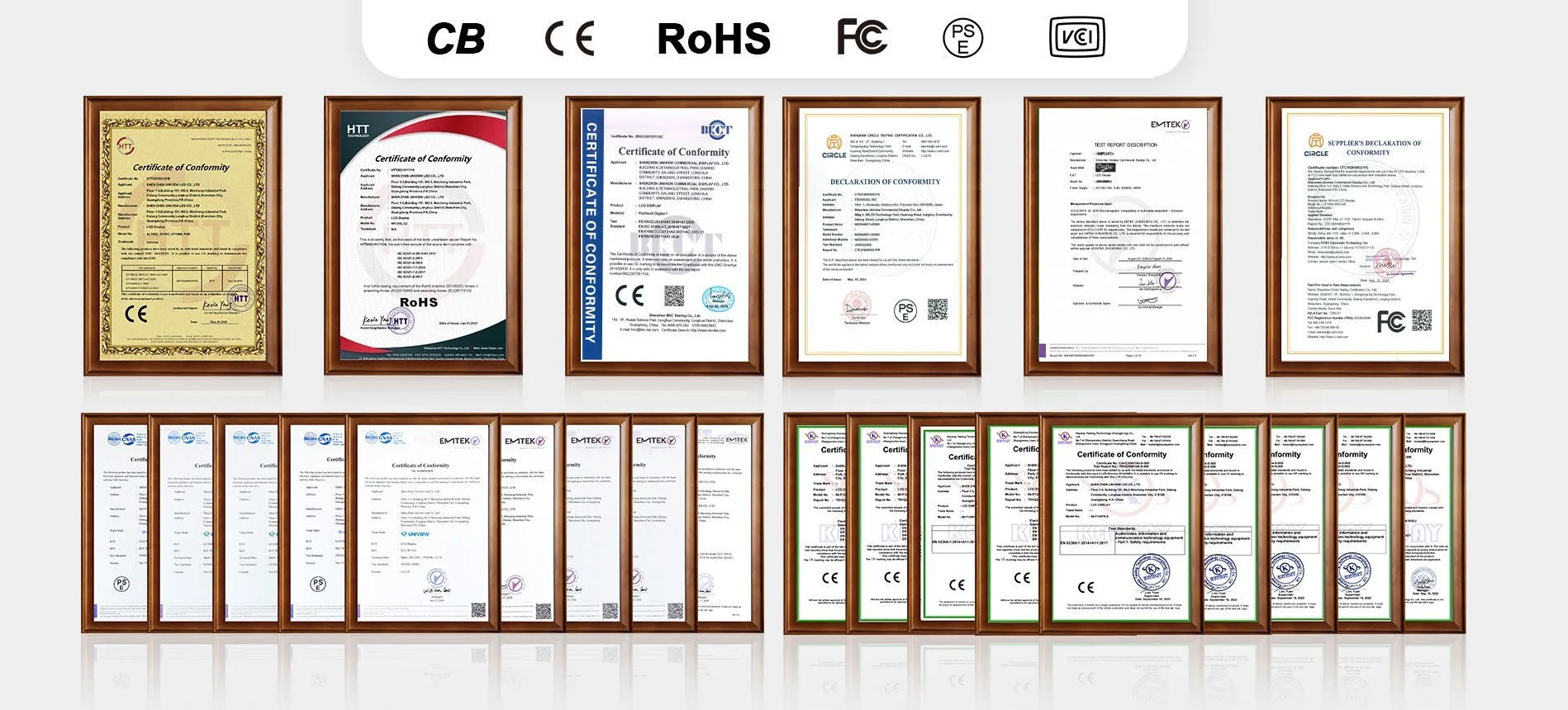
UNIVIEW LCD supports compliance documentation for international projects, including CE, FCC, PSE, VCCI, RoHS and CB certificates. Certificate availability depends on the selected screen size, panel, operating system and destination market. Contact us to confirm the documents applicable to your UT1900 configuration.
A Clear Process for Custom LCD Display Projects
1. Requirement review
Provide your scenario, size, viewing distance, resolution, brightness, system, touch, quantity, and destination.
2. Display, system & appearance
We recommend the optimal UT1900 configuration tailored to your specific project needs.
3. Drawing & specification
Confirm final interfaces, hardware options, engineering drawings, and quotation details.
4. Sample validation
Produce and validate a sample unit to ensure software compatibility and hardware performance.
5. Production & shipment
Execute mass production, conduct rigorous quality inspections, and arrange secure global shipment.
LCD Advertising Display FAQs
What is an LCD advertising display?
How is a commercial LCD advertising display different from a consumer TV?
Which UT1900 screen sizes are available?
Should I choose FHD or 4K?
Which brightness option should I choose indoors?
Which playback systems are available?
How can content be uploaded or connected?
Does the UT1900 include LCD advertising display software?
Is touchscreen available?
Can optional hardware be integrated?
Is the UT1900 suitable for outdoor use?
Can the appearance and logo be customized?
Which certifications are available?
What information is required for a quotation?
Request an LCD Advertising Display UT1900 Quote
Submit your project details to receive comprehensive support from our commercial display engineering team. By contacting us, you will receive:
- Configuration recommendation
- Specification confirmation
- Customization review
- Certification document check
- Quotation and lead-time confirmation
Direct Contact
Email: lcdsales@univiewlcd.com
Phone: +86-755-21009715
Address: Floor 1-3, Bldg 9, Delta Science and Technology Park, Dalang Street, Longhua District, Shenzhen, China