


LCD Display Wall
Build a commercial LCD display wall for indoor spaces that require large-format visual communication, close viewing clarity and flexible multi-source presentation. UNIVIEW LCD supports 46, 49 and 55-inch FHD panels with narrow bezel options, 500 or 700 nits brightness and project-based display wall layouts.
46″ / 49″ / 55″
500 / 700 nits
3 listed bezels
Flexible layouts

What Is an LCD Display Wall?
An LCD display wall combines multiple commercial LCD panels into one larger visual surface. Each panel presents part of the overall content, while a controller or image-processing system distributes signals across the array. Depending on the processing solution, the wall can show one large image, multiple independent sources or a combined content layout. It is suited to indoor projects needing large visual coverage, clear close-to-medium-distance viewing and organized multi-source display.
Where an LCD Display Wall Fits
An LCD wall display can be considered when the installation environment and content workflow align with a panel-grid display system.
Indoor commercial environment
Close or medium viewing distance
Multiple signal sources
Structured rectangular display area
FHD panels with narrow bezels
Wall-mounted or cabinet installation
An LCD display wall is not the only option for every project. Very large dimensions, no visible panel grid requirements or high-brightness conditions may require an LED video wall evaluation.
LCD Video Wall vs LED Video Wall
| Selection factor | LCD display wall | Direct-view LED video wall |
|---|---|---|
| Display structure | Multiple fixed-size LCD panels | Modular LED cabinets or modules |
| Visible joints | Narrow but still visible | No LCD panel bezel grid |
| Typical viewing | Close to medium distance | Depends on LED pixel pitch |
| Available size | Based on panel dimensions and grid | More flexible overall dimensions |
| Brightness | Based on selected LCD panel | Wide range depending on LED product |
| Main selection factors | Bezel, panel size, brightness, controller | Pixel pitch, brightness, cabinet and controller |
Cost and visual results depend on size, brightness, resolution, structure and project requirements; neither technology is automatically the right choice for every installation.
How to Configure an LCD Display Wall
01
Define the wall size
Collect available width, height and installation depth.
02
Choose panel size
Select from 46, 49 or 55-inch panel options.
03
Choose the layout
Consider 2×2, 3×3, 1×6, 4×5 or another engineered layout.
04
Choose bezel option
Select 3.5, 1.8 or 0.99 mm listed options and confirm measurement method.
05
Choose brightness
Choose 500 or 700 nits according to indoor ambient light.
06
Confirm signal requirements
Confirm sources, display modes, controller approach and interface needs.
For quotation planning, please provide: available wall dimensions, viewing distance, required panel layout, number and type of signal sources, content resolution, operating schedule, installation method and destination country.
Flexible Panel Layouts
Layouts are evaluated according to the wall, viewing conditions, signal sources and installation plan rather than supplied as fixed packages.
2×2
3×3
1×6
4×5
ENGINEERED
Custom layout
The panel layout determines physical display dimensions, while the controller and content workflow determine how source material is distributed across the panels.
Understanding Bezel Size
Bezel size affects the visible grid lines between LCD panels. Smaller listed bezel options can reduce the divided appearance, but the smallest value is not automatically required for every project. Budget, panel supply, maintenance, transport and installation structure should also be considered.
Listed bezel options are 3.5 mm, 1.8 mm and 0.99 mm. Confirm the measurement method and panel specification for the selected project before ordering.
Illustrative comparison only — not a millimeter-scale drawing.
3.5 mmListed option
1.8 mmListed option
0.99 mmListed option
Signal and Controller Architecture
Content Source
Computer, player or project equipment
Computer, player or project equipment
Matrix / Splitter / Graphic Processor
Selected by project requirements
Selected by project requirements
LCD Panel Array
Multiple commercial LCD panels
Multiple commercial LCD panels
Display Wall Content
Large image, multiple sources or layouts
Large image, multiple sources or layouts
Matrix solutions may be selected for signal routing; splitters for signal distribution; and graphic processing for multi-screen or complex content layouts. Exact functions depend on the selected model and system design. The controller is not automatically included unless stated in the quotation.
Key Product Features
▦
Flexible Multi-Panel Layouts
Layouts such as 2×2, 3×3, 1×6 and 4×5 can be evaluated by project.
▤
Ultra-Narrow Bezel Options
Listed bezel options include 3.5, 1.8 and 0.99 mm.
▣
FHD Individual Panels
Each panel has a 1920 × 1080 resolution and 16:9 aspect ratio.
☀
500 or 700 Nits
Brightness options can be selected for the indoor lighting condition.
◉
Wide 178° Viewing Angle
Specified horizontal and vertical viewing angle is 178°.
⌗
Hanging or Cabinet Installation
Installation structure is selected according to the final wall layout.
Prepare the Display Wall Structure
Hanging Bracket
Suitable for projects where the wall or support structure permits this installation method. Final planning should confirm panel quantity, structural support and maintenance space.
Cabinet Mounting
Suitable where an independent support structure or custom cabinet is required. Cabinet dimensions and structure must be designed around the confirmed panel layout.
Pre-installation checklist
- • Wall dimensions
- • Structural support
- • Cable routing
- • Ventilation space
- • Power distribution
- • Maintenance access
- • Controller location
LCD Display Wall Applications

Corporate Meeting Room

Shopping Center
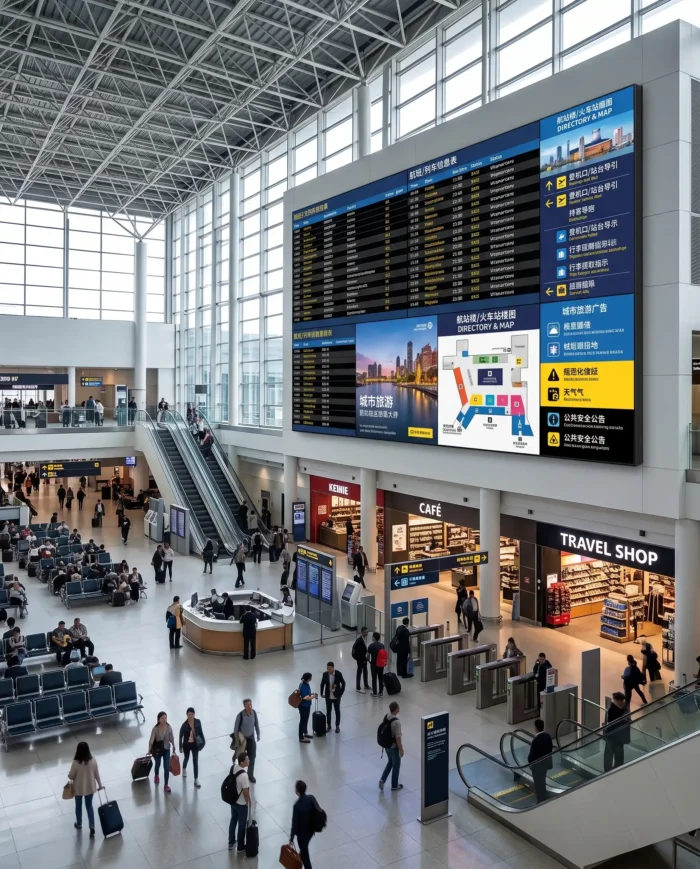
Transportation Hub
LCD Display Wall Specifications
1920 × 1080 is the resolution of each individual panel. The effective canvas and signal resolution of the complete display wall depend on the panel layout, content source and video wall processing system.
| Panel | |
|---|---|
| Panel size | 46″ / 49″ / 55″ |
| Single-panel resolution | 1920 × 1080 |
| Aspect ratio | 16:9 |
| Brightness | 500 / 700 nits |
| Contrast ratio | 1400:1 |
| Response time | 8 ms gray-to-gray |
| Viewing angle | 178° horizontal / 178° vertical |
| Backlight | WLED |
| Rated operating life | 50,000–60,000 hours, depending on panel and configuration |
| Bezel | |
| Listed options | 3.5 / 1.8 / 0.99 mm |
| Measurement method | Confirm with final panel specification |
| Connectivity and control | |
| Listed interfaces | HDMI / VGA / DVI / USB |
| Controller approaches | Matrix / Splitter / Graphic Processing |
| Exact controller and interface quantity | Project dependent |
| Installation, power and environment | |
| Installation | Hanging bracket / Cabinet mounting |
| Input voltage | AC 100–240 V, 50/60 Hz |
| Operating environment | Indoor |
| Operating temperature | 0°C to 40°C |
| Storage temperature | -10°C to 60°C |
| Relative humidity | 10%–80% RH, non-condensing |
A temperature-management function is listed for commercial indoor operation. Confirm the cooling design and duty requirements for the final configuration.
Dimensions and Project Drawing
| Panel size | Reference dimensions |
|---|---|
| 46 inch | 901.84 × 578.57 × 56.2 mm |
| 49 inch | Final dimensions available after panel confirmation. |
| 55 inch | 1223 × 693.6 × 99.7 mm |
Reference dimensions are based on currently available source information. Please request the final engineering drawing before installation planning. Always use the final engineering drawing rather than website dimensions for wall opening, cabinet fabrication or mounting preparation.
LCD Display Wall Price Factors
A project quotation is affected by the final technical and delivery scope. Share your requirements early so the display wall system can be planned accurately.
Panel size and number of panels
Layout and bezel option
Brightness selection
Controller and signal sources
Mounting structure and cabinet customization
Cables, accessories and packaging
Order quantity
Destination and shipping terms
OEM/ODM and Project Customization
UNIVIEW LCD can discuss panel size, bezel and brightness selection, custom panel layouts, hanging or cabinet installation, signal-routing planning, custom cabinet structure, logo and packaging support, and project documentation support. All customization is subject to engineering confirmation and final quotation.
Production Support for LCD Display Wall Projects
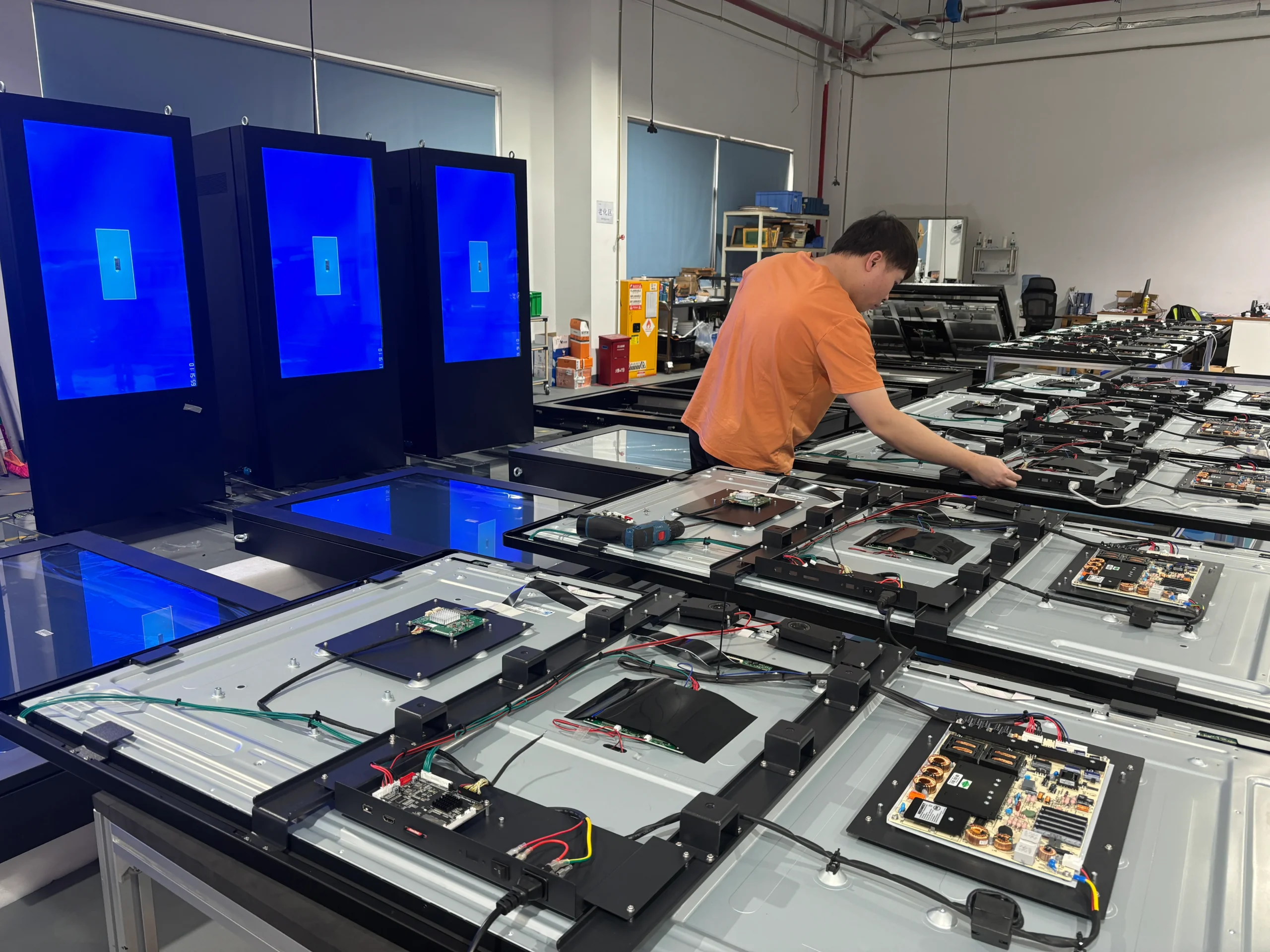
UNIVIEW LCD supports commercial LCD display projects with panel inspection, component preparation, interface and signal testing, multi-panel display testing, appearance inspection and packaging preparation. The final production scope follows the confirmed project configuration.
Quality Review Process
- 01Incoming component inspection
- 02Panel appearance inspection
- 03Signal and interface testing
- 04Multi-panel display check
- 05Brightness and image review
- 06Controller compatibility check when included
- 07Final appearance inspection
- 08Packaging inspection
Documentation for Market Requirements
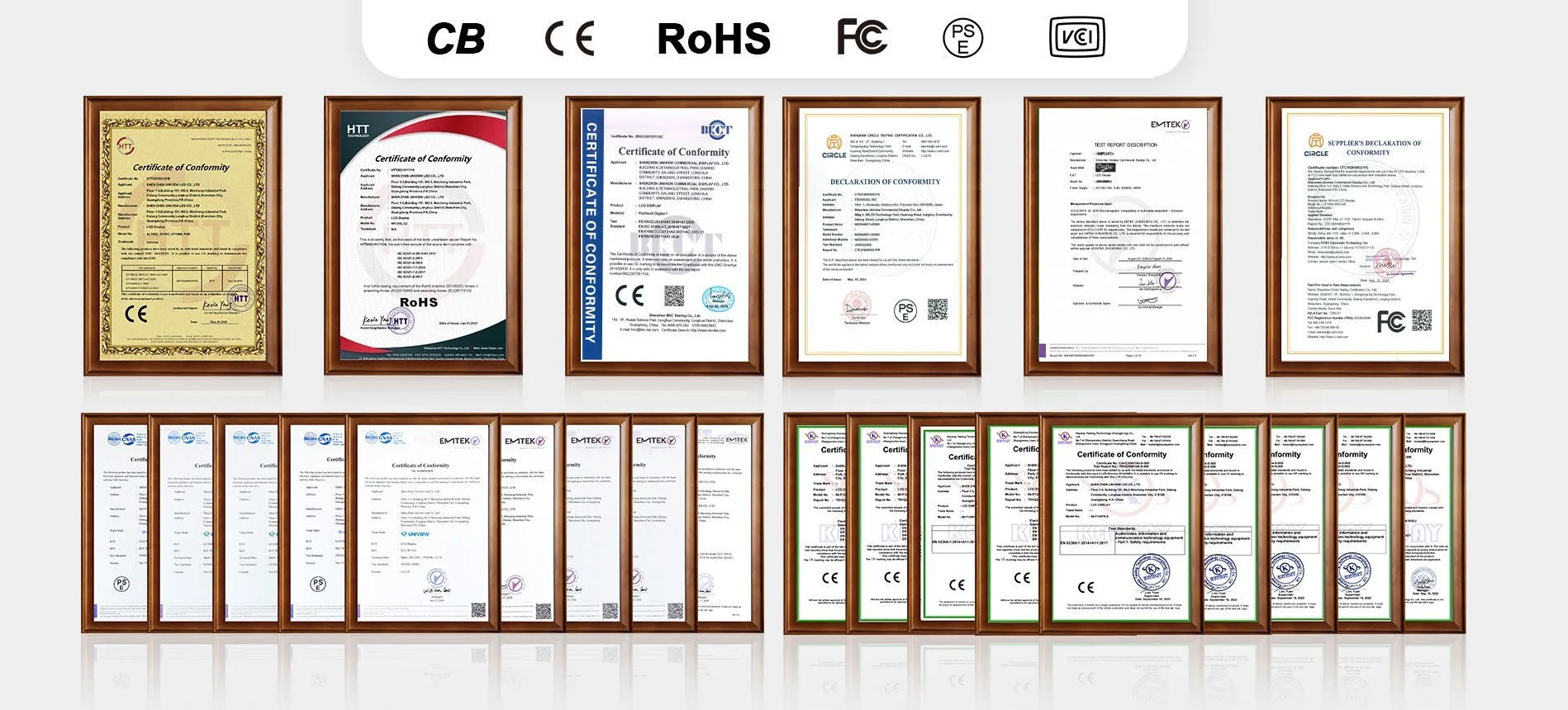
Project documentation may involve CE, FCC, PSE, VCCI, RoHS, CB and other product-related certifications. Certification availability and applicable standards depend on the selected panels, controller configuration and destination market. Contact UNIVIEW LCD for the documents relevant to your project.
From Requirement to Delivery
01
Requirement Discussion
02
Layout and Configuration Planning
03
Quotation and Drawing Review
04
Sample or Order Confirmation
05
Production and Quality Inspection
06
Packaging and Delivery
Why Work With UNIVIEW LCD?
14+ years of industry experience
Project configuration support
OEM/ODM capability
Production and quality-control process
Export documentation support
Pre-sales technical communication
LCD Display Wall FAQ
What is an LCD display wall?+
It is a larger display surface made by assembling multiple commercial LCD panels and distributing content across them through a suitable system.
What panel sizes are available?+
Available panel sizes are 46, 49 and 55 inches.
What LCD display wall layouts can be configured?+
Layouts such as 2×2, 3×3, 1×6 and 4×5 can be considered. Other arrangements are evaluated according to the project.
What do the 3.5 mm, 1.8 mm and 0.99 mm bezel options mean?+
They are listed bezel options. Confirm the measurement method and final panel specification before ordering.
Is an LCD display wall completely seamless?+
No. Narrow bezel options reduce the grid-line appearance, but panel joints remain visible.
What is the difference between an LCD display wall and an LED video wall?+
LCD uses fixed-size panels with visible narrow joints; LED uses modular cabinets or modules. Selection depends on viewing distance, size, brightness, structure and visual requirements.
Does each panel have 4K resolution?+
No. Each listed panel has 1920 × 1080 resolution. Complete wall canvas and signal handling depend on layout, source and processing system.
Is the video wall controller included?+
Controller inclusion must be confirmed in the quotation. Matrix, splitter and graphic-processing approaches are project dependent.
What affects the LCD display wall price?+
Panel size, quantity, layout, bezel, brightness, controller scope, mounting structure, accessories, destination and shipping terms are among the main factors.
What information is required for a project quotation?+
Provide available wall dimensions, preferred layout, viewing distance, signal sources, brightness need, installation method and destination country.
Plan Your LCD Display Wall Project
Tell us your available wall dimensions, required panel layout, viewing distance, number of signal sources, required brightness, installation method and destination country. Our team can review the requirements for a project-based quotation.
You may also contact lcdsales@univiewlcd.com.