Transit Digital Signage-BS202 

BS202 is an outdoor hanging or wall-mounted LCD display designed for bus stops, passenger shelters and transport facilities. It provides a durable visual platform for route content, service notices, wayfinding, public information and digital advertising.

  • ✓ High-Brightness Outdoor LCD
  • ✓ IP55 / IP65 Options
  • ✓ IK10 Protective Glass
  • ✓ Front Maintenance Design
View Configurations
Outdoor hanging transit digital signage display for bus stop passenger information

Outdoor Digital Signage Built for Transit Environments

BS202 supports outdoor transit display projects where passengers need clear, durable visual communication. It can be installed at bus stops, passenger shelters, bus stations and other public transit locations as a digital transit signage hardware platform.

The display can carry arrival and departure information, route and stop details, service changes, delay notices, passenger guidance, local maps, transportation wayfinding display content, safety messages, weather, public information, advertising and promotional content.

Integration Clarification

Content can be updated automatically only when the selected media player, CMS, network connection, transit data source and third-party software integration support that workflow. A real-time transit information display application requires compatible external systems; it is not a standard built-in function of the BS202 hardware.

How Transit Digital Signage Supports Passenger Communication

Keep passengers informed

Present route details, scheduled information and locally approved passenger notices in a visible public format.

Communicate service changes

Use transportation digital signage to publish temporary diversions, platform changes, maintenance notices and delay messages.

Improve navigation

Support route finding and facility navigation with maps, stop identifiers, directional guidance and connecting-service information.

Support safety messaging

Reserve screen layouts for safety notices, public advisories and other operator-approved messages when required.

Reduce repeated enquiries

Visible transit information display content can help staff communicate common route and location information more consistently.

Combine information and advertising

Allocate approved content zones for public information alongside transit advertising display campaigns.

Update content efficiently

A compatible player and management workflow can simplify content changes compared with replacing printed signs.

Maintain message consistency

Use aligned content templates across bus stations, shelters and transfer points where project systems allow.

Core Advantages for Outdoor Transit Projects

Sunlight-Readable Display

High-brightness options help content remain visible in bright outdoor locations.

IP55/IP65 Options

Select protection levels according to exposure conditions. These ratings do not mean the unit is intended for immersion.

IK10 Protective Glass

Anti-reflective IK10 glass supports impact resistance and clearer viewing; IK10 is not an explosion-proof rating.

Automatic Brightness Control

Compatible brightness control helps adapt display output to changing ambient light conditions.

Temperature Control

Fan cooling or air-conditioning options can be selected for local temperature requirements.

Front Maintenance Access

Front service access can simplify maintenance planning where rear clearance is limited.

130mm Structure

An enclosure thickness of up to approximately 130mm supports space-conscious site planning.

Portrait or Landscape

Choose content orientation based on passenger viewing direction, mounting space and layout needs.

Remote Monitoring Capability

Remote monitoring depends on the selected control system, software and network configuration.

24/7 Commercial Use

Commercial display options are available for projects requiring extended operating schedules.

How to Choose Transit Digital Signage for a Bus Stop or Station

  1. 01Mounting structure: choose hanging or wall-mounted installation according to site structure and viewing direction.
  2. 02Screen size: match viewing distance, available space and the intended amount of passenger information.
  3. 03Brightness: assess direct sunlight, canopy coverage and local ambient light conditions.
  4. 04Protection: select IP55 or IP65 according to the outdoor environment and project requirements.
  5. 05Cooling: select fan cooling or air-conditioning according to expected operating temperatures.
  6. 06Orientation: confirm portrait or landscape content requirements before enclosure drawing approval.
  7. 07Display structure: consider single-sided, optional double-sided, or LCD plus light box arrangements.
  8. 08System option: choose Driver Board, Standalone, Android or Windows for the intended content workflow.
  9. 09Optional peripherals: confirm touch, network connection, camera or other hardware only where needed.
  10. 10Integration: confirm CMS, transit data and third-party software compatibility before project release.
  11. 11Site readiness: verify installation, power, maintenance clearance and applicable local accessibility requirements. Compliance is project-dependent and should be confirmed locally.

System Configuration Options

Driver Board

  • HDMI
  • VGA
  • DVI
  • No onboard content storage
  • Suitable for an external media source

Standalone Media Player

  • HDMI
  • USB
  • 16GB listed storage configuration
  • Suitable for basic local content playback

Android

  • HDMI
  • USB
  • 2GB + 16GB or 4GB + 16GB options
  • Suitable for compatible signage applications

Windows

  • HDMI, VGA and USB
  • 4GB + 128GB to 32GB + 512GB options
  • Suitable for complex software integration

These are different configuration options, not simultaneous standard equipment. Real-time transit content, remote content management and third-party software require separate confirmation. Final interfaces, operating system, storage and software compatibility are subject to project configuration.

Display Configurations for Different Transit Locations

Single-Sided LCD

Suitable for wall-mounted locations, one-way passenger flow and installations where content is intended for a specified viewing direction.

Double-Sided LCD

Optional, project-dependent and subject to structural confirmation. Suitable for shelters, platforms and areas with passenger flow on both sides.

LCD and Light Box Combination

Optional, project-dependent and subject to structural confirmation. One side can carry dynamic LCD content while the other presents static advertising or branding.
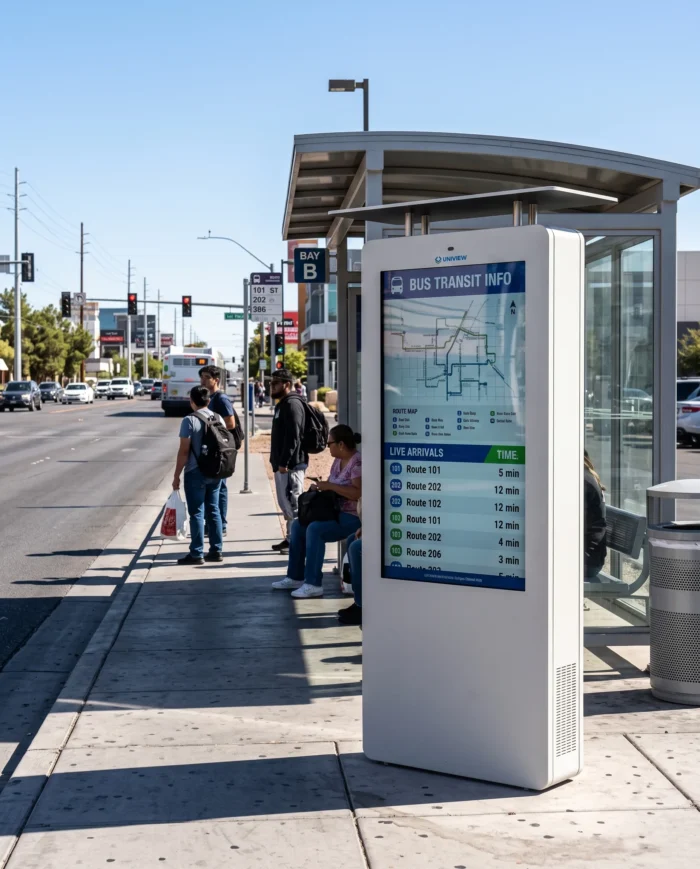
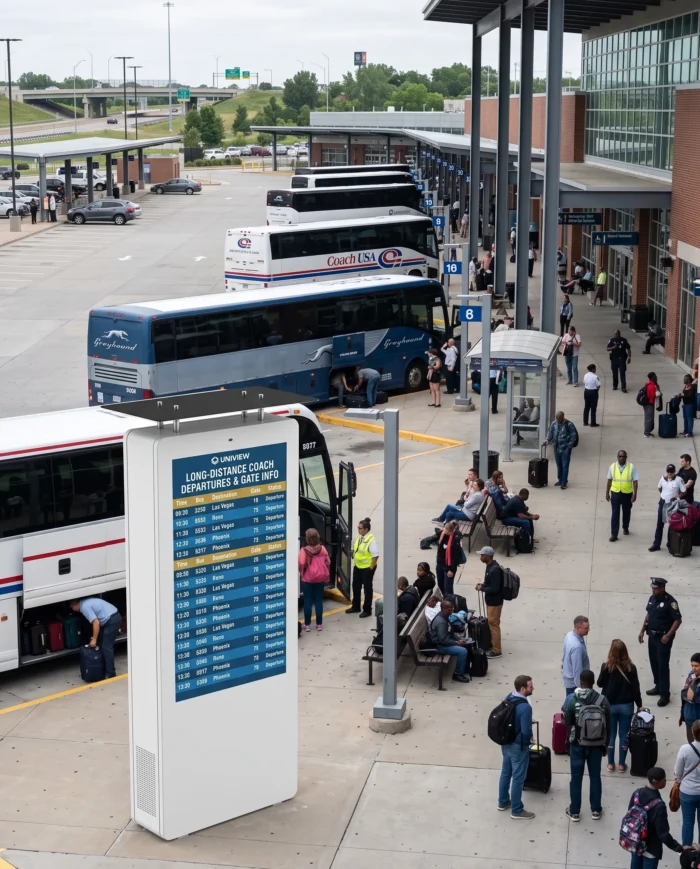
Transit Digital Signage Applications

Bus stop passenger shelter with outdoor digital signage display

Bus Stop and Passenger Shelter

Bus and coach station with wall-mounted passenger information display

Bus and Coach Station

Railway platform with hanging outdoor transit information display

Railway or Metro Platform

Transit hub with suspended digital advertising and information display

Transit Hub Advertising and Information

Technical Specifications

SpecificationAvailable Information
Product TypeOutdoor hanging or wall-mounted transit digital signage
ModelBS202
Panel TypeLCD
Screen Sizes43″, 49″, 55″, 65″, 75″, 86″, 98″
ResolutionFull HD / 4K UHD options
Brightness2,000–4,000 nits listed; confirm by size and configuration
Contrast Ratio1200:1 / 3000:1
Rated Display Life50,000–60,000 hours
OrientationPortrait / Landscape
InstallationHanging / wall-mounted; confirm project structure
ProtectionIP55 / IP65 options
Protective GlassIK10 anti-reflective glass
MaintenanceFront maintenance
Enclosure ThicknessUp to approximately 130mm
CoolingFan cooling / Air-conditioning
Fan-Cooled Operating Temperature-20°C to 45°C
Air-Conditioned Operating Temperature-30°C to 50°C
Storage Temperature-20°C to 60°C
TouchOptional capacitive touch, 10–40 points, USB
SystemsDriver Board / Standalone / Android / Windows
Display StructureSingle-sided, optional double-sided or LCD plus light box

Listed brightness information varies across source materials. Confirm final brightness by screen size and selected configuration before ordering.

Reference Dimensions

Screen SizeListed Dimensions
43″1140 × 800 × 130mm
55″1450 × 1140 × 130mm

The source lists these measurements as L × W × D. Confirm the final drawing, orientation and mounting structure before ordering.

Dimensions for 49″, 65″, 75″, 86″ and 98″ configurations should be confirmed before ordering.

Optional Features and Project Customization

The following items are optional, available on request, project-dependent and subject to technical confirmation. They are not standard BS202 equipment.

Capacitive touch screen
Custom enclosure colors
Wi-Fi access point
Camera
Printer
Card reader
Scanner
Remote monitoring configuration
Double-sided LCD
LCD and light box combination

Manufacturing and Quality Control

Uniview LCD supports product selection, enclosure development, display integration and production review for outdoor display projects. Inspection points are matched to the selected configuration and project requirements.
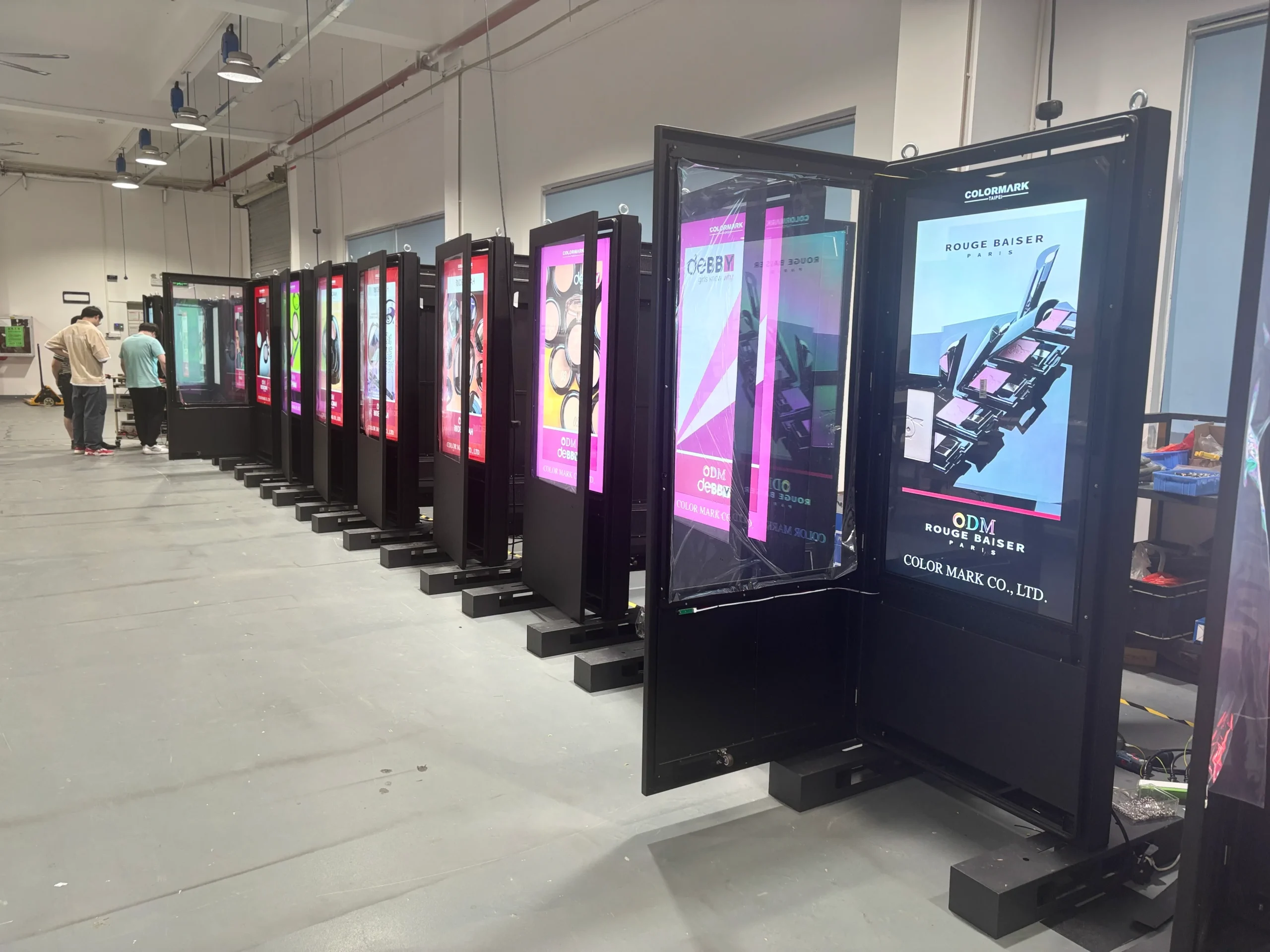
  • Enclosure fabrication
  • Full-glass panel preparation
  • Surface finishing
  • Display and component assembly
  • Wiring and system integration
  • Sealing inspection
  • Brightness and display testing
  • Temperature-control testing
  • Touch and peripheral testing when selected
  • Front-maintenance access inspection
  • Final quality inspection
  • Protective packaging and shipment preparation
Factory assembly and quality inspection for outdoor LCD digital signage

From Transit Project Requirements to Delivery

  1. 1

    Requirement Review

  2. 2

    Installation and Configuration Recommendation

  3. 3

    Technical Drawing and Quotation

  4. 4

    Sample or Prototype Confirmation

  5. 5

    Production and System Integration

  6. 6

    Testing, Inspection and Packaging

  7. 7

    Shipment and Project Support

Certification Support for Transit Display Projects

Relevant certification support may be available based on the final configuration and destination market, including CE, FCC, PSE, VCCI, RoHS, CB and other project-specific certifications. Certification requirements vary by destination market and final product configuration. Please confirm the required standards before production.
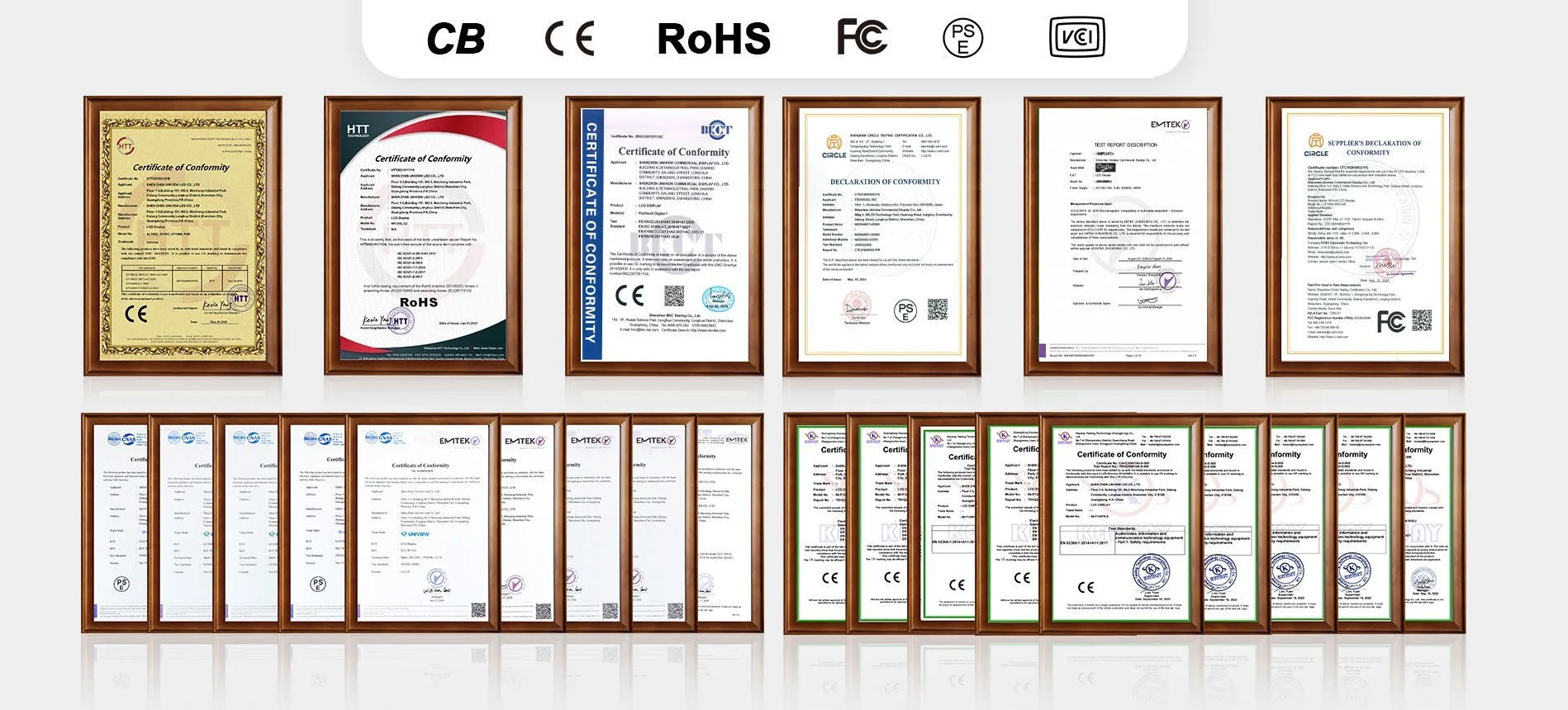
Certification document collection for commercial LCD display projects

Frequently Asked Questions

What is transit digital signage?+
Transit digital signage is a display solution used in transport environments to communicate passenger information, route content, service notices, wayfinding, public messages and approved advertising.
Where can the BS202 be installed?+
BS202 is intended for outdoor hanging or wall-mounted installations at bus stops, passenger shelters, bus and coach stations, platforms and other transit facilities. Final mounting must be confirmed against the project structure.
Can the BS202 display real-time arrival and departure information?+
Yes, it can display real-time transit content when a compatible data source, media player, CMS, network connection and software integration are selected. These systems are not included as standard BS202 hardware functions.
Does the BS202 include transit data software or a CMS?+
No. Transit data software, cloud CMS platforms, network services and third-party integrations must be separately selected and confirmed for the project.
Is the BS202 readable in direct sunlight?+
High-brightness LCD options are listed for outdoor applications. Final brightness should be selected and confirmed according to screen size, sun exposure and project configuration.
Is a touchscreen available?+
Capacitive touch is optional and available on request. Touch points, interface requirements and final suitability should be confirmed during technical review.
What is the difference between IP55 and IP65?+
IP55 and IP65 provide different levels of protection against dust and water ingress. The suitable rating depends on the installation environment. Neither rating means the display is designed for immersion.
Can the display be configured as a double-sided unit?+
Double-sided LCD is optional, project-dependent and subject to structural confirmation, including mounting load, wiring, viewing direction and maintenance access.
Can one side use an LCD and the other side use a light box?+
An LCD and light box combination is optional, project-dependent and subject to technical and structural confirmation before production.
What information is needed for a quotation?+
Please provide the required screen size, installation location, hanging or wall-mounted structure, orientation, display structure, brightness, operating system, touch needs, integration requirements and estimated quantity. Price, MOQ, lead time and warranty terms require project confirmation.

Request a Quote for BS202

Share your transit display requirements and the Uniview LCD team can review suitable hardware and configuration options.

Email: lcdsales@univiewlcd.com

Phone: +86-755-21009715

Address: Floor 1-3, Bldg 9, Delta Science and Technology Park, Dalang Street, Longhua District, Shenzhen, China

Include required screen size, installation location, hanging or wall-mounted structure, portrait or landscape orientation, single-sided or double-sided display, required brightness, operating system, touch requirement, CMS or transit data integration requirements, and estimated quantity.

Form submission requires backend integration.