

Digital Signage Manufacturer vs Supplier: Factory Direct?
A digital signage manufacturer builds or assembles display hardware. A supplier provides it to the buyer and may also be the manufacturer. For a first purchase, the practical comparison is between buying directly from a manufacturer, buying through a distributor or reseller, and working with an integrator that coordinates the wider project.
The right route depends on your required configuration, project schedule, and ability to arrange software, installation and maintenance. A factory-direct quotation does not automatically include those services. A local supplier may provide them, but you still need to confirm the scope.
This guide focuses on commercial LCD digital signage hardware for distributors, system integrators, contractors, operators and businesses selecting their first supply partner.
On this page
- What Is the Difference Between a Digital Signage Manufacturer and a Supplier?
- Manufacturer vs Distributor or Integrator: What Changes for the Buyer?
- Which Type of Partner Fits Your First Digital Signage Project?
- What Should You Verify Before Shortlisting Your First Supplier?
- How Should You Compare Quotes and Commercial Terms?
- How Can You Use a Sample Order to Evaluate the Partnership?
- Is Uniview LCD a Fit for Your Project?
- Frequently Asked Questions
- Discuss Your First Digital Signage Project
What Is the Difference Between a Digital Signage Manufacturer and a Supplier?
What a digital signage manufacturer does
A manufacturer may handle enclosure production, component integration, electronics assembly, firmware loading and testing. Some also develop structures or control hardware. Ask which activities are performed internally, which are outsourced, and who approves design changes.
Being a manufacturer does not mean producing every panel, mainboard or component. What matters is whether the company controls the processes relevant to your order and can explain its responsibilities.
What “supplier” can mean
Supplier describes a commercial relationship, rather than a particular production model. Your supplier could be a factory, importer, distributor, reseller or system integrator. One business can perform several of these roles.
A distributor may supply established product lines; a reseller may source equipment for your order; an integrator may combine displays with software, mounting and installation. These descriptions do not establish what is included in a particular quotation.
Why the business label is not enough
Ask every candidate the same question: “Which parts of this project will you deliver, and which will remain our responsibility?” Then compare documented scope, technical access and service arrangements. A manufacturing claim alone does not prove suitability for your site or schedule.
Manufacturer vs Distributor or Integrator: What Changes for the Buyer?
Use this table as a discussion framework. Individual businesses may offer different arrangements.
| Factor | Direct manufacturer | Distributor or reseller | Integrator-led purchase |
|---|---|---|---|
| Product selection | Its own product platforms and agreed modifications | Available brands, stocked products or sourced models | Equipment selected for the proposed system |
| Customization | May review structural, interface or hardware changes | May coordinate changes with the manufacturer | May specify or coordinate changes with hardware partners |
| Samples and quantity | Confirm sample availability, engineering charges and MOQ | Confirm stock, sample terms and order conditions | Confirm pilot scope and equipment quantities |
| Delivery | Confirm approvals, material availability, production and transport | Verify stock location and actual dispatch arrangements | Agree equipment delivery, site work and commissioning dates |
| Price comparison | Check what the hardware quote excludes | Check which handling or local services are included | Separate hardware, software and implementation charges |
| Technical support | Confirm access to the team responsible for the hardware | Establish the escalation route to the manufacturer | Identify the owner of hardware and system-level faults |
| Software | Confirm OS, CMS compatibility, licensing and installation separately | Check whether software is bundled and who supports it | Define software supply, integration and ongoing support |
| Maintenance | Agree diagnosis, parts, repairs and freight responsibilities | Verify the local service capability being offered | Define on-site service and escalation to other providers |
A useful comparison covers the complete job. A lower equipment price can leave more coordination with your team; a broader quotation may include work you would otherwise buy separately.
Which Type of Partner Fits Your First Digital Signage Project?
When direct manufacturer sourcing may fit
Consider this route when you need hardware changes, expect repeat orders, or have a team that can coordinate deployment and local maintenance. For example, a contractor requiring specific connectors and service access needs engineering review before approving the hardware.
Uniview LCD’s OEM/ODM customization scope outlines the hardware areas available for review. Feasibility, cost and timing still need confirmation for the proposed configuration.
When a distributor or reseller may fit
This route may suit a standard-product purchase where verified local stock, purchasing arrangements or local support matter. Ask for the exact model, configuration, stock location and warranty contact. Do not treat “available locally” as confirmation that the required quantity is ready to dispatch.
When an integrator-led solution may fit
Consider an integrator when you need one party to coordinate screens, software, installation and commissioning. Check whether that responsibility continues after handover and whether work is performed by its own team or subcontractors.
Before selecting a route, answer five questions: Do you need hardware changes? Who owns software integration? Who installs and repairs the equipment locally? Can the schedule accommodate evaluation and production? Is this a one-off purchase or the first stage of a longer program?
What Should You Verify Before Shortlisting Your First Supplier?
Manufacturing and engineering scope
Request a relevant factory walkthrough or technical discussion. Ask who assembles the proposed model, who handles engineering questions, and which changes require outside suppliers. Useful evidence explains how your product would be made and supported; facility photographs alone leave those questions unanswered.
Product suitability and supporting documents
Start with the installation environment. Indoor, behind-window and outdoor displays face different conditions. For outdoor hardware, assess sunlight exposure, ambient temperature, water exposure, ventilation and maintenance access together. Brightness alone does not establish thermal suitability.
Browse outdoor digital signage platforms to identify a starting point, then request the relevant configuration and evaluation documents. Check the model, conditions, date and scope of each record. A family-level brochure or certification logo is not evidence for every configuration.
Uniview LCD’s quality and product evaluation page provides a starting point for discussing documentation. Confirm what is available for your proposed unit and whether additional evaluation is required.
Relevant project experience
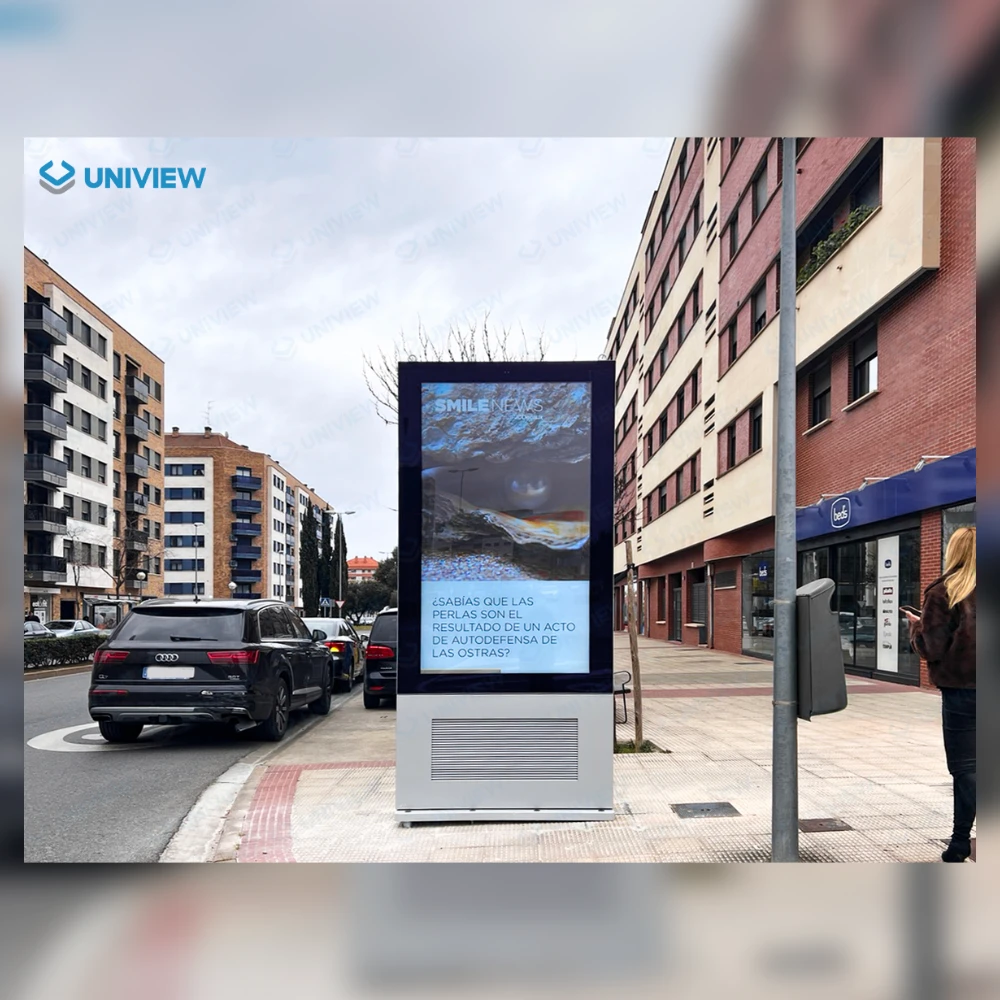
Look for comparable mounting conditions, applications and hardware requirements. Ask what was supplied and which services were outside the supplier’s scope. An installation photograph can illustrate an application without proving deployment size, customer results or years of trouble-free operation.
Delivery planning and change control
Work backwards from the required site date. Identify configuration approval, materials, production, inspection, shipping and local handover milestones. Ask what starts each stage and what happens if a component or requirement changes. Published monthly capacity is not a delivery commitment for your order.
Support and local repair responsibilities
Establish who receives fault reports, guides diagnosis, provides parts and performs local repairs. Confirm warranty coverage, freight responsibility and any return-to-factory arrangements in writing. Response time and resolution time are separate commitments.
Review the supplier’s service scope before ordering. Uniview LCD’s hardware support and after-sales process explains its support workflow and the need to confirm applicable service terms.
How Should You Compare Quotes and Commercial Terms?
Compare the same hardware configuration
Prepare one specification sheet for all candidates: display size, brightness, orientation, operating system or external player, touch requirements, interfaces, enclosure and mounting accessories. Ask suppliers to identify deviations. Otherwise, a price comparison may simply compare different products.
For a behind-glass installation, begin with the window digital signage range rather than assuming an indoor screen will suit the location. Confirm exposure, viewing conditions and installation constraints before finalizing the specification.
Separate hardware from additional costs
Request itemized scope for hardware, engineering, tooling, software licenses, packing, freight, installation, training, spare parts and support. Identify one-time and recurring charges. Record exclusions as clearly as included items, including who handles import-related arrangements where applicable.
Confirm payment, warranty and purchasing requirements
Clarify payment milestones, quotation validity, sample terms and the entity taking the order. If your organization requires supplier onboarding or specific purchasing procedures, raise them early. Confirm warranty coverage and the process for changes or claims. Commercial flexibility must be agreed; it should not be assumed from a previous customer’s arrangement.
How Can You Use a Sample Order to Evaluate the Partnership?
Define the sample configuration and acceptance criteria
Agree what the sample must demonstrate before placing the order. Record the configuration, software dependencies, installation arrangement, test conditions and acceptance criteria. Name the people who will evaluate it and decide how issues will be documented.
A small first order can be a sensible validation step for a professional buyer. State the intended next stage, while distinguishing an estimate from a committed production quantity.
Test the intended application
Evaluate viewing conditions, content playback, connectivity, required interfaces, mounting fit and service access. Use the intended player or software where practical. For outdoor installations, agree how environmental suitability will be assessed; a brief indoor demonstration cannot answer every outdoor question.
Track each issue with a description, evidence, proposed action and retest result. Evaluate the working relationship too: Are questions answered clearly? Are changes documented? Does the proposed solution address the actual installation?
Confirm what happens before a larger order
Resolve outstanding changes and agree the production reference: model, configuration, drawings and relevant hardware or firmware versions. Confirm inspection requirements, substitution approval and how future orders will be identified.
Is Uniview LCD a Fit for Your Project?
Relevant products and engineering collaboration
Uniview LCD supplies commercial LCD displays for indoor, window-facing and outdoor applications. Its company overview introduces its engineering and manufacturing operations. Projects needing hardware adaptation can be reviewed for interface, internal layout, enclosure and control-hardware requirements, subject to feasibility assessment.
Project conditions to confirm together
Discuss the proposed model, environment, configuration, evaluation needs and schedule before confirming an order. Software supply, licensing, integration, site installation and local maintenance require defined responsibilities; they should not be inferred from the hardware quotation. Delivery and commercial terms must be agreed for the actual project.
Frequently Asked Questions
Can a digital signage manufacturer also be a supplier?
Yes. Manufacturer describes a production role; supplier describes the party providing equipment to the buyer. A manufacturer selling directly performs both roles. Verify its actual manufacturing scope and what your order includes.
Can a small first order lead to a manufacturing partnership?
Yes, where the parties agree suitable sample or pilot terms. Explain your application, evaluation plan and potential next stage. Sample availability, minimum quantities and development charges depend on the product and requested work; a pilot is not a commitment to future volume.
Does buying digital signage hardware include CMS software?
Not automatically. Confirm the CMS provider, license, supported operating system, installation, compatibility testing and ongoing support. An operating system installed on a display does not by itself include a content management subscription or integration service.
Who handles installation and repairs when buying directly from a manufacturer?
Responsibility depends on the agreement. The buyer may arrange a local installer and repair team while the manufacturer provides documentation, remote hardware diagnosis or parts. Confirm on-site work, warranty handling and transport costs before ordering.
Discuss Your First Digital Signage Project
Share your project requirements with Uniview LCD. Include the preferred screen size, sample and project quantities, installation location, brightness needs if known, operating system or player, touch and interfaces, target date, and local installation or maintenance arrangements.
You do not need every specification to begin. State what is known, identify what still needs review, and include site photos or drawings where available. The next step is to clarify the configuration, scope and evaluation path for your project.