

Digital Signage Supplier Selection: How to Choose Your First Partner
Digital signage supplier selection starts with a clear project brief, relevant product evidence and agreement on delivery, installation and support responsibilities. Compare candidates against those requirements, then validate the proposed configuration before approving your first order.
This guide helps distributors, system integrators, contractors and project operators choose a commercial LCD signage partner. It includes a supplier questionnaire, evaluation tasks, a comparison scorecard and a first-order checklist.
The focus is complete LCD signage equipment. Software, integration and local services are related responsibilities to confirm with the appropriate providers.
On this page
- Define Your Project and Supplier Requirements
- Build a Shortlist and Verify Supplier Claims
- Assess Technical Fit with Project-Based Demonstrations
- Compare Total Cost and Commercial Terms
- Check Support Readiness and Future Expansion
- Validate the Shortlist with Samples or a Pilot Order
- Compare Suppliers with an Evidence-Based Scorecard
- Check Red Flags Before Approving Your First Order
- Frequently Asked Questions
- Discuss Your LCD Signage Requirements with Uniview LCD
Define Your Project and Supplier Requirements
Clarify your application and project stage
Describe what the display must do, where it will operate and who will use it. Include lighting, mounting, available space, operating hours and maintenance access. Add site photos or drawings when words alone leave uncertainty.
State whether the project is research, a tender, awaiting customer approval or ready for purchase. Separate forecast quantities from confirmed orders and identify the target installation date. This helps candidates respond to the work you can actually approve.
Explore relevant indoor LCD displays, window-facing signage or outdoor digital signage as product starting points. Confirm specifications for the selected model and configuration.
Define supplier scope and local responsibilities
When evaluating a B2B display supplier, confirm whether its scope covers hardware only or also includes software, installation and ongoing support. Ask who owns each task, including work performed by external partners.
A manufacturer may supply the equipment directly, a distributor may coordinate several brands, and an integrator may manage deployment. Define responsibilities for your order rather than relying on the business label. Buyers sourcing hardware directly should identify their local installation and repair arrangements.
Agree decision roles and must-have requirements
Identify who confirms technical requirements, compares commercial terms and approves the purchase. Include the people responsible for installation and maintenance before the configuration is settled.
Separate requirements into must-have, preferred and not yet confirmed. A mounting constraint or required interface may be essential; another feature may be optional. Agree how each necessary requirement will be checked and who can approve changes.
Build a Shortlist and Verify Supplier Claims
Send the same supplier questionnaire to each candidate
Start supplier sourcing with a clear product brief. Shortlist companies whose display range and engineering scope match your application. Use relevant industry referrals, exhibitions and product research to find candidates, then assess them consistently.
Send each candidate the same brief and request answers to these questions:
1. Which model and configuration do you propose, and where does it differ from our brief?
2. Which relevant specifications, test records and project references can you provide?
3. What engineering, software or integration work needs separate review?
4. What does the quotation include, exclude or leave as an estimate?
5. What approvals and dependencies affect production and site arrival?
6. Who handles support, local repairs, spare parts and future configuration changes?
For a complex system, a formal request for proposal may help. A focused hardware enquiry can use a shorter questionnaire. Choose a format your team can evaluate, and record the version sent to each candidate.
Confirm company, manufacturing and product evidence
Identify the companies responsible for quotation, contracting, manufacturing and payment. Clarify differences between them and ask which production activities use external partners. Arrange a relevant technical discussion, live walkthrough or visit to investigate the proposed product and process.
Request documents that match the quoted model, configuration and destination. Check the issuer, holder, scope, dates and evaluation conditions where applicable. A company credential and a product test record answer different questions.
Uniview LCD’s quality and product evaluation information provides a starting point for document requests. Confirm availability and applicability for your proposed equipment, including any additional evaluation needed before production.

Check relevant installations and customer references
Look for comparable environments, mounting methods and service needs. Ask what the supplier delivered, what others handled and which issues needed follow-up. A photograph shows an installation; operating limits and reliability need separate evidence.
The published Uniview LCD installation gallery can help frame application questions. Request permission before contacting customer references. Where references are unavailable, use relevant documents, discussions, samples and agreed inspections to investigate the remaining questions.
Useful reference questions include: What changed during delivery? How were faults handled? Was technical communication clear? Would the customer choose the supplier again, and under what conditions? Record the context rather than treating an endorsement as proof for every project.
Assess Technical Fit with Project-Based Demonstrations
Match the display to the installation environment
Assess project fit by checking the proposed display against your installation environment, software requirements, mounting constraints and maintenance access. Ask the supplier to explain the configuration and the evidence supporting its suitability.
For window-facing or outdoor equipment, review light, heat, ventilation and exposure together. A brightness specification alone does not establish environmental suitability. Identify unresolved conditions and agree how they will be evaluated.
Confirm OEM scope and system compatibility
Separate an existing model from branding, enclosure changes, interface adjustments or a new design. Ask what is feasible, what needs development, and which costs, drawings and approvals are involved.
Review OEM/ODM hardware customization against the selected platform. State the operating system, player, content management system (CMS), interfaces and peripherals you intend to use. Assign software licensing, development, integration and ongoing maintenance separately.
Ask suppliers to demonstrate your actual use case
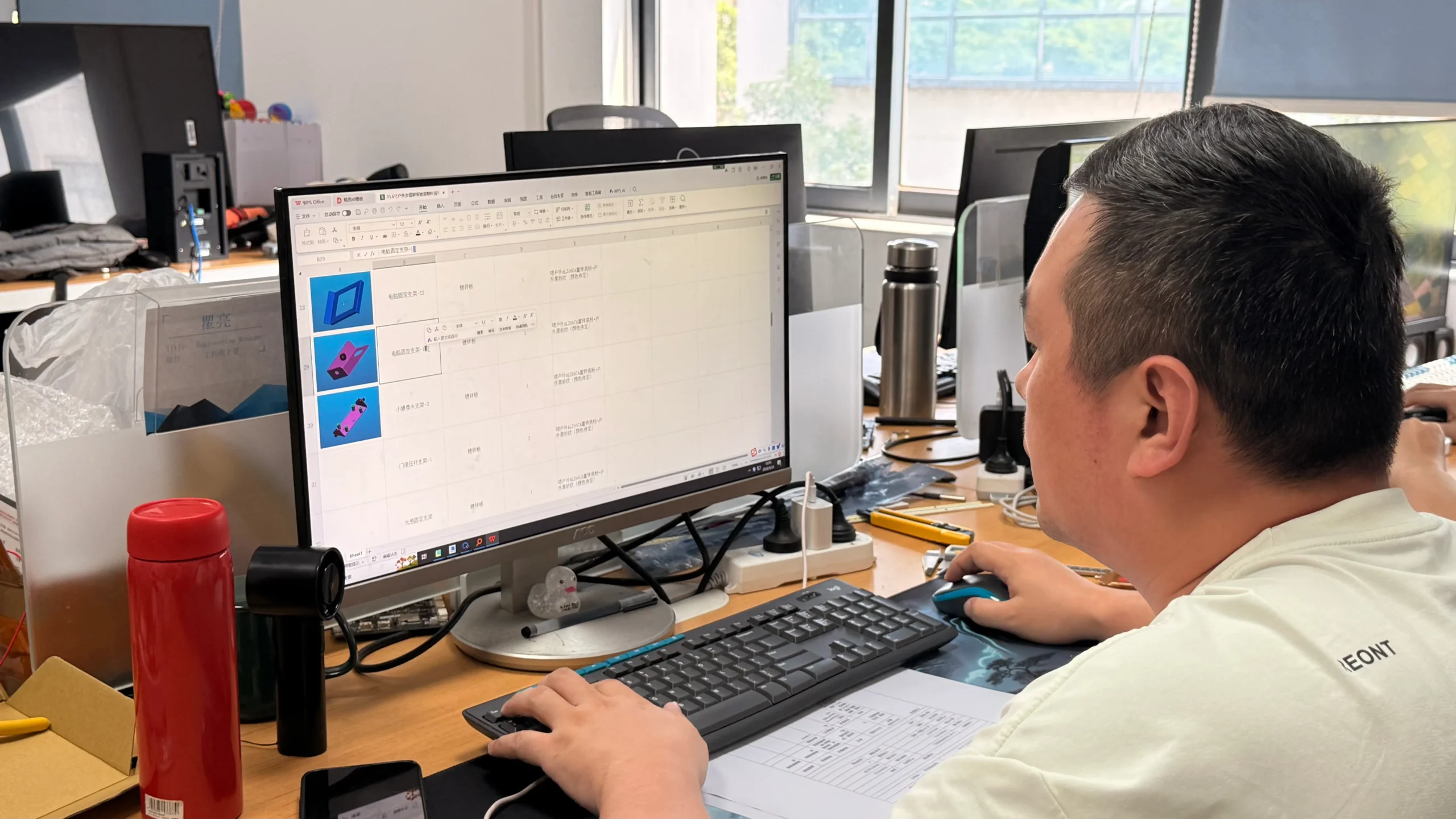
Give candidates the same relevant tasks. Examples include playing your content, using required connections, restarting after a power interruption, demonstrating expected offline behavior and showing maintenance access. Include touch or peripherals only where your project requires them.
For connected players or a CMS, identify who manages credentials, remote access and updates. Record the tested hardware and software versions. A task demonstration checks specified functions; environmental suitability and longer-term reliability need their own evaluation plans.
Compare Total Cost and Commercial Terms
Compare equivalent configurations and included items
Align the display configuration, quantity, touch options, player, connections, enclosure, mounting accessories and included software. Request written explanations of alternatives and exclusions. Update the comparison when the specification changes.
A lower quotation may cover fewer items or a different configuration. Keep hardware, development work and third-party services visible as separate lines so the difference can be assessed.
Include operating and service costs in the comparison
Use the same deployment assumptions for each candidate. Include relevant software charges, electricity, installation, local replacement labor, maintenance and spare parts alongside purchasing and delivery costs.
Ask who supplied each estimate and what remains unconfirmed. Record operating hours and power assumptions when comparing electricity costs. Discuss downtime exposure using your own operating needs rather than inventing a universal loss or return-on-investment figure.
Confirm payment, changes and order conditions
Confirm quotation validity, payment milestones, sample terms, supplier onboarding and the process for changes or claims. Verify payment details through your purchasing controls, especially where the contracting company and payment recipient differ.
Clarify the proposed schedule and its starting conditions. Distinguish factory completion from site arrival, and identify who handles freight and destination delivery. Put configuration changes and their effect on cost or timing through an agreed approval process.
Check Support Readiness and Future Expansion
Confirm remote support, local repair and escalation
Name the hardware support contact, local service team and software provider. Agree support hours, communication channels, escalation and the fault information required. Distinguish an initial response from a completed repair.
Review Uniview LCD’s hardware support and after-sales scope when discussing local responsibilities. Confirm arrangements for your order, including any on-site work. A regional office or distributor does not by itself confirm local stock or field service.
Review documentation, training and spare parts
Ask which installation instructions, maintenance information and training are available, who provides them and whether fees apply. Confirm spare-part availability, fault assessment, warranty coverage and responsibility for labor, returns and shipping.
Check that your local team can perform the agreed work and can access the necessary information. Hardware support and third-party software support may follow different processes; record where a case should be routed.
Plan repeat orders, configuration changes and expansion
Ask how component substitutions, operating-system or firmware changes, and discontinuation will be communicated. Keep the approved configuration and revision history for repeat orders. Discuss compatibility checks, spare-part needs and rollout plans before expanding.
Where software is included, confirm license conditions, account access and migration requirements with its provider. Forecast demand helps planning, but future availability and supply commitments still need agreement.
Validate the Shortlist with Samples or a Pilot Order
Agree application-specific acceptance criteria
A sample or pilot lets you evaluate the proposed equipment and working relationship. Agree its configuration, tasks, environment, testers and acceptance criteria before ordering. A small professional trial can be useful even when later quantities remain unconfirmed.
For an outdoor kiosk, define how site exposure, mounting, power, connectivity and service access will be assessed. A brief indoor demonstration cannot establish suitability for all outdoor conditions.

Use an evaluation record like this:
| Evaluation task | What to record | Acceptance basis |
|---|---|---|
| Content and playback | Content files, player, software version and observed behavior | Agreed formats and playback tasks |
| Connections and peripherals | Configuration, connected devices and results | Required functions for this project |
| Mounting and access | Drawings, fit, connections and service clearance | Approved installation requirements |
| Operating conditions | Conditions, duration, method and observations | Agreed evaluation scope and applicable evidence |
| Support collaboration | Questions, technical replies, actions and follow-up | Clear ownership and completion of agreed actions |
Record issues, revisions and retest results
Log the affected configuration, observed conditions, evidence, responsible contact, proposed action and retest result. Separate a suggested change from one that has been implemented and checked.
Review communication as well as the equipment. Are answers specific? Are versions recorded? Does the team acknowledge unresolved items? Identify what must be completed before the next approval.
Confirm the approved production reference
Record the accepted model, options, drawings and relevant hardware or firmware versions. Agree how substitutions are approved, what will be inspected and which records are required before shipment. Set the scope, timing and cost of any independent inspection in advance.
Keep sample acceptance tied to the conditions tested. Confirm production scheduling and any further validation separately.
Compare Suppliers with an Evidence-Based Scorecard
Check mandatory requirements before ranking preferences
Mark each requirement as confirmed, pending evidence, a gap or not applicable. Resolve necessary conditions before ranking optional advantages. An unanswered question needs an owner and a next step; a supplier’s total score should not hide it.
If your team uses weights, agree them for this project. Avoid treating a generic template as an industry pass mark.
Compare evidence, open issues and next actions
Use the scorecard to compare project fit, supporting evidence, total cost and support responsibilities. Complete the same record for each candidate, then review the results together.
| Dimension | Evidence or answer to record | Status | Open issue and next action |
|---|---|---|---|
| Product and environment fit | Proposed model, configuration and suitability evidence | Confirmed / pending / gap / N/A | Assign owner and required follow-up |
| Business and production roles | Contracting, payment and manufacturing responsibilities | Confirmed / pending / gap / N/A | Clarify differences between entities |
| Technical and OEM scope | Deviations, feasibility, interfaces and software responsibilities | Confirmed / pending / gap / N/A | Identify additional review or development |
| Cost and commercial terms | Comparable scope, estimates, exclusions and payment conditions | Confirmed / pending / gap / N/A | Obtain missing lines or revised quotation |
| Validation and delivery | Sample results, production reference and schedule dependencies | Confirmed / pending / gap / N/A | Confirm approval and inspection requirements |
| Support and continuity | Local repairs, parts, costs and configuration-change arrangements | Confirmed / pending / gap / N/A | Agree responsibilities and remaining terms |
Keep supporting documents with the comparison. A short list of verified strengths and unresolved questions is more useful than a precise-looking score built on assumptions.
Check Red Flags Before Approving Your First Order
Identify unresolved risks that need clarification
Investigate unexplained company or payment differences, documents for another model, unrecorded configuration changes and unclear responsibility for important work. Pause commitments affected by those gaps until the relevant questions are resolved.
Company size, age, intermediary status or a higher price alone does not establish poor project fit. Use evidence connected to your requirements to explain the decision.
Choose whether to proceed, request evidence or pause
Use three outcomes: proceed when required checks are complete; request evidence when a material question remains open; or pause when a necessary condition cannot be met. Record who approved the decision and what must happen next.
Before approving the first order, confirm:
- The final configuration and approved revision.
- Included items, exclusions, payment terms and delivery responsibilities.
- Sample acceptance, open issues and any remaining evaluation.
- Production starting conditions, inspection records and delivery milestones.
- Hardware, software and local-service responsibilities.
- Warranty, spare parts, repair costs and change procedures.
Frequently Asked Questions
Should I choose a manufacturer, distributor or system integrator?
Choose according to the work you need covered. A manufacturer may suit direct hardware procurement; a distributor may coordinate product supply; an integrator may manage deployment. Confirm actual responsibilities, technical access and local support rather than relying on the label.
Do I need to visit the factory before choosing a supplier?
A visit is one verification option. Technical discussions, live walkthroughs, relevant documents, samples and agreed independent inspection can also contribute evidence. Select methods suited to the order and understand what each can verify.
What documents should I request from a digital signage supplier?
Start with the proposed model, configuration, destination and application. Request relevant specifications, declarations, reports and inspection information. Check their scope and identify who will provide missing items or additional evaluation before you commit.
Should I choose the supplier with the lowest quotation?
Compare equivalent configurations and included work first. Then review delivery, operating costs, technical fit and support. A lower price may be suitable, but it may also reflect different hardware, exclusions or assumptions that need clarification.
Can a small sample order help me evaluate a supplier?
Yes, when it has a clear evaluation purpose. Agree the configuration, cost, tasks and acceptance criteria. Use the trial to assess product fit and collaboration, while keeping later quantities and any additional validation subject to approval.
Who should handle installation, software and repairs after delivery?
Name the responsible parties before ordering. Hardware supply, CMS services, site installation and local repairs may involve different teams. Record contacts, coverage, costs and escalation so each issue reaches the appropriate provider.
What should I ask a supplier’s customer references?
With permission, ask about similar applications, delivered scope, configuration changes, communication, fault handling and repeat orders. Record the project context. A positive reference supports investigation but does not replace checking your proposed model and requirements.
How can I assess support for future orders and expansion?
Ask about configuration records, component-change notices, spare parts, product discontinuation and expected deployment needs. Where software is involved, confirm licenses, account access and migration arrangements. Agree future supply and service terms rather than assuming the first order fixes them indefinitely.
Discuss Your LCD Signage Requirements with Uniview LCD
Uniview LCD manufactures commercial LCD signage for distributors, integrators and project buyers. Its company overview introduces the business and engineering operations. Product, customization, software and support scope should be reviewed for your application.
Discuss your LCD signage requirements with Uniview LCD. Share the destination, application, site conditions, size, quantities, interfaces, project stage and target date. Include drawings or photos and explain who will handle local installation and maintenance.
Mark any unknowns. The next step is to identify a suitable platform, clarify the engineering and document requirements, and agree what needs checking before a quotation, sample or order can proceed.