

Sourcing LCD Signage from China: Beyond the Unit Price
Sourcing LCD digital signage from China starts with the right product and a verified supplier. Before ordering, agree on the configuration, evaluation, delivery and support. A quotation is the starting point for these decisions.
This guide helps distributors, system integrators, contractors, project operators and business buyers plan their first commercial LCD sourcing project in China. It covers complete commercial LCD signage equipment, from the first enquiry to repeat orders.
Start with your application and shortlist suitable suppliers. Then prepare a request for quotation (RFQ), compare documents and costs, and agree on samples, production checks, shipping and local maintenance. Track unresolved questions at each stage.
On this page
- Match the LCD Display and Sourcing Route to Your Project
- Build and Verify a Relevant Supplier Shortlist
- Prepare Your RFQ and Define the Engineering Scope
- Match Product Evidence and Documents to Your Destination
- Compare the Complete Quote and Landed-Cost Scope
- Validate Samples and Confirm the Production Reference
- Plan Production, Shipping and Site Delivery Together
- Agree After-Sales Support and Repeat-Order Arrangements
- How Uniview LCD Reviews Your Sourcing Project
- Frequently Asked Questions
- Discuss Your LCD Digital Signage Sourcing Project
Match the LCD Display and Sourcing Route to Your Project
Finished signage displays, panels and modules
First, define what you are buying. A panel or module is a component; a finished signage unit includes an enclosure, electronics, connections and mounting provisions. Direct-view LED equipment is a separate product category.
Check that each supplier offers the complete LCD unit your project needs. Experience with other display products does not confirm this.
State whether you need a finished display, an integrated kiosk or hardware for your own assembly. This helps you compare suitable suppliers and quotations.
Indoor, window-facing and outdoor applications
Choose the display for its installation conditions as well as its size. The Uniview LCD ranges below are starting points; confirm specifications and options for each model.
| Application | Product examples | What to confirm first |
|---|---|---|
| Indoor promotions and information | S-WI300 wall-mounted displays; S-UT1900 floor-standing displays | Available space, orientation, operating schedule, system and connections |
| Street-facing shop windows | U1500P / UW1500P window displays | Light and heat behind the glass, viewing direction, mounting and ventilation |
| Outdoor walls and public spaces | V130L / V130P wall-mounted displays; F130 / F160 kiosks | Sun exposure, temperature, water and dust exposure, cooling, mounting and maintenance access |
Explore the indoor LCD signage range, window-facing displays, or outdoor digital signage platforms to identify suitable models. Confirm weather protection separately: a high-brightness window display may not suit an exposed outdoor site.
Factory-direct sourcing and local responsibilities
Factory-direct sourcing may suit buyers who can coordinate technical decisions, installation and local maintenance. If you need a partner to manage the whole system and site work, confirm that scope before choosing a supply route.
A manufacturer may also be your supplier. Ask who handles software, imports, mounting, commissioning and local repairs.
State your project stage: research, tender, awaiting customer approval or confirmed purchase. Each stage calls for different commitments.
Build and Verify a Relevant Supplier Shortlist
Find candidates with the right product focus
To find relevant digital signage suppliers in China, start with trade exhibitions, company websites, B2B directories and industry referrals. Listings and platform badges help you find candidates, but you still need to check the supplier and the proposed equipment.
Shortlist suppliers for your specific application, such as an outdoor wall-mounted display with interface changes. Request the relevant specification and ask why the proposed model suits your project.
Confirm company and manufacturing relationships
Before selecting a China-based LCD supplier, identify the companies responsible for quotation, contracting, manufacturing and payment. Clarify any differences between them.
Ask which manufacturing activities are handled in-house and which use external partners. An intermediary can be useful when its role and responsibilities are clear.
Arrange a site visit, live video walkthrough or technical discussion focused on your product. Ask who assembles it, inspects it and approves engineering changes. A general factory tour may not answer these questions.
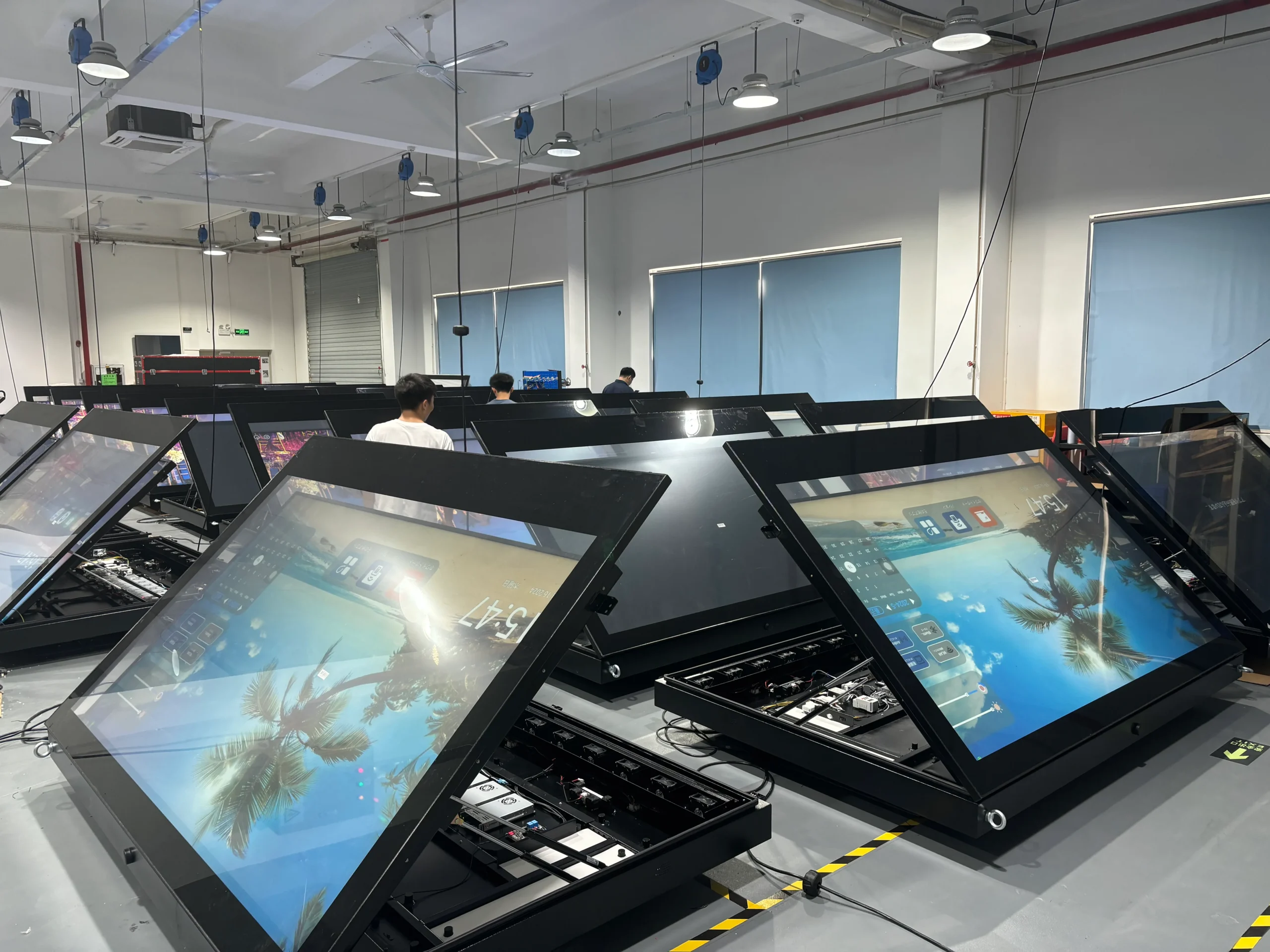
Review comparable installations and support contacts
Look for installations with similar mounting, environments and service needs. Ask what the supplier delivered and what others handled. Photos show placement and product form, but do not prove operating limits, deployment scale or long-term reliability.
Record each candidate’s technical contact, support process, supporting documents and open questions. These details help you compare suppliers beyond company size or years in business.
Prepare Your RFQ and Define the Engineering Scope
Provide the information needed for a useful quotation
A request for quotation (RFQ) should turn your procurement requirements into a clear brief that each supplier can assess and quote. Send the same brief to all candidates and ask them to flag any differences from your requirements.
Use this starting template:
Destination country and application:
Project stage: research / tender / awaiting approval / confirmed purchase
Installation environment, mounting method and available space:
Screen size, orientation and brightness needs, if known:
Operating system or external player; intended CMS:
Touch, interfaces, peripherals and hardware changes:
Sample quantity / estimated project quantity / committed order quantity:
Target installation date and key project milestones:
Site photos, drawings and local installation or repair arrangements:
Items not confirmed yet:
Separate forecast quantities from confirmed orders. For unknown specifications, describe the application and mark the field “Not confirmed yet.” Add drawings or site photos rather than guessing.
Separate standard models, modifications and new design work
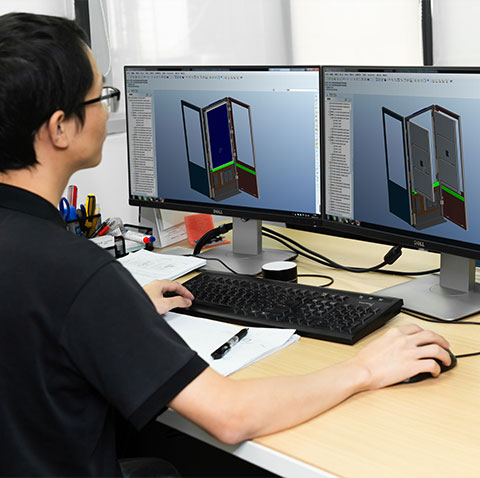
If your project requires OEM customization, specify whether you need branding, enclosure changes, interface adjustments or a new design. Each may need different engineering, sample and validation work. Ask the supplier to confirm feasibility, costs, approvals and exclusions.
Uniview LCD’s OEM/ODM hardware review scope covers discussions about structure, display configuration, electronics and interfaces. Confirm feasibility for the selected platform; the OEM/ODM label alone does not confirm that every function is available.
Clarify software and integration responsibilities
List the operating system, player, content management system (CMS), licenses and integration tasks separately. Agree who installs software, checks compatibility, provides credentials and handles support. If you use an existing CMS, share its requirements early.
A built-in operating system does not automatically include a CMS subscription, custom software or site commissioning. Record these responsibilities alongside the hardware configuration.
Match Product Evidence and Documents to Your Destination
Separate company credentials from product evidence
Company quality-system certificates and model-specific test reports serve different purposes. Market compliance documents and water, dust or impact test records also have different scopes. Request documents relevant to your order; logos alone are insufficient.
Check the issuer, holder, dates, models and scope where applicable. Confirm how the named companies and product versions relate to the quoted equipment.
Check model, configuration and test conditions
For brightness, temperature, operating hours and protection requirements, ask which configuration was evaluated and under what conditions. For outdoor units, review sunlight, heat, ventilation and service access together. Brightness alone does not establish suitability.
Use this evidence register:
| Requirement | Model and configuration | Document or evaluation needed | Provider and status |
|---|---|---|---|
| Viewing conditions | Proposed panel and brightness configuration | Relevant specification and agreed visibility evaluation | Identify provider; received / pending / additional work |
| Environmental suitability | Enclosure, cooling and mounting arrangement | Applicable test records and project evaluation scope | Confirm conditions and unresolved gaps |
| Destination requirements | Final product, features and destination | Applicable declarations, reports, labels or registrations | Confirm applicability and responsible party |
| System compatibility | OS, player, interfaces and intended software | Agreed functional checks and results | Identify the team completing each check |
Uniview LCD’s quality and product evaluation information can guide your document requests. Confirm what is available for the actual model and agree on any additional work before committing to production.
Confirm market-specific information before production
Build the document list around the destination and product features. Check whether energy information, registrations or wireless requirements apply alongside other compliance documents.
For EU destinations, consult the European Commission’s official electronic displays guidance on energy labelling and ecodesign, including scope and exclusions. Confirm which current requirements apply to your model with the responsible supplier and importer before ordering.
Compare the Complete Quote and Landed-Cost Scope
Compare equivalent configurations
Compare the same panel requirements, operating system or player, touch options, connections, enclosure, mounting accessories and software. Ask suppliers to explain substitutions and exclusions in writing.
A lower price may reflect a different configuration or fewer included items. Record the specification revision used for each quote and update the comparison when it changes.
Separate one-time, shipment and recurring charges
Record what is included, who provided each estimate and which costs remain unconfirmed. Ask the freight provider or importer to confirm destination charges; they may be outside the hardware quote.
| Cost group | Items to clarify | Comparison note |
|---|---|---|
| Hardware | Displays, options and mounting accessories | Compare the same configuration and quantity |
| One-time work | Engineering, tooling, samples, extra testing or inspection | Identify separately quoted and reusable work |
| Shipment and destination | Export packing, freight, handling and applicable import or local delivery charges | Record delivery terms, estimate validity and exclusions |
| Continuing service | CMS licenses, agreed software services, maintenance or additional spares | Distinguish recurring charges from included support |
Agree payment and purchasing conditions
Confirm quote validity, payment milestones, sample terms, supplier onboarding and the process for changes or claims. Use your purchasing checks to verify payment details and any difference between the contracting company and payment recipient.
Share your internal approval requirements early. Agree terms for your own order; another customer’s terms may not apply.
Validate Samples and Confirm the Production Reference
Set application-specific acceptance criteria
Before ordering a sample, agree on its configuration, intended environment, required software and evaluation tasks. Name the testers and define how results and acceptance will be recorded.
Check viewing conditions, playback, connections, mounting fit and service access as needed. For outdoor projects, agree on environmental evaluation; a short indoor demonstration cannot establish outdoor suitability.
A small pilot can be a useful starting point. Approve later quantities separately.
Record issues, changes and retest results
Log each issue with its configuration, observed conditions, evidence, owner, proposed action and retest result. Distinguish proposed changes from those already implemented and tested.
Assess the working relationship too. Are technical answers clear? Are revisions recorded and open issues acknowledged? Resolve required items before approving the next step.
Agree production configuration and pre-shipment checks
Confirm the approved production configuration: model, options, drawings and relevant hardware or firmware versions. Agree how substitutions are approved, what will be inspected and which records are needed before shipment. Set the scope, timing and cost of any independent inspection in advance.
Record the tested conditions and accepted configuration when approving a sample. Sample approval does not guarantee lifetime reliability or reserve a production slot.
Plan Production, Shipping and Site Delivery Together
Work backwards from the installation date
Distinguish factory completion from site arrival. Schedule the approvals, materials, inspection and transport needed for each milestone.
| Milestone | What to agree | Owner to identify |
|---|---|---|
| Requirements and engineering | Open items, approved configuration and change decisions | Buyer and supplier technical contacts |
| Sample evaluation | Test availability, feedback and retest decisions | Evaluation team and engineering contact |
| Production and inspection | Starting conditions, current plan and required records | Supplier production and inspection contacts |
| Shipment | Packing, booking, documents and handover point | Supplier and freight provider as agreed |
| Destination and installation | Import arrangements, receipt, local delivery and site readiness | Importer, local logistics and installation teams |
Agree how progress and changes will be reported. Published capacity does not confirm your order’s schedule. For a fixed site deadline, resolve key timing questions before accepting the delivery plan.
Confirm packaging and shipment requirements
Request details of export packing, packed dimensions and weight, protection measures and handling arrangements. Confirm which export documents the supplier will provide.
Discuss any special requirements for mounting equipment, large enclosures or batteries with the relevant provider. Screen size alone is not enough to plan transport.
Confirm who handles each task and cost under the selected delivery terms. Raise special document or packaging requests before the quote and shipment plans are finalized.
Define destination delivery and arrival checks
Identify who handles import formalities, destination handling and site delivery. Agree how the receiver will check packaging, quantities and equipment condition, then record and report any discrepancies.
Confirm local power, connectivity, mounting and installation access. Equipment arrival does not mean the site is ready for installation.
Agree After-Sales Support and Repeat-Order Arrangements
Remote diagnosis and local repair
Confirm the support contact before delivery. Keep order references, model and serial numbers, configuration details and service records. Ask what fault information is needed and who can carry out suitable local checks or repairs.
For Uniview LCD projects, review the hardware support and after-sales workflow. Agree on the support scope, local responsibilities and any separate services for your order.
Warranty, spare parts and transport responsibilities
Agree on warranty terms, fault assessment, spare parts and responsibility for shipping or factory returns. Distinguish response-time commitments from repair completion times.
Identify who supports third-party software, including CMS licensing, maintenance and development. Set spare-part quantities and service costs for the project; do not assume a standard allowance.
Configuration continuity for repeat orders
Keep the approved configuration and revision history for reorders. Ask how component, operating-system or firmware changes will be reported and whether compatibility needs rechecking. Discuss spare parts and expected product changes before expanding.
Separate forecasts from purchase orders. A successful pilot supports future planning, but component continuity and future availability still need agreement.
How Uniview LCD Reviews Your Sourcing Project
Product and engineering review
Uniview LCD manufactures and supplies commercial LCD signage for indoor, window-facing and outdoor use. See its company overview for engineering and manufacturing information. Share your application, drawings and interface needs to help identify the right platform and engineering work.
Relevant installation examples
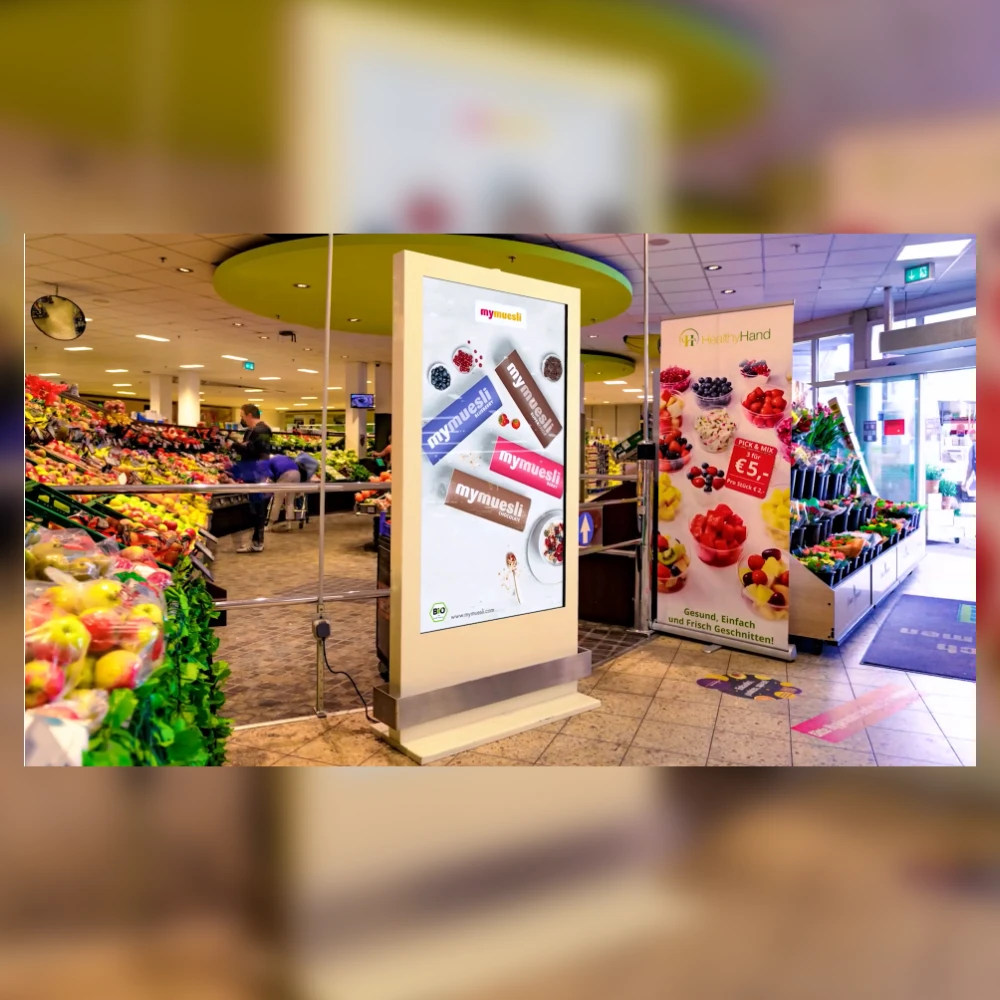
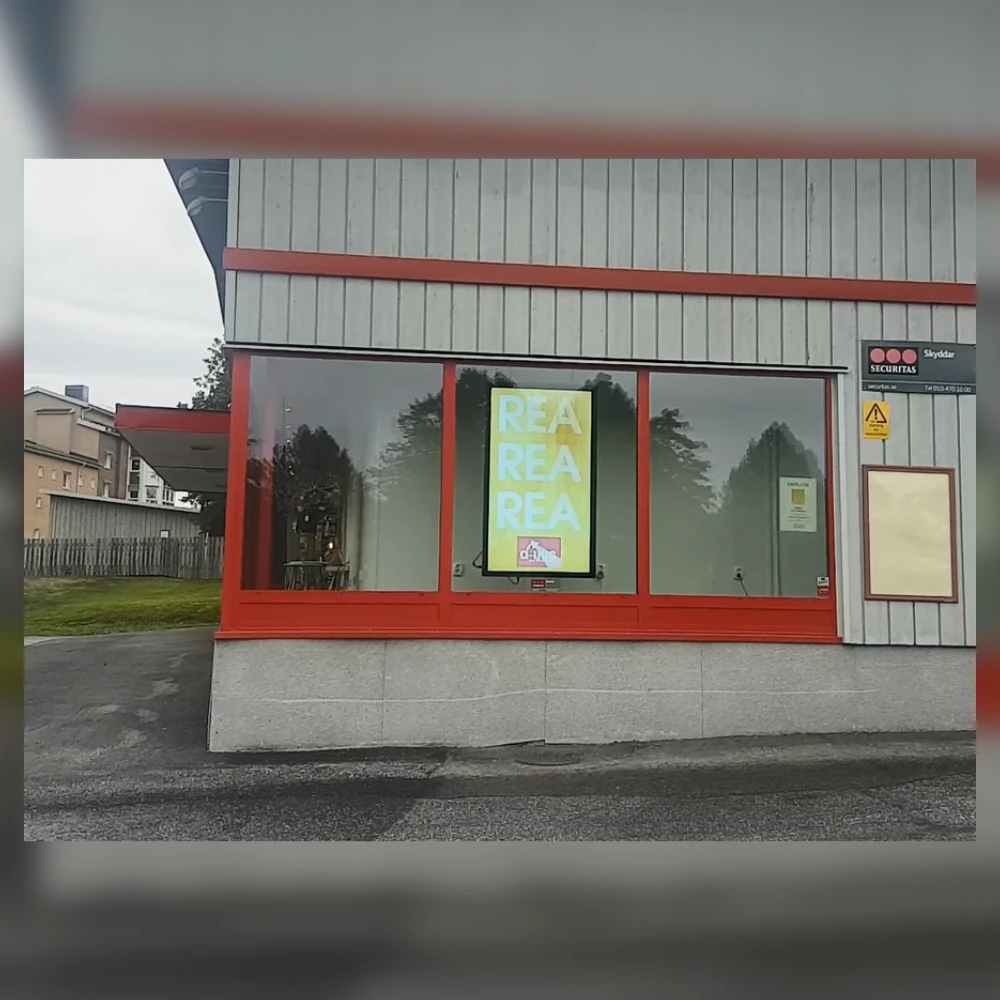
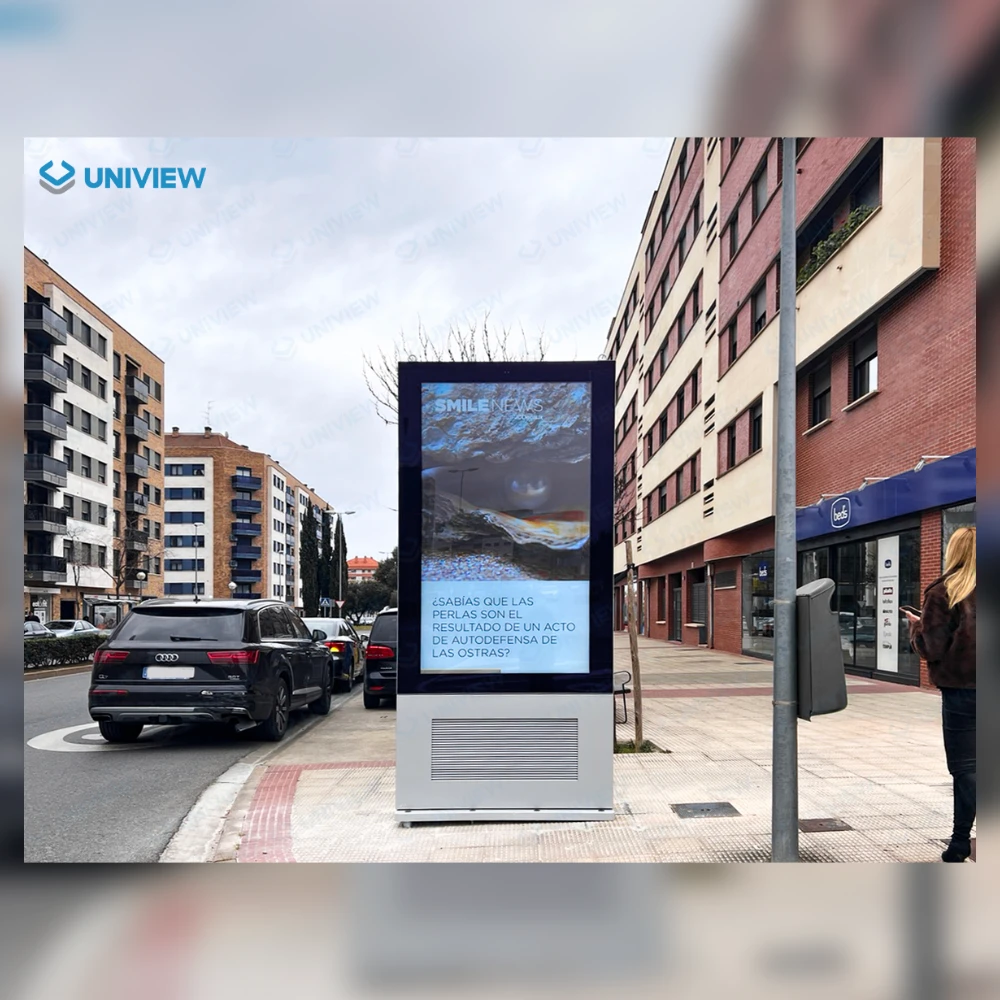
Uniview LCD’s published installation gallery includes supermarket signage in Germany, a window display in Sweden and an outdoor kiosk in Spain. These show different placements; confirm the configuration and evaluation needed for your own project.
Confirm the project scope and next step
Use the sourcing discussion to confirm product options, engineering questions, documents, samples and next steps. Check production and delivery plans for your quantity and configuration.
Agree on software, local installation, maintenance and commercial terms explicitly. Confirm local stock and on-site service separately; an overseas office or distributor does not establish availability everywhere.
Frequently Asked Questions
Can I start with a sample order before buying in volume?
Discuss sample or pilot needs with the supplier. Availability, quantity, cost and development work depend on the product and requested changes. Agree what to evaluate and separate future estimates from confirmed orders.
Do I need to visit a factory before placing my first order?
A visit is one option. Technical discussions, live video reviews, product documents, samples and independent inspection can also help. Choose methods suited to your order and understand what each can verify.
What should I include in an LCD digital signage RFQ?
Include the destination, application, environment, size, quantities, system, interfaces, mounting and target dates. Add site photos or drawings, state the project stage and mark unknown requirements clearly.
Which documents should I request for my destination market?
Provide the final model, configuration, features and destination. Ask the responsible supplier and importer which declarations, reports, labels or registrations apply. Check that documents cover the quoted equipment and record any gaps.
Does the hardware quotation include CMS software and installation?
Only if the quote expressly includes them. Confirm the CMS provider, license, compatibility checks, installation and ongoing support separately. Do not assume a hardware quote covers the entire system or site.
What determines production and delivery time?
Configuration approval, engineering, materials, sample evaluation, production, inspection and transport affect timing. Agree on the starting conditions and milestones for your order. Distinguish factory completion from site arrival.
Who handles faults and spare parts after delivery?
Agree on responsibilities before ordering. Identify the hardware support contact, local repair team, spare-parts process and any factory-return procedure. Confirm warranty coverage, costs and separate software support.
Discuss Your LCD Digital Signage Sourcing Project
Discuss your sourcing project with Uniview LCD. Share the destination, application, environment, size, system and interface needs. Include sample and project quantities, the project stage and target installation date.
Add site photos or drawings and identify who will handle local installation and maintenance. Mark any unknowns. A clear brief helps both teams review the product, agree on scope and plan the next purchasing step.